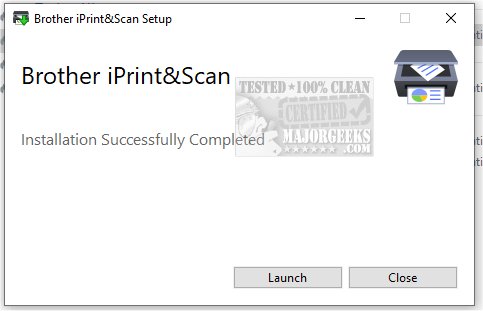
The recently released version 15.2.0.11 of Brother iPrint&Scan offers users an enhanced experience for managing printing and scanning tasks. This versatile application allows seamless access to a variety of functionalities, enabling users to operate both printing and scanning directly from their computers or mobile devices. The specific features available may vary depending on the Brother device model, catering to the unique specifications and capabilities of each machine.
Brother iPrint&Scan supports a wide range of Brother devices, including various models from the Color Laser LED FAX/MFC series, Inkjet FAX/MFC series, Mono Laser FAX/MFC series, and Scanner series. One of its key features is its ability to quickly identify connected Brother printers, whether via USB or local network. Upon launching the application, it efficiently detects and lists all accessible Brother devices, streamlining the user experience for both home and office setups.
For printing, users can easily select documents or images, choose paper sizes, and customize print settings like quality, color, and orientation. If printing from a mobile device, users must ensure their Brother printer model supports mobile printing and that both devices are connected to the same network. This feature allows for convenient on-the-go printing.
When it comes to scanning, users can adjust settings such as paper size, color options, resolution, and two-sided scanning. The application provides a preview of the scan result, allowing users to save the document to their computer, send it to other applications, or attach it to emails.
In summary, Brother iPrint&Scan is an essential tool for Brother device users, simplifying the management of documents and photos. It supports efficient workflows by allowing printing and scanning directly from both computers and mobile devices, making it an invaluable asset for personal or professional use.
As the demand for efficient document management continues to grow, applications like Brother iPrint&Scan are likely to evolve, incorporating more features such as cloud integration, enhanced mobile compatibility, and improved user interfaces to further streamline the printing and scanning processes. Future updates may also focus on better security measures to protect sensitive documents during transmission, ensuring users can manage their printing needs with confidence
Brother iPrint&Scan supports a wide range of Brother devices, including various models from the Color Laser LED FAX/MFC series, Inkjet FAX/MFC series, Mono Laser FAX/MFC series, and Scanner series. One of its key features is its ability to quickly identify connected Brother printers, whether via USB or local network. Upon launching the application, it efficiently detects and lists all accessible Brother devices, streamlining the user experience for both home and office setups.
For printing, users can easily select documents or images, choose paper sizes, and customize print settings like quality, color, and orientation. If printing from a mobile device, users must ensure their Brother printer model supports mobile printing and that both devices are connected to the same network. This feature allows for convenient on-the-go printing.
When it comes to scanning, users can adjust settings such as paper size, color options, resolution, and two-sided scanning. The application provides a preview of the scan result, allowing users to save the document to their computer, send it to other applications, or attach it to emails.
In summary, Brother iPrint&Scan is an essential tool for Brother device users, simplifying the management of documents and photos. It supports efficient workflows by allowing printing and scanning directly from both computers and mobile devices, making it an invaluable asset for personal or professional use.
As the demand for efficient document management continues to grow, applications like Brother iPrint&Scan are likely to evolve, incorporating more features such as cloud integration, enhanced mobile compatibility, and improved user interfaces to further streamline the printing and scanning processes. Future updates may also focus on better security measures to protect sensitive documents during transmission, ensuring users can manage their printing needs with confidence
Brother iPrint and Scan 15.2.0.11 released
Brother iPrint&Scan is a versatile application designed to enhance your printing and scanning experience. It offers convenient access to a wide range of functionalities, allowing users to effortlessly manage both printing and scanning tasks directly from their computer or mobile device.