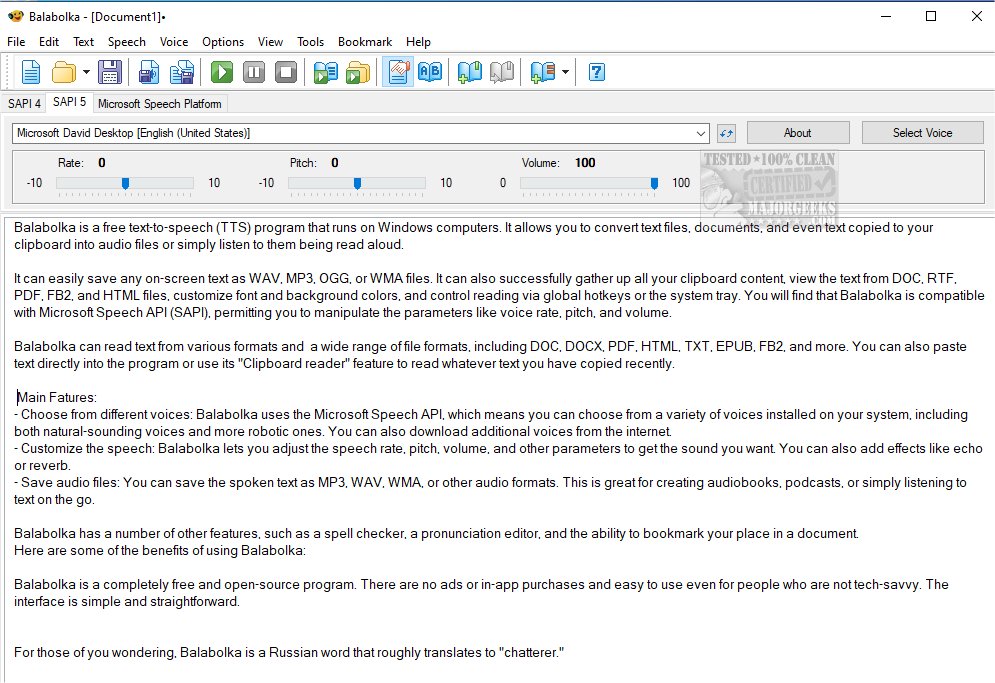
Balabolka 2.15.0.921 has recently been released, enhancing its functionality as a versatile text-to-speech (TTS) application for Windows. This freeware tool allows users to convert various text formats—including documents and clipboard content—into audio files or listen to them read aloud. It supports saving audio in multiple formats such as WAV, MP3, OGG, or WMA, making it suitable for creating audiobooks or podcasts.
Balabolka is designed to utilize the installed voices on your computer via the Microsoft Speech API, providing a selection of both natural and robotic-sounding voices. Users can customize their listening experience by adjusting voice parameters like rate, pitch, and volume, and they can apply effects like echo or reverb. The application also supports reading from a wide range of file formats, including DOC, PDF, HTML, and EPUB, making it a flexible tool for various text sources.
Key features of Balabolka include:
- Voice Selection: Choose from a variety of voices installed on your system, with the option to download additional voices.
- Speech Customization: Adjust speech parameters for a tailored audio experience.
- Audio File Saving: Easily save spoken text in various audio formats for convenient listening.
- Additional Tools: Includes a spell checker, pronunciation editor, and bookmarking features for easy navigation through documents.
The program is entirely free and open-source, ensuring that there are no advertisements or in-app purchases, making it accessible to all users, including those who may not be tech-savvy. Its user-friendly interface simplifies the process of converting text to speech.
In summary, Balabolka stands out as a powerful and customizable TTS application that caters to a wide range of user needs, from accessibility to content creation. Whether you're a student, a professional, or simply someone looking to enjoy literature in audio form, Balabolka offers a comprehensive solution.
Future updates could focus on enhancing voice quality further, integrating more advanced AI voice options, and improving file format compatibility to support even more document types. Additionally, the development of mobile versions might expand its usability for users on the go
Balabolka is designed to utilize the installed voices on your computer via the Microsoft Speech API, providing a selection of both natural and robotic-sounding voices. Users can customize their listening experience by adjusting voice parameters like rate, pitch, and volume, and they can apply effects like echo or reverb. The application also supports reading from a wide range of file formats, including DOC, PDF, HTML, and EPUB, making it a flexible tool for various text sources.
Key features of Balabolka include:
- Voice Selection: Choose from a variety of voices installed on your system, with the option to download additional voices.
- Speech Customization: Adjust speech parameters for a tailored audio experience.
- Audio File Saving: Easily save spoken text in various audio formats for convenient listening.
- Additional Tools: Includes a spell checker, pronunciation editor, and bookmarking features for easy navigation through documents.
The program is entirely free and open-source, ensuring that there are no advertisements or in-app purchases, making it accessible to all users, including those who may not be tech-savvy. Its user-friendly interface simplifies the process of converting text to speech.
In summary, Balabolka stands out as a powerful and customizable TTS application that caters to a wide range of user needs, from accessibility to content creation. Whether you're a student, a professional, or simply someone looking to enjoy literature in audio form, Balabolka offers a comprehensive solution.
Future updates could focus on enhancing voice quality further, integrating more advanced AI voice options, and improving file format compatibility to support even more document types. Additionally, the development of mobile versions might expand its usability for users on the go
Balabolka 2.15.0.921 released
Balabolka is a mildly customizable freeware text-to-speech application capable of utilizing all the installed computer voices on your PC.