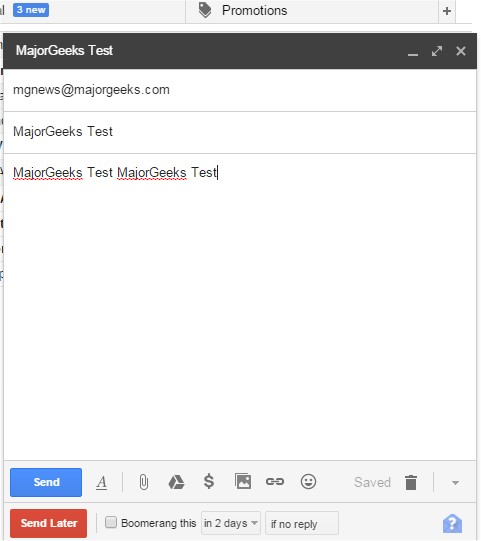
The latest version of Boomerang for Gmail, compatible with Chrome, Firefox, Edge, Safari, and Opera, is now available as version 1.9.7. This innovative email tool enables users to schedule when their emails are sent, enhancing productivity and organization. With an intuitive interface, users simply compose their messages and select the "send later" option. They can easily pick a date using a calendar or input common phrases like "next Friday" to specify the desired sending time.
In addition to scheduling, Boomerang offers features that assist users in managing their inboxes. By clicking the Boomerang button while viewing an email, users can choose when they would like to see it again, allowing for efficient archiving and retrieval of important messages. This tool is particularly useful for a variety of tasks, such as scheduling birthday messages, managing project deadlines, setting reminders for bill payments, following up on sales leads, communicating across different time zones, and organizing travel confirmations to reappear on relevant dates.
For those looking to enhance their browsing experience, the update also comes with tips on improving Chrome performance, managing autofill entries, editing saved phone numbers, and removing stored credit card information. Additionally, users can explore hidden games offered by Google for entertainment.
Overall, Boomerang for Gmail not only streamlines email management but also incorporates additional functionalities that cater to users' diverse needs, making it a versatile tool for both personal and professional use
In addition to scheduling, Boomerang offers features that assist users in managing their inboxes. By clicking the Boomerang button while viewing an email, users can choose when they would like to see it again, allowing for efficient archiving and retrieval of important messages. This tool is particularly useful for a variety of tasks, such as scheduling birthday messages, managing project deadlines, setting reminders for bill payments, following up on sales leads, communicating across different time zones, and organizing travel confirmations to reappear on relevant dates.
For those looking to enhance their browsing experience, the update also comes with tips on improving Chrome performance, managing autofill entries, editing saved phone numbers, and removing stored credit card information. Additionally, users can explore hidden games offered by Google for entertainment.
Overall, Boomerang for Gmail not only streamlines email management but also incorporates additional functionalities that cater to users' diverse needs, making it a versatile tool for both personal and professional use
Boomerang Gmail for Chrome, Firefox, Edge, Safari, and Opera 1.9.7 released
Boomerang for Gmail allows you to schedule the time when your emails are sent and more.
Boomerang Gmail for Chrome, Firefox, Edge, Safari, and Opera 1.9.7 released @ MajorGeeks