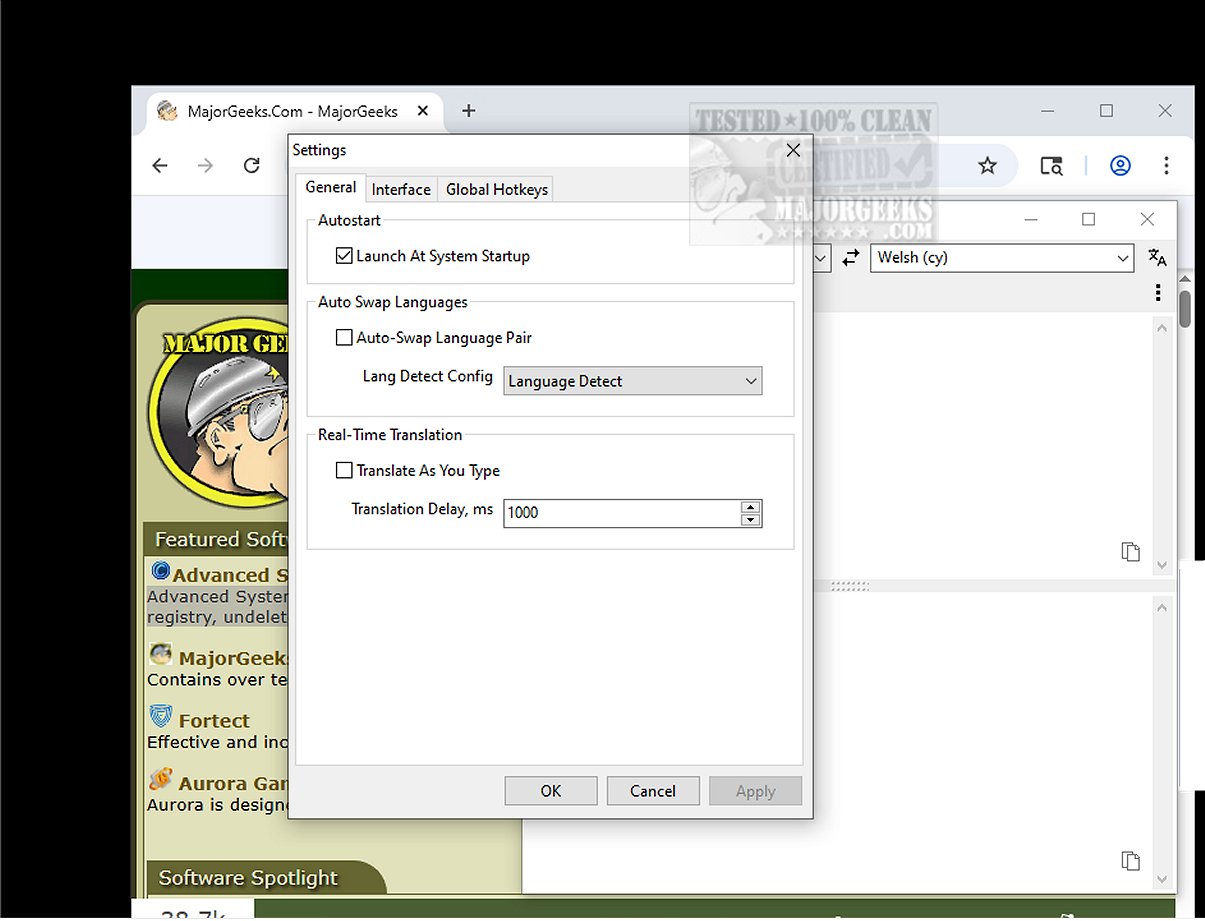
Trayslate is an innovative, tray-based translation client crafted for seamless translation services. The latest version, 1.6.1, enhances user experience with a user-friendly interface that allows for easy text entry directly within the application. Notably, Trayslate enables users to translate content copied to their clipboard, facilitating quick processing of text from various sources.
Key Features of Trayslate:
- Always Accessible: The application operates from the system tray, ensuring it is readily available whenever needed.
- External Translation Services: Trayslate utilizes configurable, external translation services rather than relying on built-in engines, ensuring data privacy by not storing any translations locally.
- Versatile Input Methods: Users can manually enter text or have Trayslate automatically detect and translate clipboard content.
- Global Hotkeys: The application allows for translation of selected text across all applications, streamlining workflow with customizable hotkeys that can replace text directly in input fields.
- Real-time Translation: Users benefit from live processing while typing, with adjustable delay settings for optimal performance.
- Auto Language Detection: The option for automatic language swapping based on input language enhances usability.
- Tray Indicator: The tray icon displays the current language pair and translation progress, keeping users informed without needing to open the app.
- Multilingual Interface: Trayslate supports 25 widely used languages, making it accessible to a diverse user base.
- Dark Mode Compatibility: The application adapts to Windows dark mode, providing a consistent visual experience.
Standout Feature:
A standout aspect of Trayslate is its capability to translate selected text from any application in use—be it a word processor, web browser, or email client—allowing users to obtain translations swiftly without switching between different programs.
User Verdict:
Trayslate is heralded as an efficient and intuitive tool for anyone needing quick translations. With its ability to automatically translate clipboard content and provide on-demand translations, users can enjoy a smooth, enjoyable translation experience.
Conclusion:
With Trayslate, users can enhance their translation tasks significantly, ensuring that they are equipped with a reliable tool that adapts to their workflow. Embrace the world of efficient translations with Trayslate and streamline your communication across languages.
Future Enhancements:
Looking ahead, the developers may consider integrating more advanced features such as machine learning for context-aware translations, voice input capabilities for hands-free translation, and enhanced customization options for user preferences. These additions could further solidify Trayslate's position as a go-to application for translation services
Key Features of Trayslate:
- Always Accessible: The application operates from the system tray, ensuring it is readily available whenever needed.
- External Translation Services: Trayslate utilizes configurable, external translation services rather than relying on built-in engines, ensuring data privacy by not storing any translations locally.
- Versatile Input Methods: Users can manually enter text or have Trayslate automatically detect and translate clipboard content.
- Global Hotkeys: The application allows for translation of selected text across all applications, streamlining workflow with customizable hotkeys that can replace text directly in input fields.
- Real-time Translation: Users benefit from live processing while typing, with adjustable delay settings for optimal performance.
- Auto Language Detection: The option for automatic language swapping based on input language enhances usability.
- Tray Indicator: The tray icon displays the current language pair and translation progress, keeping users informed without needing to open the app.
- Multilingual Interface: Trayslate supports 25 widely used languages, making it accessible to a diverse user base.
- Dark Mode Compatibility: The application adapts to Windows dark mode, providing a consistent visual experience.
Standout Feature:
A standout aspect of Trayslate is its capability to translate selected text from any application in use—be it a word processor, web browser, or email client—allowing users to obtain translations swiftly without switching between different programs.
User Verdict:
Trayslate is heralded as an efficient and intuitive tool for anyone needing quick translations. With its ability to automatically translate clipboard content and provide on-demand translations, users can enjoy a smooth, enjoyable translation experience.
Conclusion:
With Trayslate, users can enhance their translation tasks significantly, ensuring that they are equipped with a reliable tool that adapts to their workflow. Embrace the world of efficient translations with Trayslate and streamline your communication across languages.
Future Enhancements:
Looking ahead, the developers may consider integrating more advanced features such as machine learning for context-aware translations, voice input capabilities for hands-free translation, and enhanced customization options for user preferences. These additions could further solidify Trayslate's position as a go-to application for translation services
Trayslate 1.6.1 released
Trayslate is an innovative tray-based client designed specifically for seamless translation services. With this user-friendly application, you can easily enter text for translation directly within the interface.