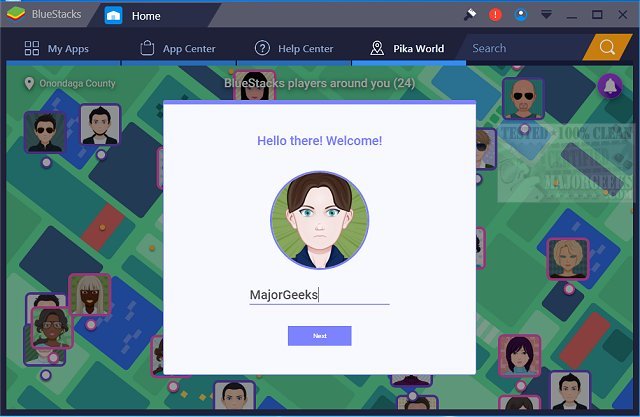
The recent release of BlueStacks 5.22.252.1007 and 10.42.251.1003 introduces significant enhancements for users looking to run Android applications on their Windows PCs. This software facilitates a smooth transition between Android and Windows environments without the need for rebooting, providing immediate access to a wide range of Android apps directly from your desktop.
Users can enjoy the convenience of having their favorite Android applications readily available in either desktop icon form or within a dedicated Android interface. This functionality is especially beneficial for PC manufacturers aiming to capitalize on the growing popularity of Android, as it allows Android apps to be seamlessly integrated into various x86-based devices such as notebooks, tablets, and all-in-one PCs. The ability to use Android apps on hybrid convertible devices eliminates the hassle of carrying multiple devices.
Furthermore, BlueStacks integrates seamlessly with enterprise solutions like Citrix and Microsoft’s software delivery platforms, facilitating the secure and efficient deployment of Android applications across Windows systems.
BlueStacks 5 is recognized for its speed and lightweight design, making it an optimal choice for gamers who want a straightforward gaming experience on their PCs. Meanwhile, BlueStacks 10 leverages Hybrid Cloud technology, which provides a unique approach to playing Android games on a PC, enhancing the gaming experience further.
In summary, BlueStacks continues to innovate, providing versatile solutions for integrating Android applications into the Windows ecosystem, catering to both casual users and enterprises alike. With features that support both gaming and business applications, BlueStacks is positioned to be a key player in bridging the gap between Android and Windows environments.
Looking ahead, it would be interesting to see how BlueStacks evolves further to include more features such as better cross-platform functionality, improved performance optimization, and potential support for emerging technologies like augmented reality (AR) within Android applications
Users can enjoy the convenience of having their favorite Android applications readily available in either desktop icon form or within a dedicated Android interface. This functionality is especially beneficial for PC manufacturers aiming to capitalize on the growing popularity of Android, as it allows Android apps to be seamlessly integrated into various x86-based devices such as notebooks, tablets, and all-in-one PCs. The ability to use Android apps on hybrid convertible devices eliminates the hassle of carrying multiple devices.
Furthermore, BlueStacks integrates seamlessly with enterprise solutions like Citrix and Microsoft’s software delivery platforms, facilitating the secure and efficient deployment of Android applications across Windows systems.
BlueStacks 5 is recognized for its speed and lightweight design, making it an optimal choice for gamers who want a straightforward gaming experience on their PCs. Meanwhile, BlueStacks 10 leverages Hybrid Cloud technology, which provides a unique approach to playing Android games on a PC, enhancing the gaming experience further.
In summary, BlueStacks continues to innovate, providing versatile solutions for integrating Android applications into the Windows ecosystem, catering to both casual users and enterprises alike. With features that support both gaming and business applications, BlueStacks is positioned to be a key player in bridging the gap between Android and Windows environments.
Looking ahead, it would be interesting to see how BlueStacks evolves further to include more features such as better cross-platform functionality, improved performance optimization, and potential support for emerging technologies like augmented reality (AR) within Android applications
BlueStacks 5.22.252.1007 / 10.42.251.1003 released
BlueStacks will operate Android OS and apps right on your Windows PCs, allowing instantaneous switching between Android and Windows - eliminating the need for a reboot.
BlueStacks 5.22.252.1007 / 10.42.251.1003 released @ MajorGeeks