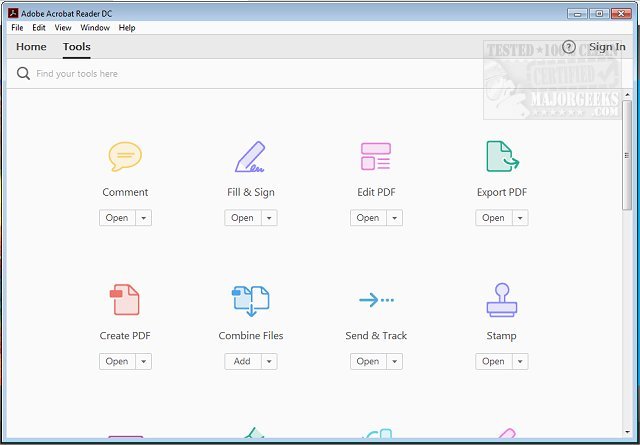
Adobe has released version 26.001.21483 of Adobe Acrobat Reader DC, a free and widely distributable software designed for viewing and printing PDF files. This tool has become an essential resource for anyone dealing with PDFs—whether for academic, business, or personal purposes—enabling users to easily view, edit, share, and annotate documents.
Key Features of Adobe Acrobat Reader DC:
1. User-Friendly Viewing and Searching: The software allows users to open multi-page documents effortlessly, navigate through them, and search for specific terms using a built-in search function.
2. Advanced Annotation Tools: Users can highlight, underline, and add sticky notes directly onto PDFs. There are also features for sketching and adding text boxes, making it easy for users to provide feedback and comments.
3. Digital Signatures: The "Fill & Sign" feature enables users to electronically sign documents without the need for printing, which streamlines the process for contracts, forms, and confirmations.
4. Integration with Adobe Document Cloud: This feature allows users to access their files across various devices—desktop, smartphone, or tablet—facilitating seamless transitions between editing and sharing.
5. Optional Premium Features: While the free version is robust, users have the option to subscribe for premium features, including creating new PDFs, converting files to different formats, merging documents, and advanced editing capabilities.
6. Security Measures: Adobe Acrobat Reader DC incorporates Protected Mode to safeguard users from potentially harmful files, ensuring safety when handling sensitive information.
Conclusion: Adobe Acrobat Reader DC is not just a basic PDF reader; it is a comprehensive tool that combines essential functionalities with advanced features, making it invaluable for both casual users and professionals. Its versatility, ease of use, and security measures make it a must-have application for anyone working with PDF documents.
Why You Should Download It:
- It is completely free with optional premium upgrades.
- Compatible with a range of operating systems, including Windows, macOS, iOS, and Android.
- Transforms PDFs into interactive documents with annotations and electronic signatures.
- Continuously updated for improvements and security enhancements.
For those looking to enhance their PDF handling capabilities, Adobe Acrobat Reader DC is the ultimate solution. Download it today and start exploring its features
Key Features of Adobe Acrobat Reader DC:
1. User-Friendly Viewing and Searching: The software allows users to open multi-page documents effortlessly, navigate through them, and search for specific terms using a built-in search function.
2. Advanced Annotation Tools: Users can highlight, underline, and add sticky notes directly onto PDFs. There are also features for sketching and adding text boxes, making it easy for users to provide feedback and comments.
3. Digital Signatures: The "Fill & Sign" feature enables users to electronically sign documents without the need for printing, which streamlines the process for contracts, forms, and confirmations.
4. Integration with Adobe Document Cloud: This feature allows users to access their files across various devices—desktop, smartphone, or tablet—facilitating seamless transitions between editing and sharing.
5. Optional Premium Features: While the free version is robust, users have the option to subscribe for premium features, including creating new PDFs, converting files to different formats, merging documents, and advanced editing capabilities.
6. Security Measures: Adobe Acrobat Reader DC incorporates Protected Mode to safeguard users from potentially harmful files, ensuring safety when handling sensitive information.
Conclusion: Adobe Acrobat Reader DC is not just a basic PDF reader; it is a comprehensive tool that combines essential functionalities with advanced features, making it invaluable for both casual users and professionals. Its versatility, ease of use, and security measures make it a must-have application for anyone working with PDF documents.
Why You Should Download It:
- It is completely free with optional premium upgrades.
- Compatible with a range of operating systems, including Windows, macOS, iOS, and Android.
- Transforms PDFs into interactive documents with annotations and electronic signatures.
- Continuously updated for improvements and security enhancements.
For those looking to enhance their PDF handling capabilities, Adobe Acrobat Reader DC is the ultimate solution. Download it today and start exploring its features
Adobe Acrobat Reader DC 26.001.21483 released
Adobe Acrobat Reader DC is free and freely distributable software that lets you view and print Portable Document Format (PDF) files.