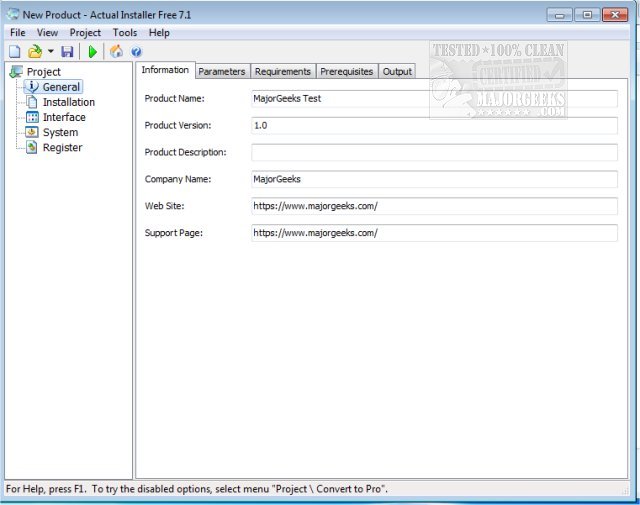
Actual Installer 10.9 has been released, offering users a user-friendly software installer tool designed for creating dependable installation programs. This tool simplifies the installation process by eliminating the need for complex scripting and extensive manual training. Users can easily set up their installation package by filling out forms and attaching the necessary program files.
The software includes a range of advanced features, such as support for both 32-bit and 64-bit Windows applications, multilingual installation capabilities, customizable dialog boxes, and the ability to modify the Windows registry. Additionally, it checks system specifications to ensure compliance with program requirements, manages software prerequisites, handles file associations, and supports the registration of fonts, screensavers, and ActiveX components. Users can also execute custom commands during the installation process.
Actual Installer encompasses all essential features for a comprehensive installation package, including the creation of desktop and Start Menu shortcuts, file copying to any directory, displaying License Agreements or ReadMe files, modifying Registry and INI files, and a complete uninstallation feature that integrates with the Add/Remove Programs applet in the Control Panel.
The interface of Actual Installer is designed for efficiency, allowing users to configure and compile their project into a polished, compact executable file in just minutes. This makes it an ideal choice for developers looking for a quick and effective way to package their software for distribution.
In summary, Actual Installer 10.9 streamlines the process of software installation, making it accessible for developers of all skill levels. Its robust feature set and intuitive interface ensure that users can create professional installation packages with minimal effort. As software development continues to evolve, tools like Actual Installer will remain essential for efficient application deployment. Future updates may include enhancements in automation, cloud integration, and support for emerging technologies, further simplifying the installation process for users
The software includes a range of advanced features, such as support for both 32-bit and 64-bit Windows applications, multilingual installation capabilities, customizable dialog boxes, and the ability to modify the Windows registry. Additionally, it checks system specifications to ensure compliance with program requirements, manages software prerequisites, handles file associations, and supports the registration of fonts, screensavers, and ActiveX components. Users can also execute custom commands during the installation process.
Actual Installer encompasses all essential features for a comprehensive installation package, including the creation of desktop and Start Menu shortcuts, file copying to any directory, displaying License Agreements or ReadMe files, modifying Registry and INI files, and a complete uninstallation feature that integrates with the Add/Remove Programs applet in the Control Panel.
The interface of Actual Installer is designed for efficiency, allowing users to configure and compile their project into a polished, compact executable file in just minutes. This makes it an ideal choice for developers looking for a quick and effective way to package their software for distribution.
In summary, Actual Installer 10.9 streamlines the process of software installation, making it accessible for developers of all skill levels. Its robust feature set and intuitive interface ensure that users can create professional installation packages with minimal effort. As software development continues to evolve, tools like Actual Installer will remain essential for efficient application deployment. Future updates may include enhancements in automation, cloud integration, and support for emerging technologies, further simplifying the installation process for users
Actual Installer 10.9 released
Actual Installer is a straightforward software installer tool for creating reliable installation programs.