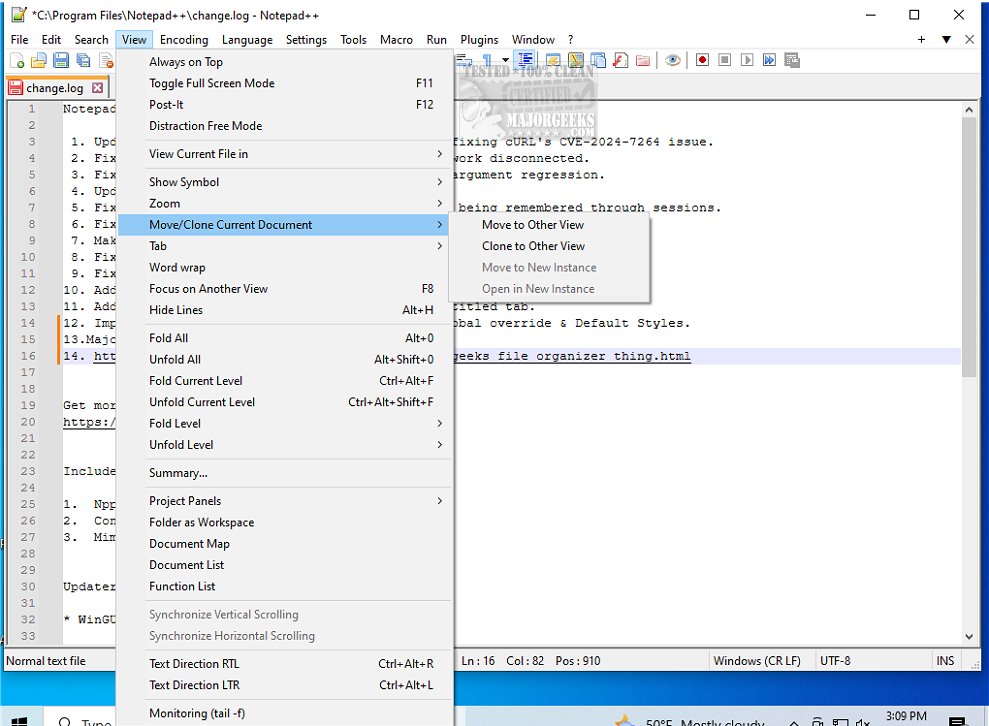
Notepad++ version 8.9.4 has been released, continuing its legacy as a free, open-source source code editor that supports numerous programming languages. Unlike the basic Windows Notepad, which serves primarily for simple text editing, Notepad++ offers a rich feature set that enhances productivity for programmers, system administrators, and general users alike.
This lightweight but powerful text editor provides essential capabilities such as syntax highlighting for over 70 programming languages, a multi-document interface with tabbed navigation, customizable themes, and plugins. These features allow users to work more efficiently by organizing code, managing multiple files without clutter, and personalizing their editing environment. The auto-save and session restore functionalities ensure that users do not lose any unsaved work, making it a reliable choice for anyone who frequently handles text files.
Notepad++ stands out for its speed and low resource consumption, making it suitable for both modern and older systems. Whether you're developing software, editing configuration files, or simply taking notes, Notepad++ offers significant advantages over traditional text editors.
Furthermore, Notepad++ is not just for developers; casual users can also benefit from its intuitive interface and enhanced capabilities. Its versatility makes it a must-have tool for anyone looking to elevate their text editing experience.
In summary, Notepad++ is an essential text editor that combines power and user-friendliness, providing an extensive array of features that cater to various user needs. If you’re seeking an efficient and customizable text editing solution, Notepad++ is definitely worth trying out.
Additionally, users can explore helpful resources such as guides on how to add 'Open With Notepad' to the context menu, customize font size and style in Notepad on Windows 10 and 11, clear recent documents history in WordPad, and find or replace text in both Notepad and WordPad
This lightweight but powerful text editor provides essential capabilities such as syntax highlighting for over 70 programming languages, a multi-document interface with tabbed navigation, customizable themes, and plugins. These features allow users to work more efficiently by organizing code, managing multiple files without clutter, and personalizing their editing environment. The auto-save and session restore functionalities ensure that users do not lose any unsaved work, making it a reliable choice for anyone who frequently handles text files.
Notepad++ stands out for its speed and low resource consumption, making it suitable for both modern and older systems. Whether you're developing software, editing configuration files, or simply taking notes, Notepad++ offers significant advantages over traditional text editors.
Furthermore, Notepad++ is not just for developers; casual users can also benefit from its intuitive interface and enhanced capabilities. Its versatility makes it a must-have tool for anyone looking to elevate their text editing experience.
In summary, Notepad++ is an essential text editor that combines power and user-friendliness, providing an extensive array of features that cater to various user needs. If you’re seeking an efficient and customizable text editing solution, Notepad++ is definitely worth trying out.
Additionally, users can explore helpful resources such as guides on how to add 'Open With Notepad' to the context menu, customize font size and style in Notepad on Windows 10 and 11, clear recent documents history in WordPad, and find or replace text in both Notepad and WordPad
Notepad++ 8.9.4 released
Notepad++ is a free source code editor that includes support for several programming languages.