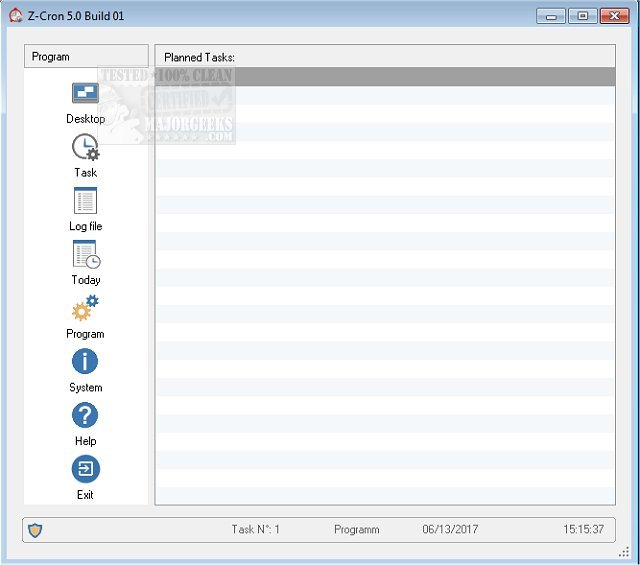
Z-Cron 6.7 has been released, enhancing its capabilities as a powerful scheduling tool for automating commands, programs, and scripts on your PC. This software enables users to set up recurring tasks that can run automatically according to a predefined schedule, streamlining various operations and tasks.
One of Z-Cron's notable features is its ability to be installed as a system service, allowing it to start automatically when Windows boots up and to operate in the background, even without a user logged in. This functionality is particularly beneficial for managing tasks that need to run consistently, regardless of user activity.
Z-Cron supports a wide array of scheduled tasks, including:
- Starting and stopping applications with specific parameters.
- Accessing or saving websites.
- Loading documents.
- Managing system services (available in the professional version).
- Performing file operations such as copying, moving, or deleting directories.
- Conducting directory cleanups.
- Archiving and compressing files.
- Managing power for networked computers.
- Automating the control of electrical devices using Z-USBswitch.
- Establishing or terminating internet/VPN connections.
- Managing power states for computers, including sleep and wake functions.
Users can schedule these tasks at various intervals, including daily, weekly, monthly, or even just once. They can also set tasks to trigger after system startup or at regular intervals (e.g., every 5 minutes or every hour).
Practical applications of Z-Cron include:
- Regular data backups using tools like Z-DataDVD and Z-DATdump.
- Automated control of electrical devices via Z-USBswitch or Z-ParSwitch.
- Scheduled FTP data transfers with Z-FTPcopyII.
- Routine system maintenance tasks such as defragmentation and virus scans.
In summary, Z-Cron 6.7 is a versatile tool for automating a wide variety of tasks on your computer, helping users save time and ensure consistent execution of important processes. With its ability to run in the background and manage tasks without user intervention, it is ideal for both personal and professional use. As technology advances, the potential for automation and scheduling tools like Z-Cron continues to expand, promising even more features and capabilities in future updates
One of Z-Cron's notable features is its ability to be installed as a system service, allowing it to start automatically when Windows boots up and to operate in the background, even without a user logged in. This functionality is particularly beneficial for managing tasks that need to run consistently, regardless of user activity.
Z-Cron supports a wide array of scheduled tasks, including:
- Starting and stopping applications with specific parameters.
- Accessing or saving websites.
- Loading documents.
- Managing system services (available in the professional version).
- Performing file operations such as copying, moving, or deleting directories.
- Conducting directory cleanups.
- Archiving and compressing files.
- Managing power for networked computers.
- Automating the control of electrical devices using Z-USBswitch.
- Establishing or terminating internet/VPN connections.
- Managing power states for computers, including sleep and wake functions.
Users can schedule these tasks at various intervals, including daily, weekly, monthly, or even just once. They can also set tasks to trigger after system startup or at regular intervals (e.g., every 5 minutes or every hour).
Practical applications of Z-Cron include:
- Regular data backups using tools like Z-DataDVD and Z-DATdump.
- Automated control of electrical devices via Z-USBswitch or Z-ParSwitch.
- Scheduled FTP data transfers with Z-FTPcopyII.
- Routine system maintenance tasks such as defragmentation and virus scans.
In summary, Z-Cron 6.7 is a versatile tool for automating a wide variety of tasks on your computer, helping users save time and ensure consistent execution of important processes. With its ability to run in the background and manage tasks without user intervention, it is ideal for both personal and professional use. As technology advances, the potential for automation and scheduling tools like Z-Cron continues to expand, promising even more features and capabilities in future updates
Z-Cron 6.7 released
Z-Cron allows you to plan the execution of commands, programs or scripts, at particular times, so that recurring tasks on your PC are run automatically on your predefined schedule.