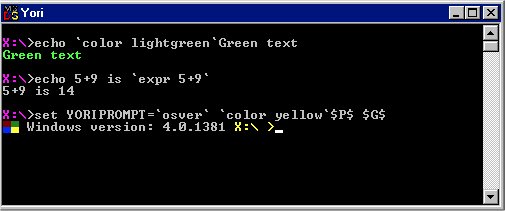
Yori version 2.70 has been released, introducing enhancements to the traditional command-line interface. This CMD replacement shell is designed to extend command-line functionality through features like backquotes, job control, and improved tab completion. Additionally, Yori enhances file matching, supports aliases and command history, and allows for paths that exceed the MAX_PATH limitation. The shell also comes with a variety of tools and utilities to streamline user experience.
For those looking to customize their command-line experience, there are resources available, including guides on adjusting fonts, colors, and window sizes in PowerShell or Command Prompt. Furthermore, users can explore a comprehensive list of commands for both PowerShell and Command Prompt, as well as tutorials on managing command history effectively.
As Yori continues to evolve, it offers a powerful alternative for users seeking a more robust command-line environment, encouraging increased productivity and ease of use. Future updates may introduce even more features and tools, solidifying Yori's position as a leading choice for command-line enthusiasts
For those looking to customize their command-line experience, there are resources available, including guides on adjusting fonts, colors, and window sizes in PowerShell or Command Prompt. Furthermore, users can explore a comprehensive list of commands for both PowerShell and Command Prompt, as well as tutorials on managing command history effectively.
As Yori continues to evolve, it offers a powerful alternative for users seeking a more robust command-line environment, encouraging increased productivity and ease of use. Future updates may introduce even more features and tools, solidifying Yori's position as a leading choice for command-line enthusiasts
Yori 2.70 released
Yori is a CMD replacement shell to augment command-line capabilities with support for backquotes, job control, and improving tab completion, file matching, aliases, command history, and more.