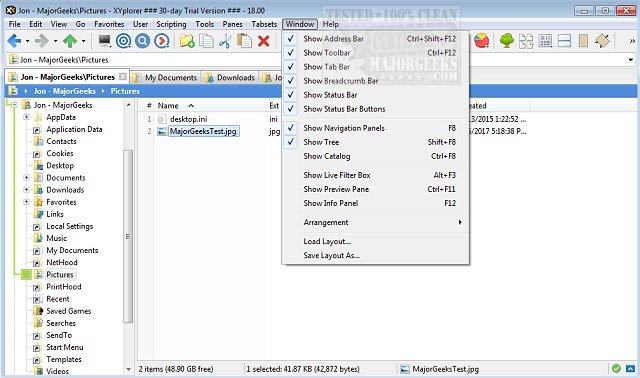
XYplorer has recently released two versions: 28.30.1700 and 27.20.1501. This software is a powerful tabbed file manager designed specifically for Windows, offering a variety of advanced features that enhance file management. Key functionalities include a robust file search capability, support for zip files, and a duplicate file finder, along with a versatile preview option and a customizable user interface.
XYplorer stands out for its optional dual-pane view, which allows users to manage files more efficiently. It also offers unique automation tools that help streamline repetitive tasks, making it a fast, lightweight, and innovative alternative to traditional file explorers. Some of its notable features include tabbed browsing, six key navigation shortcuts, queued file operations, batch renaming, and customizable folder view settings.
In addition to its core functionalities, XYplorer provides users with the ability to disable Quick Access, manage recent files, and organize favorite folders, among other tips for optimizing file management in Windows. The software is designed to cater to users who require a more advanced and flexible file management solution.
As XYplorer continues to evolve, users can expect ongoing updates that enhance its capabilities, ensuring it remains a competitive option for those looking to improve their file management experience on Windows. Future developments may include additional automation features, improved search functionalities, and further customization options to meet the diverse needs of its user base
XYplorer stands out for its optional dual-pane view, which allows users to manage files more efficiently. It also offers unique automation tools that help streamline repetitive tasks, making it a fast, lightweight, and innovative alternative to traditional file explorers. Some of its notable features include tabbed browsing, six key navigation shortcuts, queued file operations, batch renaming, and customizable folder view settings.
In addition to its core functionalities, XYplorer provides users with the ability to disable Quick Access, manage recent files, and organize favorite folders, among other tips for optimizing file management in Windows. The software is designed to cater to users who require a more advanced and flexible file management solution.
As XYplorer continues to evolve, users can expect ongoing updates that enhance its capabilities, ensuring it remains a competitive option for those looking to improve their file management experience on Windows. Future developments may include additional automation features, improved search functionalities, and further customization options to meet the diverse needs of its user base
XYplorer 28.30.1700 / 27.20.1501 released
XYplorer is a tabbed file manager for Windows featuring powerful file search, zip support, duplicate file finder and much more.