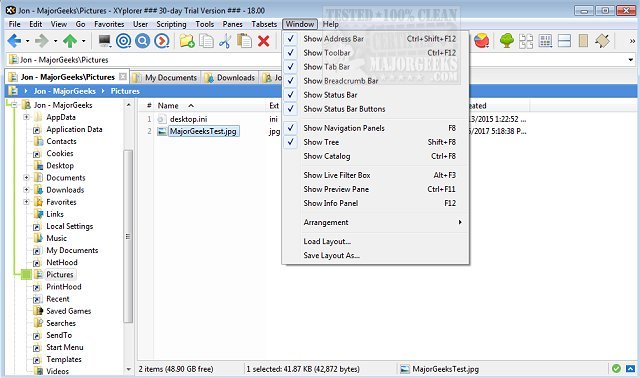
XYplorer has recently released two versions: 28.30.1500 and 27.20.1500. This robust tabbed file manager for Windows is designed to enhance file management efficiency with a suite of powerful features. Users can benefit from advanced file search capabilities, zip file support, and a duplicate file finder, among other tools.
In addition to these core functionalities, XYplorer offers a versatile preview option, a highly customizable user interface, and an optional dual-pane setup. It also includes unique automation features that help users manage repetitive tasks more effectively. Known for its speed and lightweight design, XYplorer stands out with its innovative approach to file management, all while being portable.
Key features of XYplorer include tabbed browsing, dual panes for easy file comparison, six key navigation for quick access, queued file operations for batch processing, and a comprehensive batch rename tool. Users can enjoy one-click previews and customized folder view settings to tailor their experience.
Furthermore, for those looking to optimize their file management workflow, XYplorer provides insightful tips on disabling Quick Access, managing recent files and favorite folders, and adjusting folder view settings in Windows 10 and 11.
As technology evolves, it is likely that future updates of XYplorer will continue to introduce enhancements that align with user needs and preferences, potentially including integration with cloud storage solutions or improved collaboration features. The ongoing development of XYplorer signifies its commitment to providing a comprehensive and user-friendly file management experience
In addition to these core functionalities, XYplorer offers a versatile preview option, a highly customizable user interface, and an optional dual-pane setup. It also includes unique automation features that help users manage repetitive tasks more effectively. Known for its speed and lightweight design, XYplorer stands out with its innovative approach to file management, all while being portable.
Key features of XYplorer include tabbed browsing, dual panes for easy file comparison, six key navigation for quick access, queued file operations for batch processing, and a comprehensive batch rename tool. Users can enjoy one-click previews and customized folder view settings to tailor their experience.
Furthermore, for those looking to optimize their file management workflow, XYplorer provides insightful tips on disabling Quick Access, managing recent files and favorite folders, and adjusting folder view settings in Windows 10 and 11.
As technology evolves, it is likely that future updates of XYplorer will continue to introduce enhancements that align with user needs and preferences, potentially including integration with cloud storage solutions or improved collaboration features. The ongoing development of XYplorer signifies its commitment to providing a comprehensive and user-friendly file management experience
XYplorer 28.30.1500 / 27.20.1500 released
XYplorer is a tabbed file manager for Windows featuring powerful file search, zip support, duplicate file finder and much more.