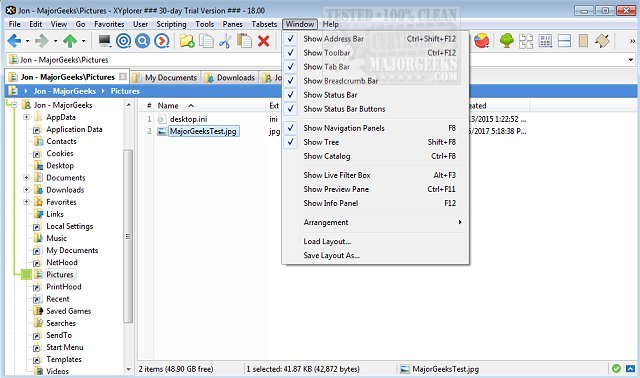
XYplorer has recently released two new versions: 28.30.0700 and 27.20.1300. This innovative tabbed file manager for Windows is designed for efficiency and ease of use, offering a range of powerful features including advanced file search capabilities, zip file support, and a duplicate file finder.
In addition to these core functionalities, XYplorer provides users with a versatile preview feature, a highly customizable interface, and the option for a dual-pane layout, which enhances file management efficiency. The software is recognized for its speed and lightweight design, making it a convenient choice for users needing a portable solution. Key features include tabbed browsing, six-key navigation, queued file operations, batch renaming, one-click previews, and customizable folder view settings.
Moreover, XYplorer’s unique automation tools allow users to streamline recurring tasks, improving overall productivity. This software stands out in the Windows file management landscape, making it a worthy alternative to the standard File Explorer.
In light of these updates, users may also find it beneficial to explore related enhancements in file management, such as disabling Quick Access, modifying the Details Pane in the context menu, and resetting folder view settings in Windows 10 and 11. These tips can complement the use of XYplorer and help users optimize their file management experience
In addition to these core functionalities, XYplorer provides users with a versatile preview feature, a highly customizable interface, and the option for a dual-pane layout, which enhances file management efficiency. The software is recognized for its speed and lightweight design, making it a convenient choice for users needing a portable solution. Key features include tabbed browsing, six-key navigation, queued file operations, batch renaming, one-click previews, and customizable folder view settings.
Moreover, XYplorer’s unique automation tools allow users to streamline recurring tasks, improving overall productivity. This software stands out in the Windows file management landscape, making it a worthy alternative to the standard File Explorer.
In light of these updates, users may also find it beneficial to explore related enhancements in file management, such as disabling Quick Access, modifying the Details Pane in the context menu, and resetting folder view settings in Windows 10 and 11. These tips can complement the use of XYplorer and help users optimize their file management experience
XYplorer 28.30.0700 / 27.20.1300 released
XYplorer is a tabbed file manager for Windows featuring powerful file search, zip support, duplicate file finder and much more.