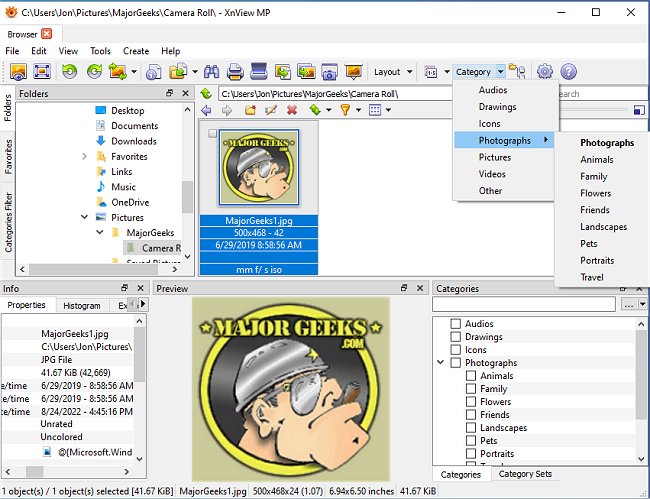
XnView MP has recently released version 1.11.4, enhancing its reputation as a versatile cross-platform image viewer. This software allows users to view, convert, organize, and edit a variety of graphical and video files. It is particularly appealing for private, non-commercial, educational, and non-profit organizations due to its free availability.
One of XnView MP's standout features is its extensive support for file formats; it can read over 400 image formats and multiple audio and video formats, while also being able to write in 50 image formats. This capability surpasses many commercial image organizers like ACDSee. Additionally, it supports ICC profiles in JPEG, PNG, and TIFF files and can display IPTC, Exif, and XMP metadata. However, it has limitations, such as the inability to batch write IPTC metadata and the lack of user-defined thumbnail sorting within folders.
Users can also search for files by filename or data and find similar graphics, while a histogram display feature adds to the software's utility. XnView MP allows for simple scripting to convert, manipulate, and rename batches of images, and includes various image editing tools such as color and size adjustments, filters, and effects. It supports lossless editing for JPEG files, including turning, flipping, and cropping.
Advanced slideshow creation is possible, and the software facilitates image uploads to FTP sites or ImageShack, as well as burning images to CD or DVD, although the latter requires Nero Burning ROM for the full version.
Overall, XnView MP remains a strong alternative for users seeking powerful image manipulation tools without the cost associated with commercial software. Future updates may address current limitations, such as batch IPTC editing and customizable thumbnail sorting, to further increase its appeal
One of XnView MP's standout features is its extensive support for file formats; it can read over 400 image formats and multiple audio and video formats, while also being able to write in 50 image formats. This capability surpasses many commercial image organizers like ACDSee. Additionally, it supports ICC profiles in JPEG, PNG, and TIFF files and can display IPTC, Exif, and XMP metadata. However, it has limitations, such as the inability to batch write IPTC metadata and the lack of user-defined thumbnail sorting within folders.
Users can also search for files by filename or data and find similar graphics, while a histogram display feature adds to the software's utility. XnView MP allows for simple scripting to convert, manipulate, and rename batches of images, and includes various image editing tools such as color and size adjustments, filters, and effects. It supports lossless editing for JPEG files, including turning, flipping, and cropping.
Advanced slideshow creation is possible, and the software facilitates image uploads to FTP sites or ImageShack, as well as burning images to CD or DVD, although the latter requires Nero Burning ROM for the full version.
Overall, XnView MP remains a strong alternative for users seeking powerful image manipulation tools without the cost associated with commercial software. Future updates may address current limitations, such as batch IPTC editing and customizable thumbnail sorting, to further increase its appeal
XnView MP 1.11.4 released
XnView MP is a cross-platform image viewer used to view, convert, organize, and edit graphical & video files.