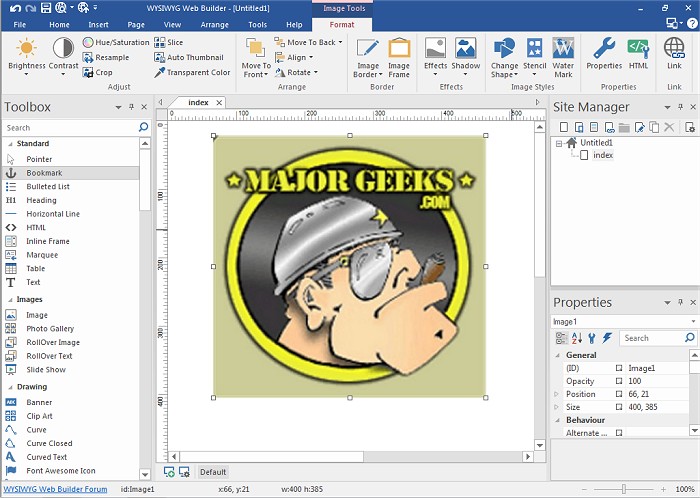
WYSIWYG Web Builder has released version 21.2.0, a versatile program designed for creating web pages without requiring users to have prior knowledge of HTML. The acronym WYSIWYG stands for "What-You-See-Is-What-You-Get," indicating that users can design their web pages visually, and the program will generate the necessary HTML code in the background. This user-friendly interface allows individuals to drag and drop various elements onto their web pages, customize layouts, and publish their work to web servers seamlessly through an integrated publishing tool.
The latest version includes a wide range of features that enhance the web design experience. Key functionalities include:
- Form Layout Object: Create complex forms with features like actions and hidden fields.
- Support for Various Form Fields: Includes Editbox, TextArea, Checkbox, Radiobutton, Combobox, and Button.
- Form Wizard: A simplified process to create forms in just four steps, offering a selection of pre-designed templates.
- Captcha Integration: Helps protect forms from spam submissions.
- Rich Text Support: Allows text elements to utilize different fonts, colors, links, and sizes.
- Custom HTML Object: Users can insert their own HTML or JavaScript code.
- Multimedia Support: Compatibility with JAVA, Flash, Windows Media, YouTube, and various audio and video plug-ins.
- Publishing Options: Users can publish entire websites, individual pages, or groups of pages to local drives or web servers.
- Built-in Photo Gallery Maker: Create engaging photo galleries with customizable features.
- Banner Maker: Easily design banners for promotional purposes.
- Image Effects: Includes rollover images and additional visual enhancements.
WYSIWYG Web Builder 21.2.0 is continuously evolving, providing users with advanced tools and functionalities to create dynamic and visually appealing websites, making it suitable for both beginners and experienced web developers. As technology and design trends advance, future updates may further expand these capabilities, possibly introducing AI-driven design tools, enhanced mobile responsiveness, and improved integration with social media platforms
The latest version includes a wide range of features that enhance the web design experience. Key functionalities include:
- Form Layout Object: Create complex forms with features like actions and hidden fields.
- Support for Various Form Fields: Includes Editbox, TextArea, Checkbox, Radiobutton, Combobox, and Button.
- Form Wizard: A simplified process to create forms in just four steps, offering a selection of pre-designed templates.
- Captcha Integration: Helps protect forms from spam submissions.
- Rich Text Support: Allows text elements to utilize different fonts, colors, links, and sizes.
- Custom HTML Object: Users can insert their own HTML or JavaScript code.
- Multimedia Support: Compatibility with JAVA, Flash, Windows Media, YouTube, and various audio and video plug-ins.
- Publishing Options: Users can publish entire websites, individual pages, or groups of pages to local drives or web servers.
- Built-in Photo Gallery Maker: Create engaging photo galleries with customizable features.
- Banner Maker: Easily design banners for promotional purposes.
- Image Effects: Includes rollover images and additional visual enhancements.
WYSIWYG Web Builder 21.2.0 is continuously evolving, providing users with advanced tools and functionalities to create dynamic and visually appealing websites, making it suitable for both beginners and experienced web developers. As technology and design trends advance, future updates may further expand these capabilities, possibly introducing AI-driven design tools, enhanced mobile responsiveness, and improved integration with social media platforms
WYSIWYG Web Builder 21.2.0 released
WYSIWYG Web Builder is a (What-You-See-Is-What-You-Get) program used for creating your own web pages.