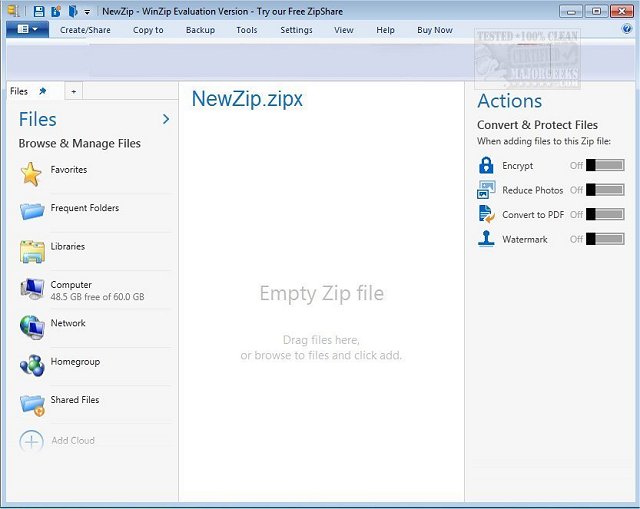
WinZip 77.2 has been released, enhancing the user experience of file compression and management on Windows. As a leader in file compression, encryption, sharing, and data backup, WinZip simplifies the process of zipping and unzipping files for efficient uploading, downloading, emailing, and storage. The new release features an advanced performance architecture, a more intuitive user interface, and a unique desktop gadget that allows users to easily drag files for zipping or emailing, as well as unzipping various compressed file types.
WinZip supports a wide array of formats, including Zip, Zipx, RAR, 7Z, and many more, guaranteeing compatibility with different file types. It also offers advanced photo/image compression, achieving a 20-25% reduction in file size for images without compromising quality. For sensitive information, users can utilize strong AES encryption, allowing them to password-protect files effortlessly during the zipping process.
Moreover, WinZip facilitates data organization by enabling users to group files into manageable sizes for sharing. It integrates seamlessly with most email and webmail applications, allowing users to zip and send files directly from their preferred email addresses.
WinZip Pro extends these capabilities further by offering automated data backup solutions, enabling users to safeguard their work. Users can select preset backup jobs or create custom ones, with options to burn data to CD/DVD, send it via email, or upload it to an off-site server using FTP.
In summary, WinZip 77.2 is a robust tool that not only streamlines file compression and sharing but also enhances data security and backup reliability. With its broad compatibility and user-friendly features, it is an essential application for anyone looking to manage files efficiently.
WinZip supports a wide array of formats, including Zip, Zipx, RAR, 7Z, and many more, guaranteeing compatibility with different file types. It also offers advanced photo/image compression, achieving a 20-25% reduction in file size for images without compromising quality. For sensitive information, users can utilize strong AES encryption, allowing them to password-protect files effortlessly during the zipping process.
Moreover, WinZip facilitates data organization by enabling users to group files into manageable sizes for sharing. It integrates seamlessly with most email and webmail applications, allowing users to zip and send files directly from their preferred email addresses.
WinZip Pro extends these capabilities further by offering automated data backup solutions, enabling users to safeguard their work. Users can select preset backup jobs or create custom ones, with options to burn data to CD/DVD, send it via email, or upload it to an off-site server using FTP.
In summary, WinZip 77.2 is a robust tool that not only streamlines file compression and sharing but also enhances data security and backup reliability. With its broad compatibility and user-friendly features, it is an essential application for anyone looking to manage files efficiently.
Further Extensions:
In addition to the existing features, future updates could incorporate enhanced cloud integration, allowing users to seamlessly zip and store files directly to popular cloud services like Google Drive, Dropbox, and OneDrive. Advanced collaboration tools could also be introduced, enabling multiple users to work on shared zip files in real-time. Furthermore, incorporating machine learning algorithms could optimize compression rates based on file types and user behaviors, providing an even more efficient user experienceWinZip 77.2 released
WinZip brings the convenience of Windows to Zip files and other compression formats making it a snap to zip/unzip files for fast, efficient, and secure uploading/downloading, emailing, and storage.