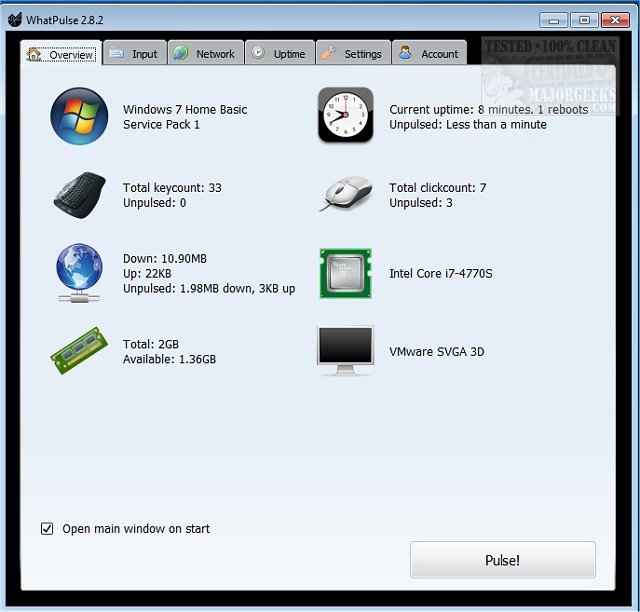
WhatPulse 7.0 has been released, providing a comprehensive tool for users interested in tracking their computer usage accurately. The application logs various metrics related to keyboard and mouse activity, network traffic, and system uptime, enabling users to analyze their computing habits. With WhatPulse, individuals can monitor their keyboard strokes and mouse clicks, assess their download and upload statistics, and measure how long their system has been running.
The software compiles this data, allowing users to share and compare their statistics with friends and other users on its website. Notably, WhatPulse offers insights into the most frequently used applications and their respective bandwidth consumption. To ensure fair usage, the latest version incorporates anti-cheat measures, limiting the maximum key presses to 50 per second. Importantly, unlike keyloggers, WhatPulse only counts the number of key presses without recording their sequence.
Key features of WhatPulse include:
- Counting keys and clicks
- Daily history of keys and clicks
- Keyboard and mouse heat maps
- Application-specific key and click tracking
- Network traffic counting with real-time monitoring
- Daily history of network traffic
- System uptime tracking and application-specific uptime
In addition to its core features, WhatPulse can help users understand their productivity patterns better and improve their work habits. The tool can be particularly beneficial for gamers, developers, and anyone who wants to optimize their computer usage.
For those interested in further enhancing their PC monitoring experience, there are resources available on how to find system uptime in Windows and how to display internet usage on the taskbar, offering additional insights into users' computing environments
The software compiles this data, allowing users to share and compare their statistics with friends and other users on its website. Notably, WhatPulse offers insights into the most frequently used applications and their respective bandwidth consumption. To ensure fair usage, the latest version incorporates anti-cheat measures, limiting the maximum key presses to 50 per second. Importantly, unlike keyloggers, WhatPulse only counts the number of key presses without recording their sequence.
Key features of WhatPulse include:
- Counting keys and clicks
- Daily history of keys and clicks
- Keyboard and mouse heat maps
- Application-specific key and click tracking
- Network traffic counting with real-time monitoring
- Daily history of network traffic
- System uptime tracking and application-specific uptime
In addition to its core features, WhatPulse can help users understand their productivity patterns better and improve their work habits. The tool can be particularly beneficial for gamers, developers, and anyone who wants to optimize their computer usage.
For those interested in further enhancing their PC monitoring experience, there are resources available on how to find system uptime in Windows and how to display internet usage on the taskbar, offering additional insights into users' computing environments
WhatPulse 7.0 released
WhatPulse is designed for those curious about how much actual PC work is done by logging exactly what you are doing while working.