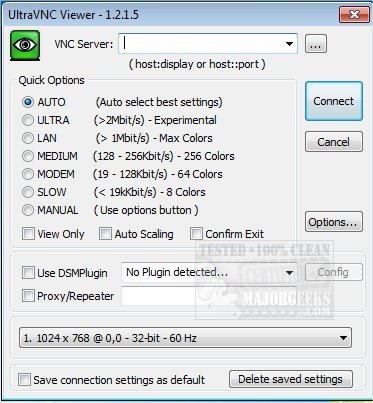
UltraVNC version 1.8.2.9 has been released, offering a powerful tool for remote desktop control over any TCP/IP connection. This software allows users to interact with a remote computer as if they were physically present, providing an emulated environment that displays the destination computer's screen on the user's device. The program is compatible with 32-bit systems, ensuring accessibility for a wide range of users.
With UltraVNC, individuals can effortlessly control a remote machine using their mouse and keyboard, making it an ideal solution for IT support and helpdesk functions. This capability means that technicians can assist clients from any location globally without requiring them to install complex software or perform intricate setup procedures. This ease of use streamlines the support process and enhances customer satisfaction.
Furthermore, UltraVNC can be particularly beneficial for businesses that need to offer remote assistance or manage multiple systems from a distance. Its functionality not only simplifies troubleshooting but also allows for efficient collaboration among team members who may be working from various locations.
As technology continues to evolve, remote access tools like UltraVNC are becoming increasingly essential for both personal and professional use. Users are encouraged to stay updated on software releases and improvements to maximize their remote support capabilities.
In addition to the key features of UltraVNC, users should also consider related topics that may enhance their understanding of digital connectivity and support, such as the implications of using free VPN services, solutions for slow internet connections, and the workings of Windows Auto-Tuning
With UltraVNC, individuals can effortlessly control a remote machine using their mouse and keyboard, making it an ideal solution for IT support and helpdesk functions. This capability means that technicians can assist clients from any location globally without requiring them to install complex software or perform intricate setup procedures. This ease of use streamlines the support process and enhances customer satisfaction.
Furthermore, UltraVNC can be particularly beneficial for businesses that need to offer remote assistance or manage multiple systems from a distance. Its functionality not only simplifies troubleshooting but also allows for efficient collaboration among team members who may be working from various locations.
As technology continues to evolve, remote access tools like UltraVNC are becoming increasingly essential for both personal and professional use. Users are encouraged to stay updated on software releases and improvements to maximize their remote support capabilities.
In addition to the key features of UltraVNC, users should also consider related topics that may enhance their understanding of digital connectivity and support, such as the implications of using free VPN services, solutions for slow internet connections, and the workings of Windows Auto-Tuning
UltraVNC 1.8.2.9 released
UltraVNC software allows you to remotely control a computer over any TCP/IP connection. UltraVNC emulates the destination computer to make it look like you were in front of it. 32-Bit available.