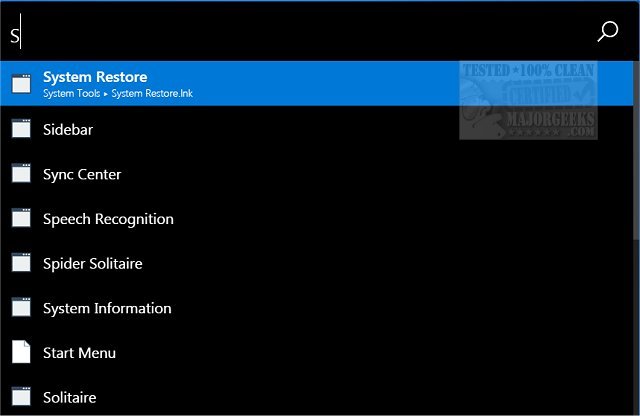
The latest version, ueli 9.28.0, has been released for ueli, an open-source systray application designed to streamline the process of launching programs and Windows tools. This user-friendly app operates quietly in the system tray, becoming accessible when needed. Users can activate ueli either by right-clicking its icon or using the shortcut Alt + Spacebar. Upon activation, a search interface appears, allowing users to type the name of the program or tool they wish to access. As users type, ueli dynamically displays results in alphabetical order, enabling quick selection and launching of applications.
Additionally, ueli features a comprehensive settings panel, which can also be accessed via right-clicking the icon. This panel allows for extensive customization, including options for mouse interactions, selecting app folders, enabling autostart, choosing preferred search engines, and creating custom commands and hotkeys. For those unfamiliar with the app, a help tutorial is available on the developer's website, making it easy for new users to get started.
To extend its functionality, users can explore additional features such as integrating plugins to enhance its capabilities or using third-party scripts to automate tasks. With its continued development and user feedback, ueli is positioned to evolve further, potentially incorporating features like voice commands or cloud-based integrations for even more seamless app interaction. The community around ueli also encourages users to contribute to its development or suggest new features, fostering a collaborative environment for continuous improvement
Additionally, ueli features a comprehensive settings panel, which can also be accessed via right-clicking the icon. This panel allows for extensive customization, including options for mouse interactions, selecting app folders, enabling autostart, choosing preferred search engines, and creating custom commands and hotkeys. For those unfamiliar with the app, a help tutorial is available on the developer's website, making it easy for new users to get started.
To extend its functionality, users can explore additional features such as integrating plugins to enhance its capabilities or using third-party scripts to automate tasks. With its continued development and user feedback, ueli is positioned to evolve further, potentially incorporating features like voice commands or cloud-based integrations for even more seamless app interaction. The community around ueli also encourages users to contribute to its development or suggest new features, fostering a collaborative environment for continuous improvement
ueli 9.28.0 released
ueli is an open-source systray app that permits you to launch programs and Windows tools via a simple search interface.