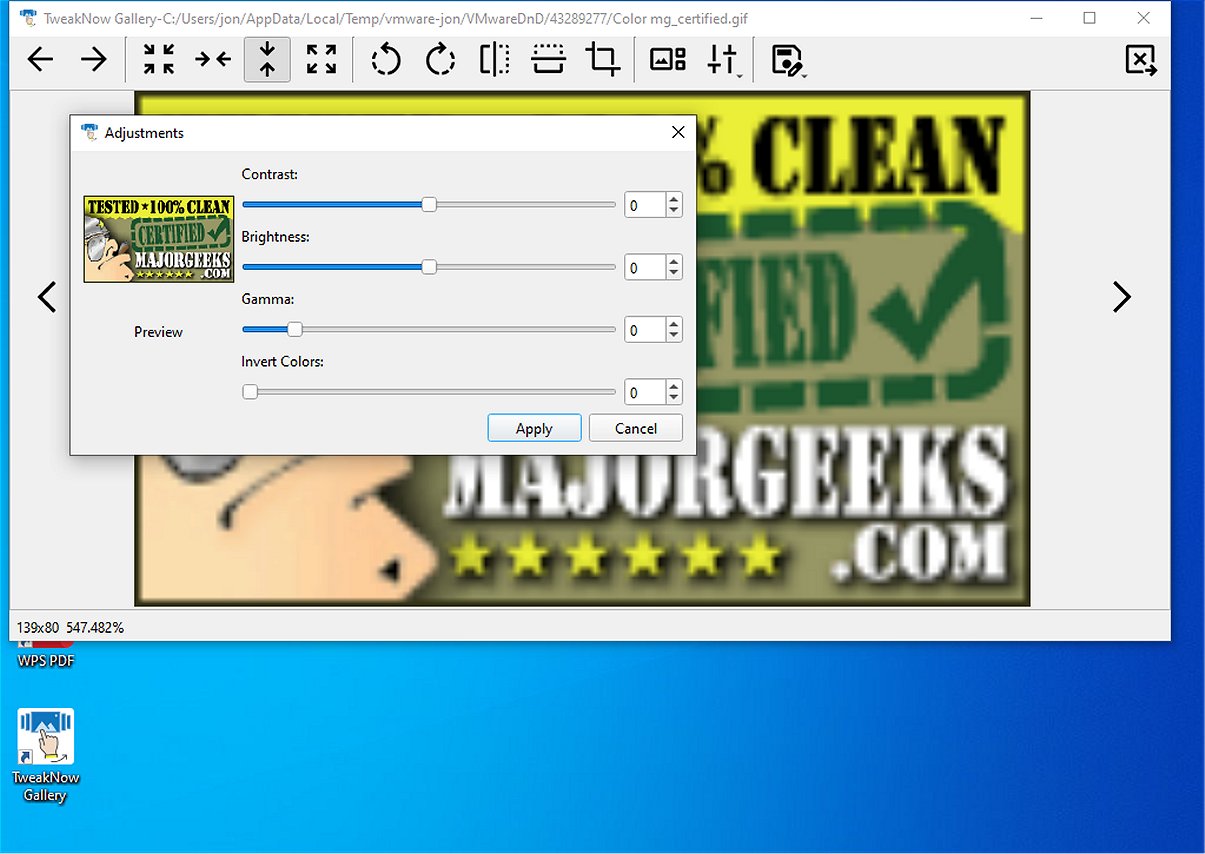
TweakNow Gallery 1.4.1 has been released as a comprehensive photo organization tool, designed to help users efficiently sort, manage, and rediscover their cherished memories. This user-friendly application is ideal for individuals of all skill levels who wish to manage graphic files seamlessly. Upon launching TweakNow Gallery, users encounter an empty main window that directs them to navigate through their Windows folders to find their photos.
Once a folder is accessed, users can view small or large image previews, with convenient selection tools that facilitate photo management. Right-clicking on any selected image provides quick access to options for copying, moving, or renaming files, while a dedicated button in the toolbar allows for easy file deletion.
In addition to its basic management functions, TweakNow Gallery incorporates essential image editing tools, making it a versatile solution for those needing both viewing and basic editing capabilities. Users can perform standard manipulations such as rotating, cropping, and flipping images. Furthermore, the software includes color adjustment features, enabling users to modify contrast, brightness, and gamma levels, as well as apply artistic filters like grayscale and sepia.
Overall, TweakNow Gallery strikes a balance between efficient file management and essential photo editing, making it a valuable resource for anyone looking to curate their image collections and enhance their photos easily. With its intuitive design, users can quickly get started without wading through complicated help sections.
Extended Summary:
The latest version of TweakNow Gallery not only simplifies the process of managing and organizing photo collections but also enhances user experience with a range of editing tools. The application is particularly beneficial for users who wish to maintain an organized digital library while also having the ability to make straightforward edits to their images.
Moreover, TweakNow Gallery's ability to apply creative filters and adjustments allows users to explore their artistic side without needing extensive technical knowledge. This dual functionality of management and editing positions TweakNow Gallery as a practical solution for both casual users and photography enthusiasts looking to streamline their workflow.
In the ever-evolving digital landscape, TweakNow Gallery remains a noteworthy option for anyone wanting to efficiently manage their visual memories while also having the tools at hand to enhance and personalize their images. As technology progresses, future updates could potentially introduce more advanced editing features or cloud integration for enhanced accessibility
Once a folder is accessed, users can view small or large image previews, with convenient selection tools that facilitate photo management. Right-clicking on any selected image provides quick access to options for copying, moving, or renaming files, while a dedicated button in the toolbar allows for easy file deletion.
In addition to its basic management functions, TweakNow Gallery incorporates essential image editing tools, making it a versatile solution for those needing both viewing and basic editing capabilities. Users can perform standard manipulations such as rotating, cropping, and flipping images. Furthermore, the software includes color adjustment features, enabling users to modify contrast, brightness, and gamma levels, as well as apply artistic filters like grayscale and sepia.
Overall, TweakNow Gallery strikes a balance between efficient file management and essential photo editing, making it a valuable resource for anyone looking to curate their image collections and enhance their photos easily. With its intuitive design, users can quickly get started without wading through complicated help sections.
Extended Summary:
The latest version of TweakNow Gallery not only simplifies the process of managing and organizing photo collections but also enhances user experience with a range of editing tools. The application is particularly beneficial for users who wish to maintain an organized digital library while also having the ability to make straightforward edits to their images.
Moreover, TweakNow Gallery's ability to apply creative filters and adjustments allows users to explore their artistic side without needing extensive technical knowledge. This dual functionality of management and editing positions TweakNow Gallery as a practical solution for both casual users and photography enthusiasts looking to streamline their workflow.
In the ever-evolving digital landscape, TweakNow Gallery remains a noteworthy option for anyone wanting to efficiently manage their visual memories while also having the tools at hand to enhance and personalize their images. As technology progresses, future updates could potentially introduce more advanced editing features or cloud integration for enhanced accessibility
TweakNow Gallery 1.4.1 released
TweakNow Gallery serves as an effective photo organization tool designed to help users sort, manage, and rediscover their treasured memories seamlessly.