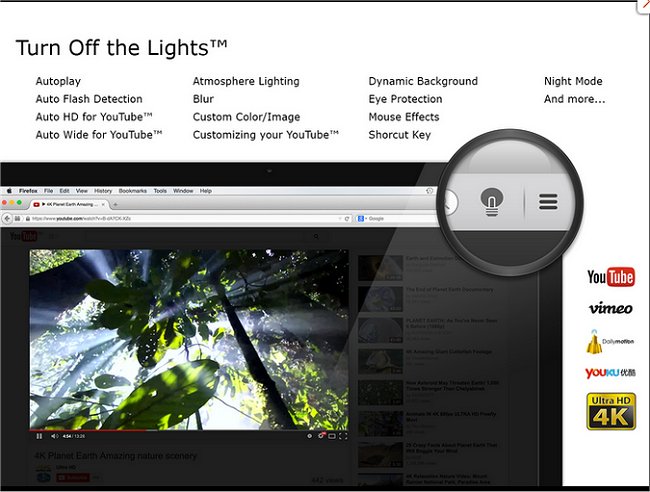
The latest release of Turn Off the Lights for Chrome, Firefox, and Edge, version 4.7.0, offers an enhanced browsing experience by allowing users to dim everything on their screen except for the Flash or HTML5 video they are viewing. This browser extension aims to reduce distractions and create a more immersive environment for watching videos.
To use the extension, users simply click on a small lamp icon located in the browser's menu bar or Omnibox. This action causes the area surrounding the video to fade, allowing for an uninterrupted viewing experience. Users can easily restore the original screen by clicking outside the video. Additionally, the extension provides customization options, enabling users to adjust the opacity of the dimming effect and choose a color other than black for the overlay.
Beyond its core functionality, Turn Off the Lights is part of a broader ecosystem of tools designed to enhance user experience across web browsers. Users might also find helpful resources on managing browser settings, such as stopping Google Chrome from starting automatically, resetting or repairing browsers, or deleting autofill entries.
In future updates, developers could consider introducing features such as user-defined shortcuts for toggling the dimming effect, the ability to set specific brightness levels depending on the time of day, or integrating with streaming platforms for seamless activation when a video starts. These enhancements could further improve usability, making the extension even more appealing to a diverse range of users
To use the extension, users simply click on a small lamp icon located in the browser's menu bar or Omnibox. This action causes the area surrounding the video to fade, allowing for an uninterrupted viewing experience. Users can easily restore the original screen by clicking outside the video. Additionally, the extension provides customization options, enabling users to adjust the opacity of the dimming effect and choose a color other than black for the overlay.
Beyond its core functionality, Turn Off the Lights is part of a broader ecosystem of tools designed to enhance user experience across web browsers. Users might also find helpful resources on managing browser settings, such as stopping Google Chrome from starting automatically, resetting or repairing browsers, or deleting autofill entries.
In future updates, developers could consider introducing features such as user-defined shortcuts for toggling the dimming effect, the ability to set specific brightness levels depending on the time of day, or integrating with streaming platforms for seamless activation when a video starts. These enhancements could further improve usability, making the extension even more appealing to a diverse range of users
Turn Off the Lights for Chrome, Firefox, and Edge 4.7.0 released
Turn Off the Lights for Chrome, Firefox, and Edge is a useful browser extension that lets users obscure everything on their screen except the Flash or HTML5 video they're watching, minimizing distractions and making for a more pleasant viewing experience.
Turn Off the Lights for Chrome, Firefox, and Edge 4.7.0 released @ MajorGeeks