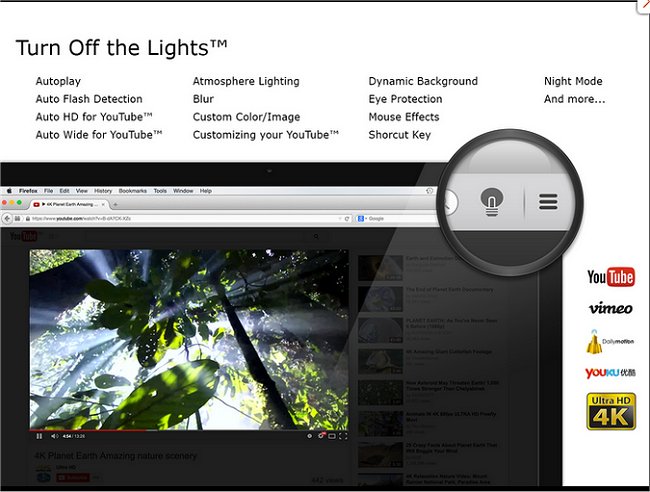
The latest version 4.6.7 of the "Turn Off the Lights" browser extension, available for Chrome, Firefox, and Edge, enhances the viewing experience by allowing users to dim everything on their screen except for the video they are currently watching, whether it be Flash or HTML5. This feature helps minimize distractions and creates a more immersive environment for video content consumption.
Users can easily activate this feature by clicking on a small lamp icon located in the browser's menu bar or Omnibox. Once activated, the area surrounding the video will fade, and clicking anywhere outside the video will restore the original screen view. Additionally, users have the flexibility to adjust the opacity of the dimming effect and can even choose a color other than black for the overlay.
In an age where online video consumption is prevalent, tools like "Turn Off the Lights" can significantly enhance user experience by eliminating distractions, allowing viewers to focus solely on the content. This extension is particularly helpful for those who frequently watch videos for entertainment or educational purposes.
Moreover, it offers practical features for managing browser settings and data, such as instructions on stopping Chrome from starting automatically, resetting or repairing browsers, and deleting autofill entries, creating a comprehensive toolkit for users to optimize their browsing experience.
In conclusion, the "Turn Off the Lights" extension stands out as an essential tool for anyone looking to improve their video watching experience, highlighting the importance of reducing distractions in today’s digital environment
Users can easily activate this feature by clicking on a small lamp icon located in the browser's menu bar or Omnibox. Once activated, the area surrounding the video will fade, and clicking anywhere outside the video will restore the original screen view. Additionally, users have the flexibility to adjust the opacity of the dimming effect and can even choose a color other than black for the overlay.
In an age where online video consumption is prevalent, tools like "Turn Off the Lights" can significantly enhance user experience by eliminating distractions, allowing viewers to focus solely on the content. This extension is particularly helpful for those who frequently watch videos for entertainment or educational purposes.
Moreover, it offers practical features for managing browser settings and data, such as instructions on stopping Chrome from starting automatically, resetting or repairing browsers, and deleting autofill entries, creating a comprehensive toolkit for users to optimize their browsing experience.
In conclusion, the "Turn Off the Lights" extension stands out as an essential tool for anyone looking to improve their video watching experience, highlighting the importance of reducing distractions in today’s digital environment
Turn Off the Lights for Chrome, Firefox, and Edge 4.6.7 released
Turn Off the Lights for Chrome, Firefox, and Edge is a useful browser extension that lets users obscure everything on their screen except the Flash or HTML5 video they're watching, minimizing distractions and making for a more pleasant viewing experience.
Turn Off the Lights for Chrome, Firefox, and Edge 4.6.7 released @ MajorGeeks