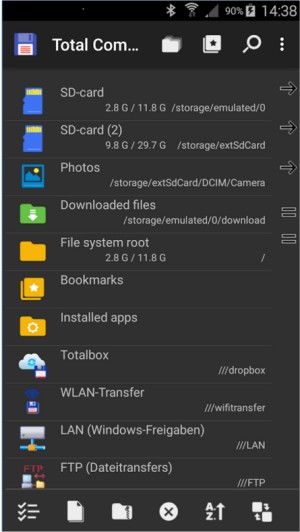
Total Commander has recently released version 11.58, further solidifying its reputation as a powerful file manager for both Windows and Android devices. While not as flashy as other applications, Total Commander offers a robust, no-nonsense approach to file management that many users find invaluable. Its dual-pane interface allows for efficient file management, enabling users to easily copy and move files without excessive navigation.
Total Commander supports a wide array of archive formats including ZIP, RAR, and 7Z, which means users can browse and manage archives seamlessly without needing additional software. The built-in FTP client also adds to its versatility, making it simple to connect to remote servers for tasks such as backups or maintenance, featuring support for secure protocols like FTPS and SFTP.
A standout feature is the Multi-Rename Tool, which allows users to rename multiple files simultaneously with great customization options, including live previews. The program is also highly customizable, supporting numerous plugins that extend its functionality, such as cloud sync and Android device browsing.
Despite its strengths, Total Commander does have some drawbacks, including a somewhat dated user interface and a learning curve associated with its keyboard shortcuts. However, once users become accustomed to its layout, they often find it to be far more efficient than traditional file explorers.
In conclusion, Total Commander is a highly efficient file management tool favored by power users, sysadmins, and developers for its functionality and speed. While it may lack modern aesthetics, its utility and performance make it a staple for anyone serious about file management. The free version does include a prompt at startup, but for most users, this minor inconvenience is well worth the benefits Total Commander provides. Whether you're organizing files, managing servers, or simply looking for a more effective way to handle your documents, Total Commander is a tool that remains relevant and useful in today's digital landscape.
2. Community and Support: The Total Commander community offers extensive support and resources, including forums and user-contributed plugins, enhancing the overall user experience.
3. Cross-Platform Functionality: With support for both Windows and Android, users can maintain consistency across devices, ensuring their file management experience is seamless whether at home or on the go.
4. Future Updates: As technology evolves, Total Commander continues to adapt by integrating newer features and updates, promising long-term utility for its user base
Total Commander supports a wide array of archive formats including ZIP, RAR, and 7Z, which means users can browse and manage archives seamlessly without needing additional software. The built-in FTP client also adds to its versatility, making it simple to connect to remote servers for tasks such as backups or maintenance, featuring support for secure protocols like FTPS and SFTP.
A standout feature is the Multi-Rename Tool, which allows users to rename multiple files simultaneously with great customization options, including live previews. The program is also highly customizable, supporting numerous plugins that extend its functionality, such as cloud sync and Android device browsing.
Despite its strengths, Total Commander does have some drawbacks, including a somewhat dated user interface and a learning curve associated with its keyboard shortcuts. However, once users become accustomed to its layout, they often find it to be far more efficient than traditional file explorers.
In conclusion, Total Commander is a highly efficient file management tool favored by power users, sysadmins, and developers for its functionality and speed. While it may lack modern aesthetics, its utility and performance make it a staple for anyone serious about file management. The free version does include a prompt at startup, but for most users, this minor inconvenience is well worth the benefits Total Commander provides. Whether you're organizing files, managing servers, or simply looking for a more effective way to handle your documents, Total Commander is a tool that remains relevant and useful in today's digital landscape.
Extended Points:
1. Customization: Users can further personalize their experience by exploring various skins and configurations, making the tool more visually appealing if desired.2. Community and Support: The Total Commander community offers extensive support and resources, including forums and user-contributed plugins, enhancing the overall user experience.
3. Cross-Platform Functionality: With support for both Windows and Android, users can maintain consistency across devices, ensuring their file management experience is seamless whether at home or on the go.
4. Future Updates: As technology evolves, Total Commander continues to adapt by integrating newer features and updates, promising long-term utility for its user base
Total Commander 11.58 released
Total Commander is an all-in-one file manager for your Windows and Android devices.