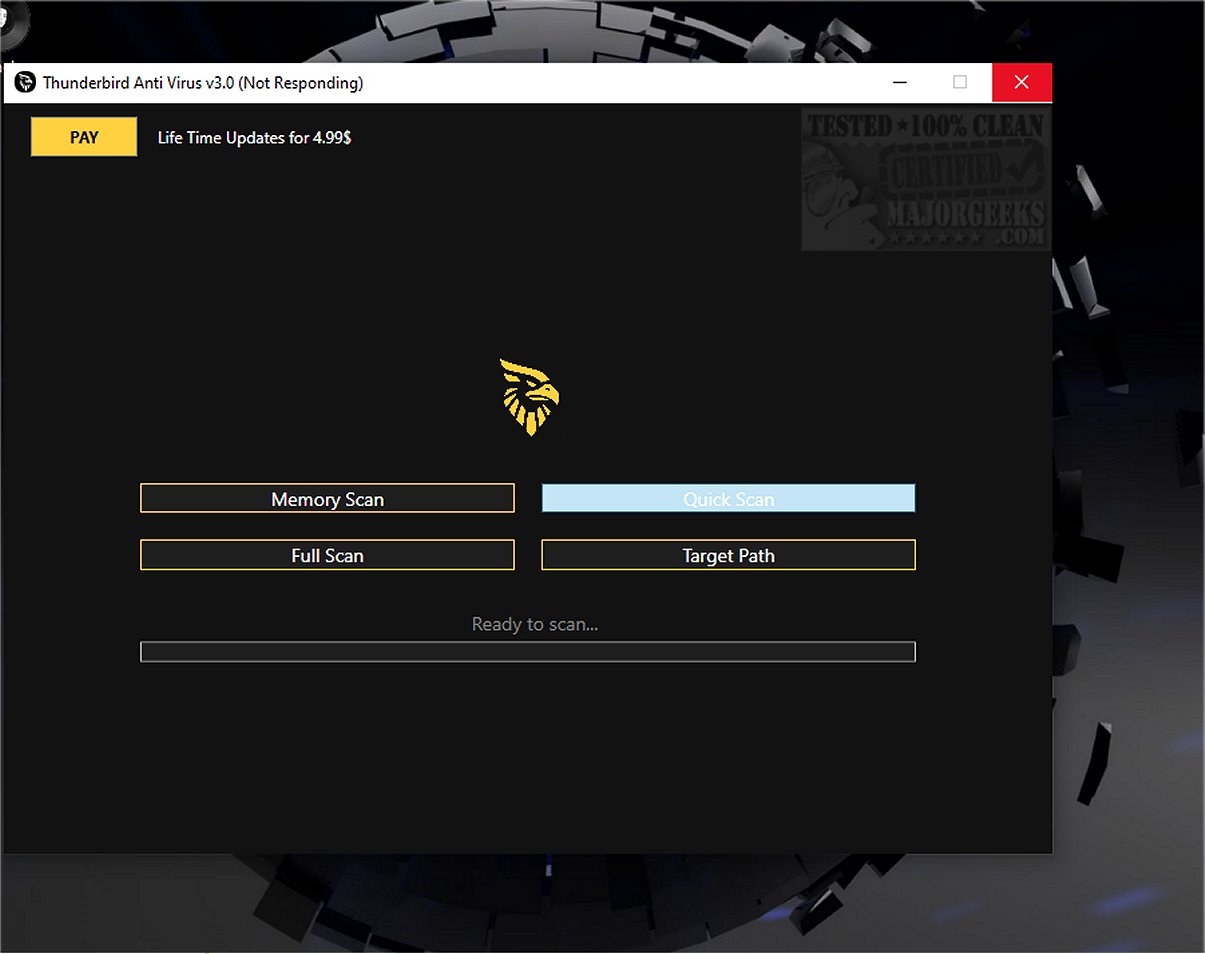
The newly released Thunder Anti-Virus Free Scanner 4.3 offers users an effective and completely free portable option for scanning their computers for potential security threats. This software is designed for convenience, requiring no installation. Users simply download the executable file, extract it, and run it on any Windows PC to enhance system protection.
Key Features and Capabilities
Thunder Anti-Virus Free Scanner provides a range of scanning options, including a comprehensive system scan that checks memory, hard drives, and connected devices for various threats such as malware, viruses, and trojans. Notable features include:
- Real-Time Threat Detection: This feature actively monitors system activity to intercept malware, ransomware, and spyware before they can cause harm.
- Deep System Scanning: The scanner employs a versatile engine capable of detecting hidden trojans and persistent threats within the deeper layers of storage.
- Smart Quarantine: Suspicious files are isolated safely, preventing further infection while allowing users to manage potential risks easily.
- Ultra-Light Footprint: Designed for performance, the scanner operates quietly in the background, ensuring uninterrupted gaming or work sessions.
- Heuristic Engine: Advanced algorithms identify new threats based on suspicious behavior rather than relying solely on known signatures.
For users seeking quick analysis, the scanner also offers a targeted folder scan option, allowing for focused checks of specific directories without scanning the entire system.
Scan Logging and Threat Management
Upon completing a scan, Thunder Anti-Virus Free Scanner generates a detailed log file, typically named ScanLog.txt, which can be customized. This log provides a comprehensive list of scanned files and any detected threats, giving users clear insight into the scan results.
Real-Time Identification and User Experience
Utilizing Thunder's advanced detection engine, the software ensures real-time identification of threats, enabling immediate action to address potential risks while maintaining system performance. The user-friendly interface and robust security features make it suitable for both casual users and tech-savvy individuals.
Final Thoughts and Recommendations
While Thunder Anti-Virus Free Scanner is an excellent tool for guarding against a variety of cybersecurity threats, it is essential to note that it functions primarily as a scanner. To achieve full protection from potential infections, users should consider complementing it with a complete antivirus solution, such as Malwarebytes, for comprehensive device security.
In summary, Thunder Anti-Virus Free Scanner 4.3 is a valuable addition to anyone's cybersecurity toolkit, boasting a blend of ease of use, effective threat detection, and minimal resource consumption. Users looking for additional insights into antivirus solutions can explore comparisons of anti-malware applications and the effectiveness of Windows Defender
Key Features and Capabilities
Thunder Anti-Virus Free Scanner provides a range of scanning options, including a comprehensive system scan that checks memory, hard drives, and connected devices for various threats such as malware, viruses, and trojans. Notable features include:
- Real-Time Threat Detection: This feature actively monitors system activity to intercept malware, ransomware, and spyware before they can cause harm.
- Deep System Scanning: The scanner employs a versatile engine capable of detecting hidden trojans and persistent threats within the deeper layers of storage.
- Smart Quarantine: Suspicious files are isolated safely, preventing further infection while allowing users to manage potential risks easily.
- Ultra-Light Footprint: Designed for performance, the scanner operates quietly in the background, ensuring uninterrupted gaming or work sessions.
- Heuristic Engine: Advanced algorithms identify new threats based on suspicious behavior rather than relying solely on known signatures.
For users seeking quick analysis, the scanner also offers a targeted folder scan option, allowing for focused checks of specific directories without scanning the entire system.
Scan Logging and Threat Management
Upon completing a scan, Thunder Anti-Virus Free Scanner generates a detailed log file, typically named ScanLog.txt, which can be customized. This log provides a comprehensive list of scanned files and any detected threats, giving users clear insight into the scan results.
Real-Time Identification and User Experience
Utilizing Thunder's advanced detection engine, the software ensures real-time identification of threats, enabling immediate action to address potential risks while maintaining system performance. The user-friendly interface and robust security features make it suitable for both casual users and tech-savvy individuals.
Final Thoughts and Recommendations
While Thunder Anti-Virus Free Scanner is an excellent tool for guarding against a variety of cybersecurity threats, it is essential to note that it functions primarily as a scanner. To achieve full protection from potential infections, users should consider complementing it with a complete antivirus solution, such as Malwarebytes, for comprehensive device security.
In summary, Thunder Anti-Virus Free Scanner 4.3 is a valuable addition to anyone's cybersecurity toolkit, boasting a blend of ease of use, effective threat detection, and minimal resource consumption. Users looking for additional insights into antivirus solutions can explore comparisons of anti-malware applications and the effectiveness of Windows Defender
Thunder Anti-Virus Free Scanner 4.3 released
Experience the scanning capabilities of Thunder Anti-Virus Free Scanner through this fully free portable scanner. Designed for user convenience, this software requires no installation; simply download the file, extract it, and run it on any Windows PC to safeguard your system against potential threats.