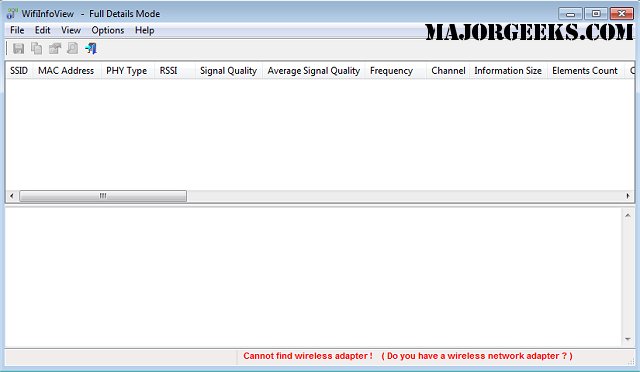
WifiInfoView 3.00 has been released, offering users a powerful tool to scan and analyze wireless networks in their vicinity. This software provides a wealth of information, making it an invaluable resource for troubleshooting connectivity issues or identifying specific router details.
With WifiInfoView, users can access critical data such as the Network Name (SSID), MAC Address, PHY Type (like 802.11g or 802.11n), Received Signal Strength Indicator (RSSI), Signal Quality, Frequency, Channel Number, Maximum Speed, and the names and models of routers when available. The interface allows users to select a specific wireless network and view detailed information in hexadecimal format.
One of the notable features is the summary mode, which organizes detected networks by various factors including channel number, manufacturer, PHY type, or maximum speed, providing a clear overview of the wireless landscape.
In addition to its primary functionality, WifiInfoView can assist users in enhancing their wireless network performance, understanding Windows Auto-Tuning, checking Wi-Fi security settings, and managing wireless network profiles in Windows 10 and 11.
As wireless technology continues to evolve, tools like WifiInfoView remain essential for users aiming to optimize their network experience and ensure smooth connectivity. Future updates could include enhanced user interfaces, additional diagnostic features, or integration with other network management tools to further streamline the process of managing wireless connections
With WifiInfoView, users can access critical data such as the Network Name (SSID), MAC Address, PHY Type (like 802.11g or 802.11n), Received Signal Strength Indicator (RSSI), Signal Quality, Frequency, Channel Number, Maximum Speed, and the names and models of routers when available. The interface allows users to select a specific wireless network and view detailed information in hexadecimal format.
One of the notable features is the summary mode, which organizes detected networks by various factors including channel number, manufacturer, PHY type, or maximum speed, providing a clear overview of the wireless landscape.
In addition to its primary functionality, WifiInfoView can assist users in enhancing their wireless network performance, understanding Windows Auto-Tuning, checking Wi-Fi security settings, and managing wireless network profiles in Windows 10 and 11.
As wireless technology continues to evolve, tools like WifiInfoView remain essential for users aiming to optimize their network experience and ensure smooth connectivity. Future updates could include enhanced user interfaces, additional diagnostic features, or integration with other network management tools to further streamline the process of managing wireless connections
WifiInfoView 3.00 released
WifiInfoView will quickly scan all the wireless networks in your area and then provide you with extensive information about them; great for diagnosing a connectivity issue or locating your router's model number, and more.