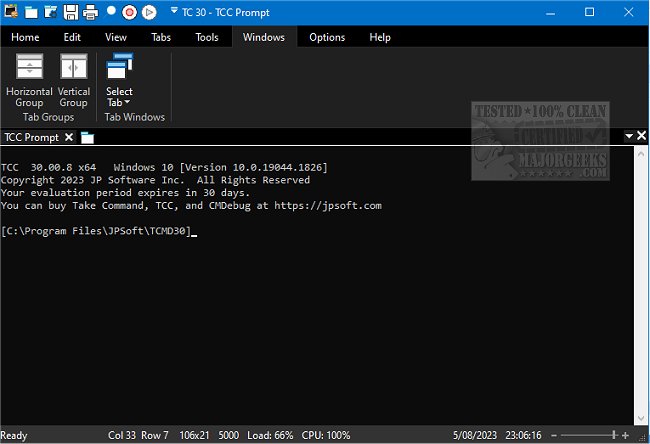
The recent release of Take Command version 36.52.89 introduces an advanced console application that provides users with the capability to manage multiple console applications through an intuitive tabbed interface, similar to Windows Explorer. This environment not only enhances productivity with features like faster output display—up to 10 times quicker than traditional console windows—but also supports drag-and-drop functionality for easier file management.
Take Command includes TCC (Take Command Console), a powerful command processor that is compatible with CMD.EXE but offers a plethora of additional features. With TCC, users can execute commands and batch scripts interactively, schedule processes based on system triggers, and leverage an enhanced scripting language. This language boasts over 160 internal commands, 240 functions, and the ability to access FTP and HTTP sites as if they were local drives.
Additionally, the package includes TCC-RT, a free runtime version allowing users to experience the capabilities of Take Command without the full installation. This makes it accessible for users who may not need the complete suite but still require enhanced command line functionality.
In summary, the Take Command environment is a powerful tool for developers and operations professionals alike, significantly improving console application management, script execution, and file handling within a user-friendly interface. As users navigate through their tasks, they can benefit from the extensive features provided by Take Command, ultimately enhancing their workflow efficiency.
Looking forward, potential improvements could include integration with cloud storage solutions, expanded support for scripting languages, and enhanced collaboration features allowing multiple users to work on scripts in real-time. This would further solidify Take Command's position as a versatile tool for modern computing needs
Take Command 36.52.89 released
Take Command lets you have multiple console applications open in tabbed windows, with a Windows Explorer-like interface available for those times when you need a visual look at your folders. TCC-RT is a free fully functional runtime version of Take Command Console.