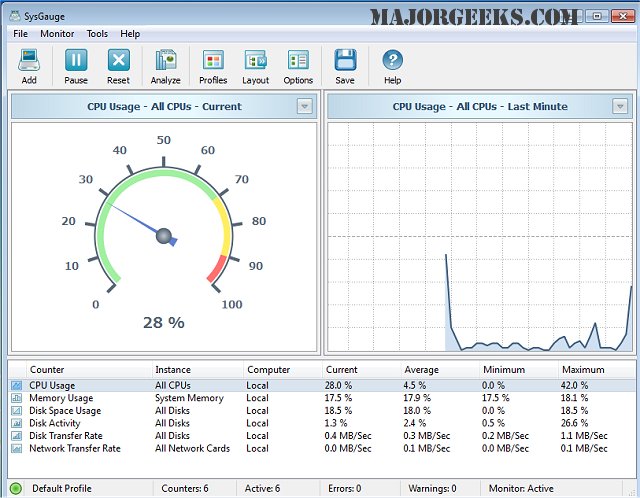
SysGauge has released version 13.5.48, a powerful tool designed for real-time monitoring of your machine's performance across various metrics. This software offers nine distinct categories for monitoring, including CPU Usage, Memory Usage, Disk I/O Activity, Network Activity, Operating System, Process Status, File System, USB Activity, and an overarching category for All Counters. Each category contains multiple subsets, allowing users to tailor their monitoring experience to their specific needs via an intuitive graphical user interface (GUI).
In addition to basic monitoring capabilities, SysGauge offers advanced features, such as the ability to set custom limits for various performance counters. Users can receive alerts through error or warning messages, notification sounds, or email alerts when performance metrics breach predefined thresholds. The software also generates periodic status reports that document up to 24 hours of continuous monitoring history, which can be exported in various formats such as HTML, PDF, Excel, Text, CSV, or XML.
Beyond its core functionality, SysGauge can be an invaluable resource for troubleshooting system issues and optimizing performance. Regular monitoring can help users proactively address potential bottlenecks or failures, ensuring smoother operation of their systems. As technology continues to evolve, tools like SysGauge will remain essential for maintaining peak performance in both personal and professional computing environments.
With the release of version 13.5.48, SysGauge likely includes enhancements or new features that further improve its usability and effectiveness, making it an even more vital tool for IT professionals and tech-savvy users alike
In addition to basic monitoring capabilities, SysGauge offers advanced features, such as the ability to set custom limits for various performance counters. Users can receive alerts through error or warning messages, notification sounds, or email alerts when performance metrics breach predefined thresholds. The software also generates periodic status reports that document up to 24 hours of continuous monitoring history, which can be exported in various formats such as HTML, PDF, Excel, Text, CSV, or XML.
Beyond its core functionality, SysGauge can be an invaluable resource for troubleshooting system issues and optimizing performance. Regular monitoring can help users proactively address potential bottlenecks or failures, ensuring smoother operation of their systems. As technology continues to evolve, tools like SysGauge will remain essential for maintaining peak performance in both personal and professional computing environments.
With the release of version 13.5.48, SysGauge likely includes enhancements or new features that further improve its usability and effectiveness, making it an even more vital tool for IT professionals and tech-savvy users alike
SysGauge 13.5.48 released
SysGauge enables you to precisely monitor in real-time your machine's performance in numerous areas.