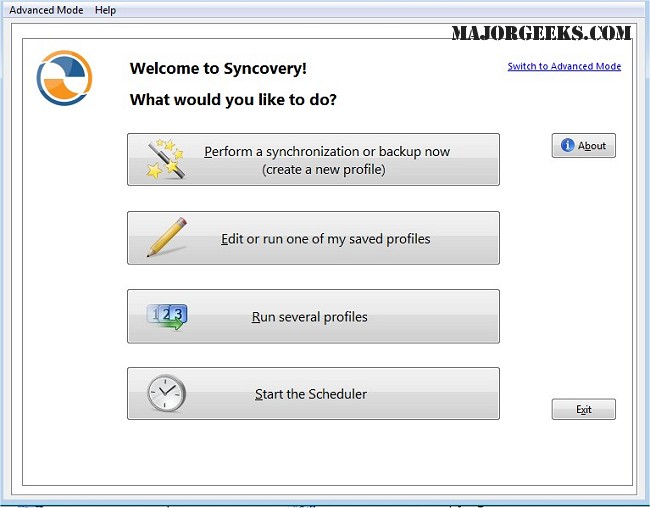
Syncovery is a powerful software tool designed for efficient file management, backup, and synchronization across a variety of platforms, including PCs, Macs, servers, and online storage solutions. The latest version, Syncovery 12.0.0, enhances its capabilities, making it easier for users to keep their data organized and up-to-date.
Key Features of Syncovery
1. Customizable Jobs: Users can create a wide range of manual or automated jobs tailored to specific needs, providing significant flexibility in data management. The automated scheduler can work seamlessly with various storage options, such as local and network drives, ensuring comprehensive data accessibility.
2. Protocol and Cloud Service Support: Syncovery supports multiple protocols, including FTP, SSH, HTTP, and WebDAV, as well as integration with cloud services like Amazon S3 and Google Docs. This versatility allows for smooth data transfers across different environments.
3. File Compression and Security: The software features ZIP compression to reduce file sizes during transfers and offers data encryption options to protect sensitive information. On Windows systems, its scheduler can operate as a service, enabling tasks to run in the background without a user being logged in.
4. Diverse Synchronization Modes: Syncovery provides various synchronization modes to meet different user needs, including Standard Copying, Exact Mirror, and SmartTracking. These options ensure that users can choose the most appropriate method for their data management tasks.
Conclusion
Syncovery 12.0.0 stands out as an exceptional tool for users looking to synchronize and back up files and folder structures across multiple locations. With its user-friendly interface and robust features, managing data becomes effortless. Users can enjoy the peace of mind that comes with knowing their files are consistently updated and securely stored.
Future Prospects
As data management needs continue to evolve, Syncovery is likely to introduce more features to enhance user experience, such as improved AI-driven data organization, enhanced synchronization capabilities for mobile devices, and expanded support for emerging cloud platforms. Keeping pace with technological advancements, the software aims to remain a leader in the file management sector. Users can look forward to even more powerful tools and functionalities in future updates, ensuring that their data management processes are not only efficient but also innovative
Key Features of Syncovery
1. Customizable Jobs: Users can create a wide range of manual or automated jobs tailored to specific needs, providing significant flexibility in data management. The automated scheduler can work seamlessly with various storage options, such as local and network drives, ensuring comprehensive data accessibility.
2. Protocol and Cloud Service Support: Syncovery supports multiple protocols, including FTP, SSH, HTTP, and WebDAV, as well as integration with cloud services like Amazon S3 and Google Docs. This versatility allows for smooth data transfers across different environments.
3. File Compression and Security: The software features ZIP compression to reduce file sizes during transfers and offers data encryption options to protect sensitive information. On Windows systems, its scheduler can operate as a service, enabling tasks to run in the background without a user being logged in.
4. Diverse Synchronization Modes: Syncovery provides various synchronization modes to meet different user needs, including Standard Copying, Exact Mirror, and SmartTracking. These options ensure that users can choose the most appropriate method for their data management tasks.
Conclusion
Syncovery 12.0.0 stands out as an exceptional tool for users looking to synchronize and back up files and folder structures across multiple locations. With its user-friendly interface and robust features, managing data becomes effortless. Users can enjoy the peace of mind that comes with knowing their files are consistently updated and securely stored.
Future Prospects
As data management needs continue to evolve, Syncovery is likely to introduce more features to enhance user experience, such as improved AI-driven data organization, enhanced synchronization capabilities for mobile devices, and expanded support for emerging cloud platforms. Keeping pace with technological advancements, the software aims to remain a leader in the file management sector. Users can look forward to even more powerful tools and functionalities in future updates, ensuring that their data management processes are not only efficient but also innovative
Syncovery 12.0.0 released
Syncovery allows you to seamlessly manage files between PCs, Macs, servers, notebooks, and online storage solutions. It ensures your data is organized and up-to-date according to your specific requirements.