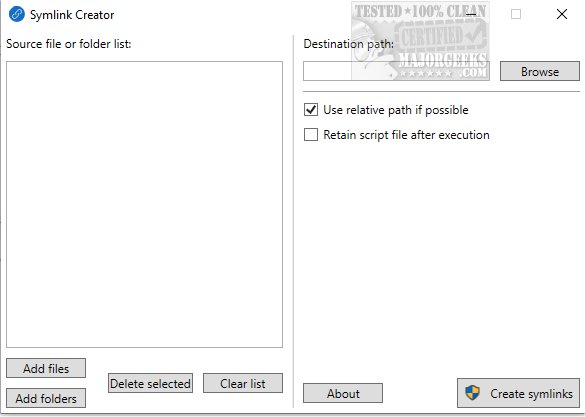
The newly released Symlink Creator 2.0.0 offers a user-friendly GUI application designed to streamline the process of creating multiple symbolic links (symlinks) simultaneously using the mklink command. Symlinks serve as shortcuts to files or folders on your computer, allowing users to reference them without duplicating or moving the original data. This functionality is particularly beneficial for developers, system administrators, and anyone who frequently manipulates symbolic links.
Enhanced Efficiency and Storage Management
One of the standout features of Symlink Creator is its ability to create multiple symlinks at once, significantly reducing the time and effort required for file management tasks. Users can easily select source files or folders and specify where they want the symlinks to be created. This capability is especially advantageous in scenarios where storage efficiency is critical. For instance, if a user wants to curate a separate collection of their favorite songs without actually copying them, traditional shortcuts would fall short as they don't copy the file contents. Symlink Creator addresses this issue by enabling users to create virtual collections that do not consume additional storage space.
Practical Applications of Symlink Creator
Beyond music collections, Symlink Creator is ideal for managing files linked to online storage solutions. Users can back up specific files or folders from various locations without creating unnecessary duplicates in their primary storage. This method not only saves physical storage space but also enhances file organization and accessibility.
The Technical Process Behind Symlink Creation
Symlink Creator operates by generating a script file that includes all the necessary mklink command lines for creating symlinks. This script is executed to establish the desired symlinks, ensuring a streamlined and efficient process. It’s important to note that, unlike traditional shortcut files (*.lnk), symlinks do not occupy storage space, as they do not have a file size. They effectively appear as real files within the system while functioning as pointers to the original data.
Conclusion: A Versatile File Management Tool
In summary, Symlink Creator 2.0.0 is an essential tool for anyone looking to manage files and folders more efficiently within their file system. By allowing users to create symlinks easily, it enhances file referencing, promotes better organization, and conserves storage space, making it a must-have application for individuals and professionals alike. As file management needs continue to evolve, tools like Symlink Creator will undoubtedly play a crucial role in how users interact with their digital environments
Enhanced Efficiency and Storage Management
One of the standout features of Symlink Creator is its ability to create multiple symlinks at once, significantly reducing the time and effort required for file management tasks. Users can easily select source files or folders and specify where they want the symlinks to be created. This capability is especially advantageous in scenarios where storage efficiency is critical. For instance, if a user wants to curate a separate collection of their favorite songs without actually copying them, traditional shortcuts would fall short as they don't copy the file contents. Symlink Creator addresses this issue by enabling users to create virtual collections that do not consume additional storage space.
Practical Applications of Symlink Creator
Beyond music collections, Symlink Creator is ideal for managing files linked to online storage solutions. Users can back up specific files or folders from various locations without creating unnecessary duplicates in their primary storage. This method not only saves physical storage space but also enhances file organization and accessibility.
The Technical Process Behind Symlink Creation
Symlink Creator operates by generating a script file that includes all the necessary mklink command lines for creating symlinks. This script is executed to establish the desired symlinks, ensuring a streamlined and efficient process. It’s important to note that, unlike traditional shortcut files (*.lnk), symlinks do not occupy storage space, as they do not have a file size. They effectively appear as real files within the system while functioning as pointers to the original data.
Conclusion: A Versatile File Management Tool
In summary, Symlink Creator 2.0.0 is an essential tool for anyone looking to manage files and folders more efficiently within their file system. By allowing users to create symlinks easily, it enhances file referencing, promotes better organization, and conserves storage space, making it a must-have application for individuals and professionals alike. As file management needs continue to evolve, tools like Symlink Creator will undoubtedly play a crucial role in how users interact with their digital environments
Symlink Creator 2.0.0 released
Symlink Creator gives you a GUI app that allows you to create multiple symlinks (symbolic links) at once using the mklink command.