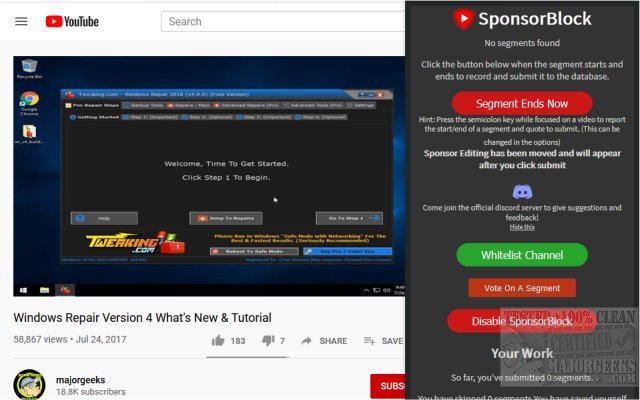
SponsorBlock has released version 6.1.6 for Chrome, Firefox, Edge, and Opera, offering users the ability to skip over video sponsorships on YouTube effectively. This extension utilizes a crowdsourced approach, allowing users to contribute to a database of known sponsors, which it checks to automatically skip over during video playback. In addition to skipping sponsors, SponsorBlock provides options to bypass other video sections such as intros, outros, reminders to subscribe, and non-music portions of music videos.
Users can customize their experience with a variety of settings, enabling them to tailor their video-watching preferences and eliminate content they find unnecessary. However, users are encouraged to whitelist channels they frequently watch, like MajorGeeks, to support creators who produce content they enjoy.
In conclusion, SponsorBlock is a valuable tool for enhancing the YouTube viewing experience by reducing interruptions from sponsored content. By fostering community participation, it ensures a continually updated and relevant database, making it an essential extension for avid YouTube users looking to optimize their viewing time. Additionally, for those interested in managing their online presence and ad exposure, related tips on deleting YouTube watch and search history, disabling ads in Windows, and enabling ad interventions in Google Chrome are also available
Users can customize their experience with a variety of settings, enabling them to tailor their video-watching preferences and eliminate content they find unnecessary. However, users are encouraged to whitelist channels they frequently watch, like MajorGeeks, to support creators who produce content they enjoy.
In conclusion, SponsorBlock is a valuable tool for enhancing the YouTube viewing experience by reducing interruptions from sponsored content. By fostering community participation, it ensures a continually updated and relevant database, making it an essential extension for avid YouTube users looking to optimize their viewing time. Additionally, for those interested in managing their online presence and ad exposure, related tips on deleting YouTube watch and search history, disabling ads in Windows, and enabling ad interventions in Google Chrome are also available
SponsorBlock for Chrome, Firefox, Edge, and Safari 6.1.6 released
SponsorBlock for Chrome, Firefox, Edge, and Opera permits you to skip video sponsors while using YouTube.
SponsorBlock for Chrome, Firefox, Edge, and Safari 6.1.6 released @ MajorGeeks