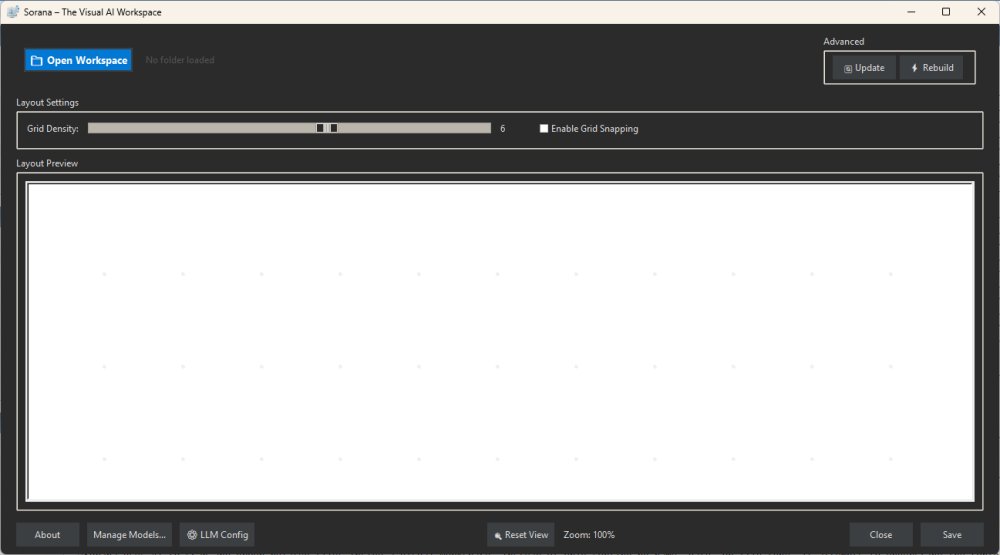
Sorana is a cutting-edge, free AI-powered visual workspace designed to revolutionize the way users organize files, documents, and AI workflows on Windows. Targeted primarily at researchers, developers, and creative professionals, Sorana provides an intuitive alternative to traditional file management systems like File Explorer.
Key Features and Functionality
Sorana enables users to manage a variety of files—including documents, PDFs, notes, and project folders—on a dynamic visual canvas. By utilizing AI technology, Sorana intelligently scans and groups related files based on their content and context, rather than relying solely on conventional sorting methods like name or date. This allows users to visualize relationships between files, facilitating a more efficient workflow.
The application serves as a versatile project board, file organizer, and AI assistant, enabling users to drag and drop files, create groups, and rename sections easily. Its AI-powered document interaction features, such as Optical Character Recognition (OCR) for scanned PDFs, make it easy to query and extract information from document-heavy content. Furthermore, Sorana supports no-code AI agent pipelines, allowing users to build automated workflows without needing extensive programming knowledge.
User Experience and Setup
To get started with Sorana, users should begin with a specific project folder rather than their entire Downloads folder to avoid chaos. The AI will scan the files and generate visual groupings, which can then be adjusted manually to suit individual preferences. Users can take advantage of the chat features to ask questions about the documents, making it especially useful for technical manual summaries or extracting key points from research papers.
Sorana is compatible with both local AI backends (like Ollama and LM Studio) and cloud services (such as OpenAI and Claude), which provides flexibility for users concerned about privacy.
Potential Limitations
While Sorana offers a unique approach to file organization, it does have its limitations. It is not designed to replace File Explorer for everyday file browsing, and users may encounter a learning curve as they adapt to the visual workspace. Casual users seeking a simple folder cleanup tool may find the interface overwhelming. Additionally, some features may still seem experimental, necessitating thorough testing before integrating it into serious workflows.
Conclusion
Overall, Sorana represents a bold step in the evolution of file organization tools. Its combination of visual workspace, AI capabilities, and document interaction features sets it apart from traditional file management systems. Although it may appeal most to power users, researchers, and developers, there is significant potential for it to become an essential tool for anyone seeking enhanced data organization. For those willing to invest the time to learn its functionalities, Sorana could transform the way they manage and interact with their files.
As Sorana continues to evolve, future updates could refine its interface, speed, and usability, further solidifying its place in the toolkit of modern professionals
Key Features and Functionality
Sorana enables users to manage a variety of files—including documents, PDFs, notes, and project folders—on a dynamic visual canvas. By utilizing AI technology, Sorana intelligently scans and groups related files based on their content and context, rather than relying solely on conventional sorting methods like name or date. This allows users to visualize relationships between files, facilitating a more efficient workflow.
The application serves as a versatile project board, file organizer, and AI assistant, enabling users to drag and drop files, create groups, and rename sections easily. Its AI-powered document interaction features, such as Optical Character Recognition (OCR) for scanned PDFs, make it easy to query and extract information from document-heavy content. Furthermore, Sorana supports no-code AI agent pipelines, allowing users to build automated workflows without needing extensive programming knowledge.
User Experience and Setup
To get started with Sorana, users should begin with a specific project folder rather than their entire Downloads folder to avoid chaos. The AI will scan the files and generate visual groupings, which can then be adjusted manually to suit individual preferences. Users can take advantage of the chat features to ask questions about the documents, making it especially useful for technical manual summaries or extracting key points from research papers.
Sorana is compatible with both local AI backends (like Ollama and LM Studio) and cloud services (such as OpenAI and Claude), which provides flexibility for users concerned about privacy.
Potential Limitations
While Sorana offers a unique approach to file organization, it does have its limitations. It is not designed to replace File Explorer for everyday file browsing, and users may encounter a learning curve as they adapt to the visual workspace. Casual users seeking a simple folder cleanup tool may find the interface overwhelming. Additionally, some features may still seem experimental, necessitating thorough testing before integrating it into serious workflows.
Conclusion
Overall, Sorana represents a bold step in the evolution of file organization tools. Its combination of visual workspace, AI capabilities, and document interaction features sets it apart from traditional file management systems. Although it may appeal most to power users, researchers, and developers, there is significant potential for it to become an essential tool for anyone seeking enhanced data organization. For those willing to invest the time to learn its functionalities, Sorana could transform the way they manage and interact with their files.
As Sorana continues to evolve, future updates could refine its interface, speed, and usability, further solidifying its place in the toolkit of modern professionals
Sorana 1.0.77.0 released
Sorana is a free AI-powered visual workspace for Windows that rethinks how you organize files, documents, and AI workflows.