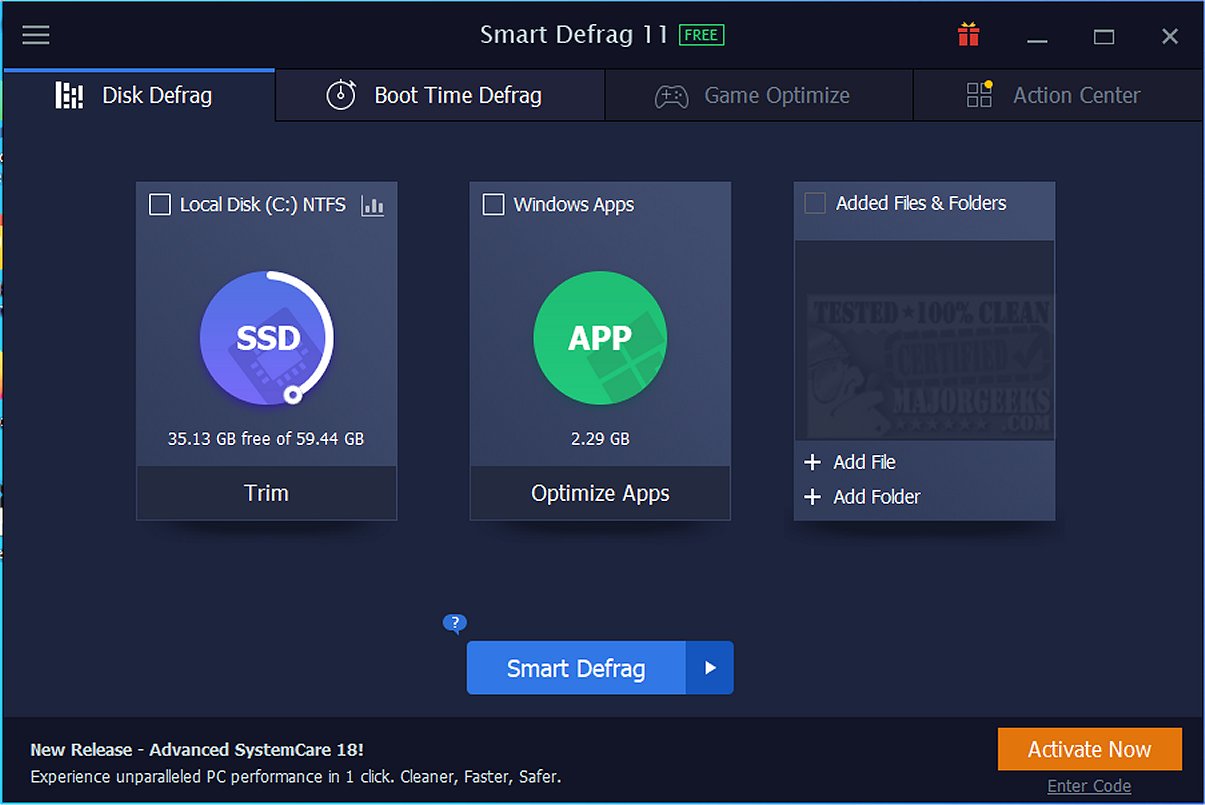
Smart Defrag 11.4.0.508 has been released, offering a comprehensive solution for defragmenting files, folders, and entire drives, either on demand or through scheduled tasks. This software not only enhances the performance of hard disk drives (HDDs) but also optimizes solid-state drives (SSDs) through SSD trimming, thereby extending their lifespan.
If your computer seems sluggish, causing delays in loading applications or games, Smart Defrag can revitalize your system. Designed to be user-friendly, it goes beyond the basic defragmentation capabilities of Windows, providing a holistic approach to drive optimization. With features like automatic background operation and customizable scheduling, Smart Defrag ensures your drives are always in peak condition without requiring constant user intervention.
Key features of Smart Defrag include:
- Ultra-Fast Defragging: Utilizing an advanced engine for efficient file organization on HDDs and precise TRIM optimization for SSDs, resulting in improved system stability and performance.
- Gaming Optimization: Specifically tailored for gamers, Smart Defrag can optimize game files for quicker load times, enhancing the overall gaming experience.
- Boot Time Defrag: This feature addresses files that Windows cannot move during regular operations, thereby speeding up boot times by targeting specific system files.
- Real-Time Disk Health Monitoring: Users can monitor essential drive statistics such as temperature and usage, receiving alerts for potential issues before they escalate.
- Intelligent Auto Features: With its Auto Defrag and Scheduled Defrag features, the software maintains optimal drive conditions automatically.
For SSD users, Smart Defrag's focus on TRIM is crucial. By reducing unnecessary writes and managing data blocks more effectively, it helps maintain consistent speeds, reliability, and prolongs the drive’s lifespan. Smart Defrag is suitable for a wide range of users—from gamers seeking peak performance to casual users wanting a faster computer. Its intuitive design ensures ease of use, while advanced users can enjoy customization options.
In conclusion, Smart Defrag stands out as a powerful and straightforward tool for enhancing system performance. It effectively combines essential features like SSD TRIM support, game optimization, and boot-time enhancements, making it a superior choice over basic defragmentation tools. Best of all, it is free to use, with a portable version available for convenience.
For current IObit users, a direct download link for Smart Defrag is provided. Additionally, there are resources available to guide users on related topics such as checking drive types, understanding TRIM for SSDs, and monitoring drive health
If your computer seems sluggish, causing delays in loading applications or games, Smart Defrag can revitalize your system. Designed to be user-friendly, it goes beyond the basic defragmentation capabilities of Windows, providing a holistic approach to drive optimization. With features like automatic background operation and customizable scheduling, Smart Defrag ensures your drives are always in peak condition without requiring constant user intervention.
Key features of Smart Defrag include:
- Ultra-Fast Defragging: Utilizing an advanced engine for efficient file organization on HDDs and precise TRIM optimization for SSDs, resulting in improved system stability and performance.
- Gaming Optimization: Specifically tailored for gamers, Smart Defrag can optimize game files for quicker load times, enhancing the overall gaming experience.
- Boot Time Defrag: This feature addresses files that Windows cannot move during regular operations, thereby speeding up boot times by targeting specific system files.
- Real-Time Disk Health Monitoring: Users can monitor essential drive statistics such as temperature and usage, receiving alerts for potential issues before they escalate.
- Intelligent Auto Features: With its Auto Defrag and Scheduled Defrag features, the software maintains optimal drive conditions automatically.
For SSD users, Smart Defrag's focus on TRIM is crucial. By reducing unnecessary writes and managing data blocks more effectively, it helps maintain consistent speeds, reliability, and prolongs the drive’s lifespan. Smart Defrag is suitable for a wide range of users—from gamers seeking peak performance to casual users wanting a faster computer. Its intuitive design ensures ease of use, while advanced users can enjoy customization options.
In conclusion, Smart Defrag stands out as a powerful and straightforward tool for enhancing system performance. It effectively combines essential features like SSD TRIM support, game optimization, and boot-time enhancements, making it a superior choice over basic defragmentation tools. Best of all, it is free to use, with a portable version available for convenience.
For current IObit users, a direct download link for Smart Defrag is provided. Additionally, there are resources available to guide users on related topics such as checking drive types, understanding TRIM for SSDs, and monitoring drive health
Smart Defrag 11.4.0.508 released
Smart Defrag can defragment files, folders, and entire drives as needed or scheduled. It also features SSD trimming to prolong your SSD performance and life. Here is a direct link to download Smart Defrag for current IObit users. Portable version is also available.