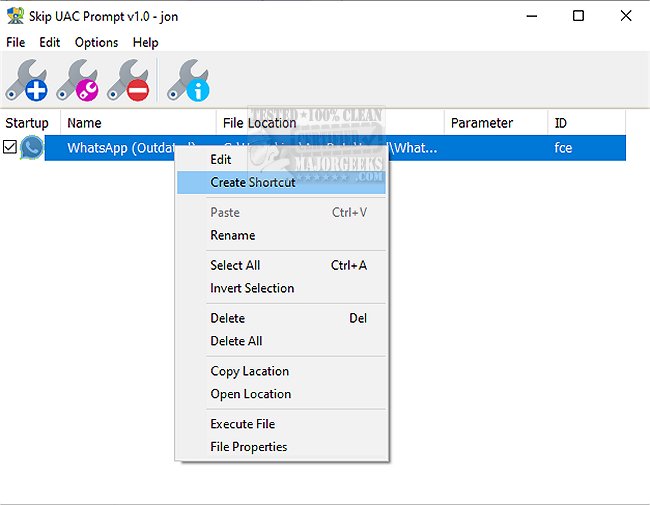
Skip UAC Prompt 1.4 has been released, offering a convenient solution for users who want to disable User Account Control (UAC) for specific applications when their system starts. This portable application simplifies the process of managing UAC settings, allowing users to bypass the typical UAC prompt that appears for tasks requiring administrative rights.
While users can normally add applications to the Windows Startup folder for automatic execution at system startup, those applications typically run with standard user privileges. This limitation becomes problematic when users need to execute tasks that require elevated permissions, as Windows restricts these actions by prompting for UAC confirmation.
Skip UAC Prompt addresses this issue by enabling users to deactivate UAC prompts for individual applications without altering the system-wide UAC settings. This tool not only streamlines the process of running programs with elevated privileges at startup but also supports command line parameters, making it more versatile for advanced users. To access the list of available commands, users can enter "SkipUAC_x64.exe /?" in the command prompt, ensuring they run the application with administrative privileges.
In summary, Skip UAC Prompt is a valuable tool for those who frequently run applications that require administrative access, providing a straightforward way to manage UAC prompts and enhance the user experience. As software continues to evolve, tools like Skip UAC Prompt demonstrate the importance of balancing security measures with user convenience, catering to a growing demand for efficiency in everyday computing tasks
While users can normally add applications to the Windows Startup folder for automatic execution at system startup, those applications typically run with standard user privileges. This limitation becomes problematic when users need to execute tasks that require elevated permissions, as Windows restricts these actions by prompting for UAC confirmation.
Skip UAC Prompt addresses this issue by enabling users to deactivate UAC prompts for individual applications without altering the system-wide UAC settings. This tool not only streamlines the process of running programs with elevated privileges at startup but also supports command line parameters, making it more versatile for advanced users. To access the list of available commands, users can enter "SkipUAC_x64.exe /?" in the command prompt, ensuring they run the application with administrative privileges.
In summary, Skip UAC Prompt is a valuable tool for those who frequently run applications that require administrative access, providing a straightforward way to manage UAC prompts and enhance the user experience. As software continues to evolve, tools like Skip UAC Prompt demonstrate the importance of balancing security measures with user convenience, catering to a growing demand for efficiency in everyday computing tasks
Skip UAC Prompt 1.4 released
With Skip UAC Prompt, you can easily deactivate User Account Control (UAC) for specific applications upon system startup.