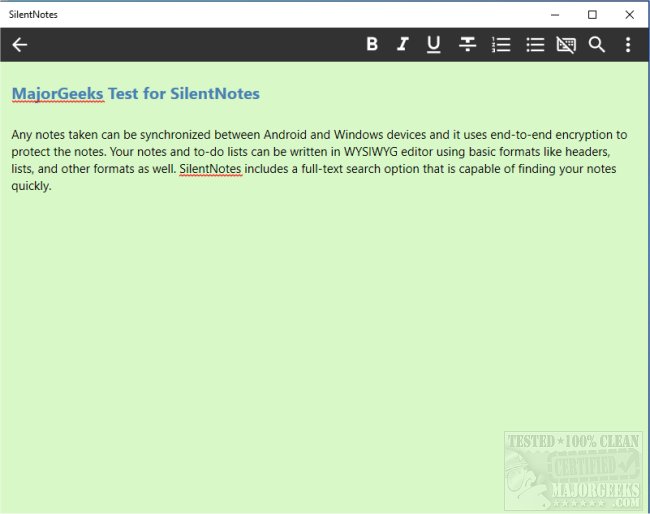
SilentNotes has released version 8.8.3, enhancing its reputation as a privacy-focused note-taking application. This app allows users to seamlessly synchronize their notes between Android and Windows devices, ensuring that their data remains secure through robust end-to-end encryption methods such as XChaCha20-Poly1305, AES256-GCM, and Twofish256-GCM.
The application features a user-friendly WYSIWYG editor, enabling users to create structured notes with basic formatting options like headers and lists. Additionally, SilentNotes offers a powerful full-text search function, allowing users to quickly locate their notes by typing just a few letters. Users can also safeguard specific notes with a password for added security.
Key features of SilentNotes include:
- Efficient full-text search capabilities for easy note retrieval.
- Compatibility with various online storage solutions, including FTP, WebDav, Dropbox, Google Drive, and OneDrive, facilitating device synchronization and backups.
- Assurance that notes remain encrypted and can only be accessed on the user's devices.
- Basic formatting tools to enhance note readability.
- A recycle bin feature to recover accidentally deleted notes.
- A commitment to user privacy, with no collection of personal information or unnecessary permissions required.
- A dark theme option for comfortable use in low-light environments.
- The ability to create and manage to-do lists for better task organization.
SilentNotes stands out as a comprehensive note-taking solution that prioritizes user privacy and data security. Whether for personal organization or professional use, it caters to a variety of needs while ensuring that user data remains confidential and protected. As digital privacy continues to be a pressing concern, applications like SilentNotes are increasingly relevant for users seeking secure and efficient ways to manage their notes and tasks
The application features a user-friendly WYSIWYG editor, enabling users to create structured notes with basic formatting options like headers and lists. Additionally, SilentNotes offers a powerful full-text search function, allowing users to quickly locate their notes by typing just a few letters. Users can also safeguard specific notes with a password for added security.
Key features of SilentNotes include:
- Efficient full-text search capabilities for easy note retrieval.
- Compatibility with various online storage solutions, including FTP, WebDav, Dropbox, Google Drive, and OneDrive, facilitating device synchronization and backups.
- Assurance that notes remain encrypted and can only be accessed on the user's devices.
- Basic formatting tools to enhance note readability.
- A recycle bin feature to recover accidentally deleted notes.
- A commitment to user privacy, with no collection of personal information or unnecessary permissions required.
- A dark theme option for comfortable use in low-light environments.
- The ability to create and manage to-do lists for better task organization.
SilentNotes stands out as a comprehensive note-taking solution that prioritizes user privacy and data security. Whether for personal organization or professional use, it caters to a variety of needs while ensuring that user data remains confidential and protected. As digital privacy continues to be a pressing concern, applications like SilentNotes are increasingly relevant for users seeking secure and efficient ways to manage their notes and tasks
SilentNotes 8.8.3 released
SilentNotes is a note-taking app designed with privacy in mind.