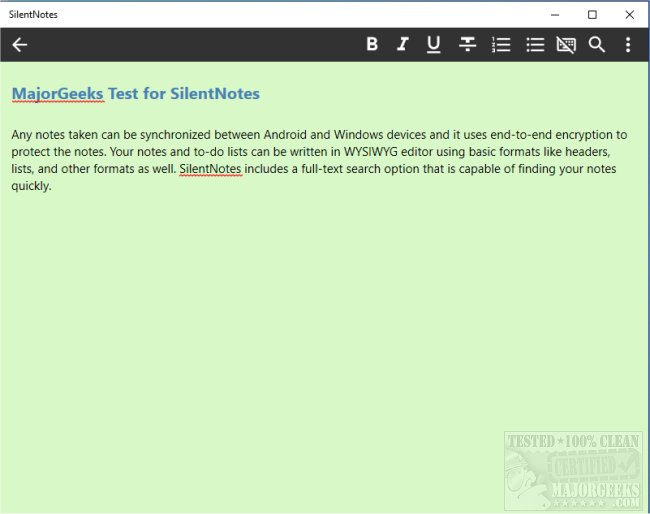
SilentNotes has announced the release of version 8.8.1 of its privacy-focused note-taking application. This app is designed to ensure that users can securely take and store notes while maintaining their privacy. One of the standout features of SilentNotes is its ability to synchronize notes across Android and Windows devices, leveraging end-to-end encryption methods such as XChaCha20-Poly1305, AES256-GCM, and Twofish256-GCM to keep user data secure.
The app offers a WYSIWYG (What You See Is What You Get) editor that supports basic formatting options like headers and lists, making it easy for users to organize their notes. Additionally, SilentNotes includes a robust full-text search capability, allowing users to quickly locate notes by typing in a few characters. Privacy features extend further with the option for users to password-protect specific notes, ensuring that sensitive information remains secure.
SilentNotes also provides flexibility in terms of storage, allowing users to choose their preferred online storage solution, including self-hosting, FTP, WebDav, Dropbox, Google Drive, and OneDrive, facilitating easy synchronization and backup of notes. Notably, the app does not transmit notes unencrypted, ensuring that all data is secure until accessed on the user’s device.
Other key features include the ability to recover deleted notes from a recycle bin, a commitment to user privacy with no data collection or unnecessary permissions, a customizable dark theme for comfortable use in low-light conditions, and the capability to create to-do lists for task management.
For those seeking a comprehensive and secure note-taking solution, SilentNotes 8.8.1 presents a great option with its extensive features tailored towards enhancing user experience and safeguarding privacy.
In addition, future updates could focus on enhancing collaboration features, such as sharing notes securely with other users while maintaining encryption, or expanding the formatting options within the note editor. Integrating voice-to-text functionality or a more advanced task management system could also enhance productivity for users
The app offers a WYSIWYG (What You See Is What You Get) editor that supports basic formatting options like headers and lists, making it easy for users to organize their notes. Additionally, SilentNotes includes a robust full-text search capability, allowing users to quickly locate notes by typing in a few characters. Privacy features extend further with the option for users to password-protect specific notes, ensuring that sensitive information remains secure.
SilentNotes also provides flexibility in terms of storage, allowing users to choose their preferred online storage solution, including self-hosting, FTP, WebDav, Dropbox, Google Drive, and OneDrive, facilitating easy synchronization and backup of notes. Notably, the app does not transmit notes unencrypted, ensuring that all data is secure until accessed on the user’s device.
Other key features include the ability to recover deleted notes from a recycle bin, a commitment to user privacy with no data collection or unnecessary permissions, a customizable dark theme for comfortable use in low-light conditions, and the capability to create to-do lists for task management.
For those seeking a comprehensive and secure note-taking solution, SilentNotes 8.8.1 presents a great option with its extensive features tailored towards enhancing user experience and safeguarding privacy.
In addition, future updates could focus on enhancing collaboration features, such as sharing notes securely with other users while maintaining encryption, or expanding the formatting options within the note editor. Integrating voice-to-text functionality or a more advanced task management system could also enhance productivity for users
SilentNotes 8.8.1 released
SilentNotes is a note-taking app designed with privacy in mind.