ShareX has recently released its pre-release version 22.0.0, alongside the established version 21.0.0. This powerful Open Source application is designed for users who need a robust tool for capturing screenshots and screencasts. With a single hotkey, users can take a screenshot or record their screen, upload the content, and have the URL automatically copied to their clipboard, streamlining the sharing process.
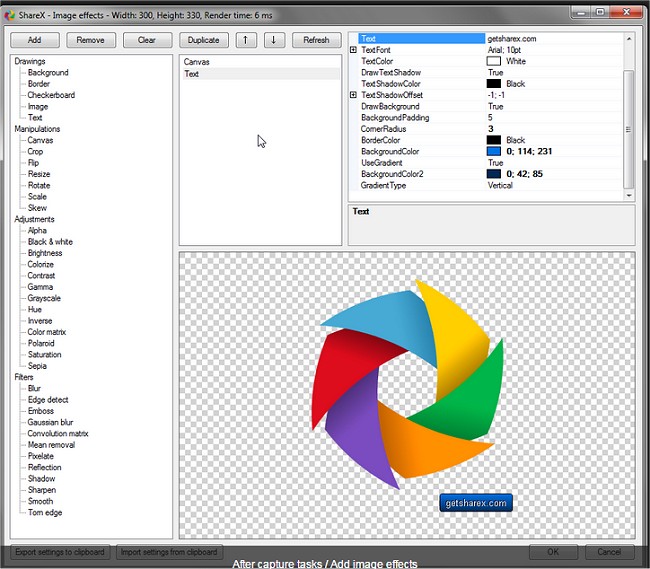
The application boasts an array of advanced features, including an enhanced screenshot tool and screen recording capabilities. Users can upload files directly through Windows Explorer and customize after-capture tasks, which include annotating images, applying effects, and adding watermarks. ShareX supports uploads to various hosting services such as Imgur, FTP, Dropbox, and Mega, providing flexibility for users with different needs.
Additionally, ShareX allows for multiple workflows with hotkey-specific settings, enabling efficient screen capturing and file management. Users can save images in various formats, create GIF animations, and edit photos, making it a versatile tool for anyone looking to capture and share their screen content effectively.
For those interested in similar functionalities, the text also references helpful guides on taking screenshots in Windows 10 and 11, creating shortcuts for screen snips, resetting screenshot index counters, and capturing high-resolution screenshots.
As ShareX continues to evolve, users can look forward to even more features and improvements in future releases, enhancing their experience and productivity in screen capturing and sharing
The application boasts an array of advanced features, including an enhanced screenshot tool and screen recording capabilities. Users can upload files directly through Windows Explorer and customize after-capture tasks, which include annotating images, applying effects, and adding watermarks. ShareX supports uploads to various hosting services such as Imgur, FTP, Dropbox, and Mega, providing flexibility for users with different needs.
Additionally, ShareX allows for multiple workflows with hotkey-specific settings, enabling efficient screen capturing and file management. Users can save images in various formats, create GIF animations, and edit photos, making it a versatile tool for anyone looking to capture and share their screen content effectively.
For those interested in similar functionalities, the text also references helpful guides on taking screenshots in Windows 10 and 11, creating shortcuts for screen snips, resetting screenshot index counters, and capturing high-resolution screenshots.
As ShareX continues to evolve, users can look forward to even more features and improvements in future releases, enhancing their experience and productivity in screen capturing and sharing
ShareX 22.0.0 Pre-Release / 21.0.0 released
ShareX is an Open Source app that can take a screenshot or a screencast, upload it, and get the URL copied to your clipboard with a single hotkey.