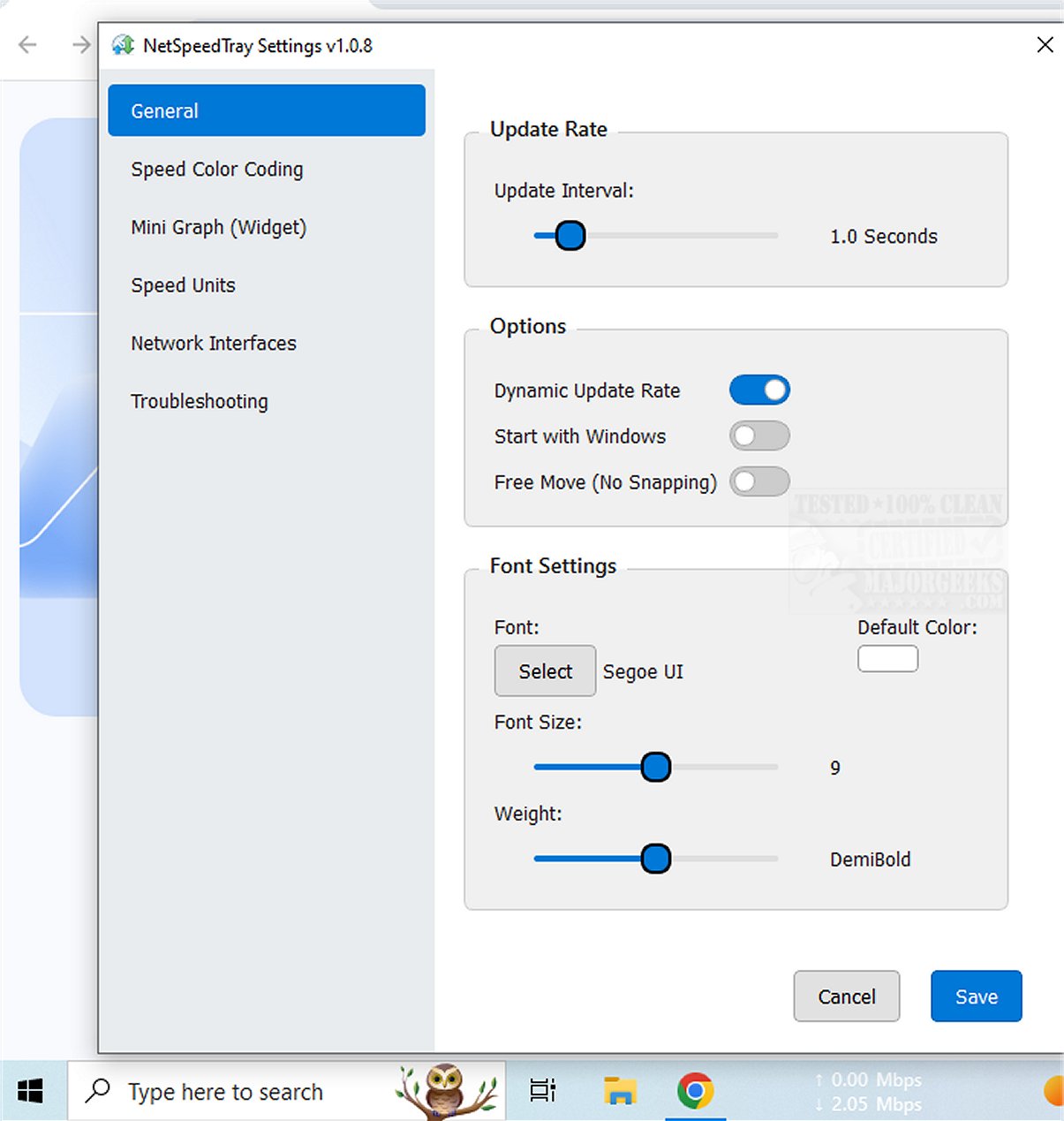
NetSpeedTray has released two versions: 2.2.0 Beta 1 and 2.1.7. This tool is designed to help users monitor their network speeds in real-time, providing insights into internet performance and connection status. It operates as a tray-based utility, allowing users to quickly check their network statistics without interrupting their workflow.
The utility is particularly useful for individuals who want to assess their network performance while engaging in activities like file transfers or when they suspect slower internet speeds. Unlike the built-in Task Manager, which can be more detailed but intrusive, NetSpeedTray offers a more streamlined and unobtrusive monitoring solution.
An additional feature allows users to monitor specific network interfaces, although a potential enhancement could be the ability to track network usage for individual applications, offering more granular insights. The software also includes mild customization options, such as Speed Color Coding, which visually represents speed performance. Users can adjust font settings, apply color codes for download and upload speeds, and enable a mini graph widget for a visual representation of speed metrics alongside numerical data.
In summary, NetSpeedTray is a sleek and user-friendly network monitoring tool tailored for Windows users, allowing for intuitive tracking of internet speeds. Its aesthetic integration into the Taskbar enhances the user experience while keeping vital performance information readily accessible.
Future Enhancements:
To further improve NetSpeedTray, developers might consider adding features like:
1. Alerts and Notifications: Users could receive alerts for significant changes in network speed or connectivity issues.
2. Historical Data Tracking: Allow users to view past performance trends over time to diagnose recurring issues.
3. Integration with Third-Party Applications: Collaborations with other network management tools could provide users with a more comprehensive view of their network health.
4. Mobile App Version: A companion mobile app could allow users to monitor their network speeds on the go, ensuring connectivity awareness beyond desktop use.
Overall, these enhancements could make NetSpeedTray an even more powerful tool for both casual users and network professionals
The utility is particularly useful for individuals who want to assess their network performance while engaging in activities like file transfers or when they suspect slower internet speeds. Unlike the built-in Task Manager, which can be more detailed but intrusive, NetSpeedTray offers a more streamlined and unobtrusive monitoring solution.
An additional feature allows users to monitor specific network interfaces, although a potential enhancement could be the ability to track network usage for individual applications, offering more granular insights. The software also includes mild customization options, such as Speed Color Coding, which visually represents speed performance. Users can adjust font settings, apply color codes for download and upload speeds, and enable a mini graph widget for a visual representation of speed metrics alongside numerical data.
In summary, NetSpeedTray is a sleek and user-friendly network monitoring tool tailored for Windows users, allowing for intuitive tracking of internet speeds. Its aesthetic integration into the Taskbar enhances the user experience while keeping vital performance information readily accessible.
Future Enhancements:
To further improve NetSpeedTray, developers might consider adding features like:
1. Alerts and Notifications: Users could receive alerts for significant changes in network speed or connectivity issues.
2. Historical Data Tracking: Allow users to view past performance trends over time to diagnose recurring issues.
3. Integration with Third-Party Applications: Collaborations with other network management tools could provide users with a more comprehensive view of their network health.
4. Mobile App Version: A companion mobile app could allow users to monitor their network speeds on the go, ensuring connectivity awareness beyond desktop use.
Overall, these enhancements could make NetSpeedTray an even more powerful tool for both casual users and network professionals
NetSpeedTray 2.2.0 Beta 1 / 2.1.7 released
NetSpeedTray allows you to monitor and assess your network speeds in real-time. This tool provides valuable insights into your internet performance, helping you stay informed about your connection status.