ShareX has recently released a pre-release version 21.0.0 along with the stable version 20.2.0. This powerful open-source application allows users to capture both screenshots and screencasts, upload them seamlessly, and automatically copy the resulting URL to the clipboard using a single hotkey.
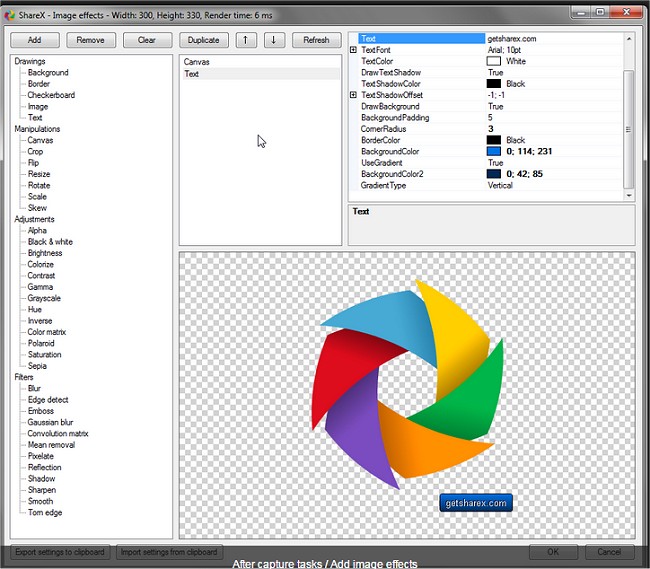
The application boasts a comprehensive set of features, including an advanced screenshot tool and screen recorder. Users can upload files directly from Windows Explorer and customize after-capture tasks such as annotating images, applying effects, and adding watermarks. ShareX supports a wide range of hosting services for uploads, including Imgur, FTP, Dropbox, and Mega, and allows users to set up multiple workflows tailored to specific hotkey commands.
In addition to its capture capabilities, ShareX facilitates the saving of images in various formats, the generation of GIF animations, and video recording, along with photo adjustments. These features make it a versatile tool for individuals needing to capture and share content quickly and efficiently.
As a continuation of its functionality, users can explore additional resources on how to take screenshots effectively in Windows 10 and 11, create screen snip shortcuts, reset the screenshot index counter, and capture high-resolution screenshots. The ongoing developments in ShareX reflect its commitment to providing users with robust tools for content creation and sharing
The application boasts a comprehensive set of features, including an advanced screenshot tool and screen recorder. Users can upload files directly from Windows Explorer and customize after-capture tasks such as annotating images, applying effects, and adding watermarks. ShareX supports a wide range of hosting services for uploads, including Imgur, FTP, Dropbox, and Mega, and allows users to set up multiple workflows tailored to specific hotkey commands.
In addition to its capture capabilities, ShareX facilitates the saving of images in various formats, the generation of GIF animations, and video recording, along with photo adjustments. These features make it a versatile tool for individuals needing to capture and share content quickly and efficiently.
As a continuation of its functionality, users can explore additional resources on how to take screenshots effectively in Windows 10 and 11, create screen snip shortcuts, reset the screenshot index counter, and capture high-resolution screenshots. The ongoing developments in ShareX reflect its commitment to providing users with robust tools for content creation and sharing
ShareX 21.0.0 Pre-Release / 20.2.0 released
ShareX is an Open Source app that can take a screenshot or a screencast, upload it, and get the URL copied to your clipboard with a single hotkey.