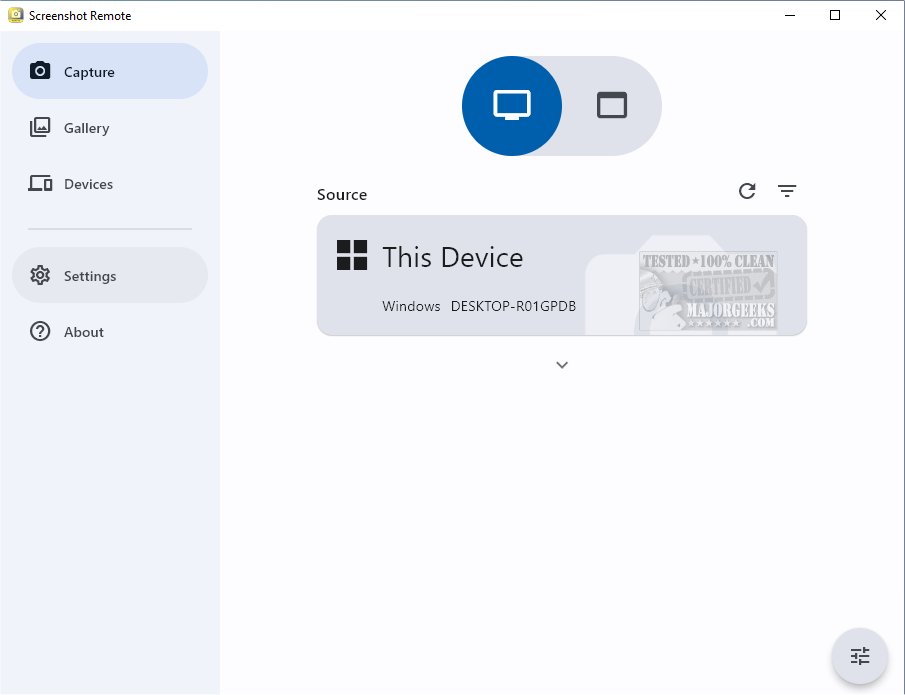
Screenshot Remote has launched its latest version, 2.0.3, offering users a robust tool for capturing, organizing, and managing screenshots across various platforms. This innovative application ensures that users can efficiently capture screenshots from their desktop, web browser, or mobile devices, centralizing all visual content for easy access.
Key Features and Functionality
Screenshot Remote empowers users to take screenshots from remote computers via a local network or Wi-Fi, enhancing convenience for personal or professional purposes. This functionality is particularly beneficial for tasks such as monitoring, technical support, or collaborative work.
While the application supports multiple platforms, it is important to note that screen capture capabilities are fully functional on PC and Mac. However, due to certain policy restrictions, users on Android and iOS may face limitations, restricting the ability to capture screenshots from remote computers on these platforms.
Security Measures
Prioritizing user data security, Screenshot Remote ensures that all captured data is stored locally, without being uploaded to external servers. This local storage strategy provides users with peace of mind regarding their data privacy. Additionally, the app employs industry-standard encryption protocols for secure data transfer between devices.
Enhanced Usability with Multi-Monitor Support
For users operating multiple monitors, Screenshot Remote offers a dedicated feature enabling them to select which monitor to capture. This precision enhances the overall user experience. The application includes a Gallery tab for storing captured screenshots, complete with editing tools and sharing options that streamline the workflow from capture to usage.
Device Management and Pairing Process
To facilitate seamless operations, users are required to initiate a pairing process for their devices. This secure connection is established through pairing requests sent from the Capture tab. A dedicated Devices tab is available for users to manage and edit their paired devices effectively.
Conclusion and Future Enhancements
Screenshot Remote 2.0.3 stands out as a sophisticated solution for anyone needing a reliable method to capture and organize screenshots. As the application continues to evolve, future updates may focus on expanding functionality across mobile platforms and enhancing user interface elements to further improve accessibility and efficiency.
For users seeking detailed guides on screenshot functionalities, the app also offers links to related topics such as taking screenshots in Windows 10 and 11, creating screen snip shortcuts, and capturing high-resolution screenshots
Key Features and Functionality
Screenshot Remote empowers users to take screenshots from remote computers via a local network or Wi-Fi, enhancing convenience for personal or professional purposes. This functionality is particularly beneficial for tasks such as monitoring, technical support, or collaborative work.
While the application supports multiple platforms, it is important to note that screen capture capabilities are fully functional on PC and Mac. However, due to certain policy restrictions, users on Android and iOS may face limitations, restricting the ability to capture screenshots from remote computers on these platforms.
Security Measures
Prioritizing user data security, Screenshot Remote ensures that all captured data is stored locally, without being uploaded to external servers. This local storage strategy provides users with peace of mind regarding their data privacy. Additionally, the app employs industry-standard encryption protocols for secure data transfer between devices.
Enhanced Usability with Multi-Monitor Support
For users operating multiple monitors, Screenshot Remote offers a dedicated feature enabling them to select which monitor to capture. This precision enhances the overall user experience. The application includes a Gallery tab for storing captured screenshots, complete with editing tools and sharing options that streamline the workflow from capture to usage.
Device Management and Pairing Process
To facilitate seamless operations, users are required to initiate a pairing process for their devices. This secure connection is established through pairing requests sent from the Capture tab. A dedicated Devices tab is available for users to manage and edit their paired devices effectively.
Conclusion and Future Enhancements
Screenshot Remote 2.0.3 stands out as a sophisticated solution for anyone needing a reliable method to capture and organize screenshots. As the application continues to evolve, future updates may focus on expanding functionality across mobile platforms and enhancing user interface elements to further improve accessibility and efficiency.
For users seeking detailed guides on screenshot functionalities, the app also offers links to related topics such as taking screenshots in Windows 10 and 11, creating screen snip shortcuts, and capturing high-resolution screenshots
Screenshot Remote 2.0.3 released
Screenshot Remote seamlessly captures and organizes screenshots across different platforms while ensuring secure and efficient management.