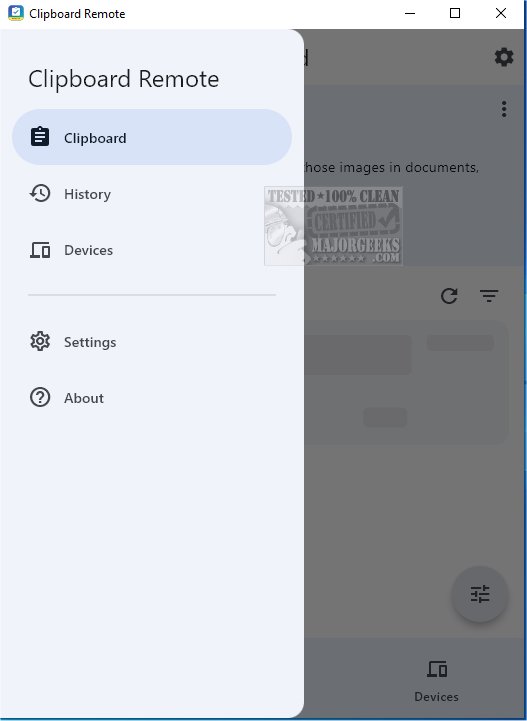
Clipboard Remote has launched its latest version, 2.0.3, enhancing the ease of sharing URLs and transferring photos across devices. This application serves as a robust alternative to Quick Share, enabling users to quickly utilize images in various contexts such as documents, presentations, or social media posts.
Key Features and Functionality
Clipboard Remote simplifies the process of sending links from mobile devices to computers or transferring images directly to the computer's clipboard for immediate use. To effectively use Clipboard Remote, users must install the application on at least two devices ranging from smartphones to desktops. The app automatically scans for nearby devices, showcasing them in an organized interface for user convenience.
Device Pairing Made Easy
Before sharing content, users need to manually pair their devices, a process designed to be user-friendly, typically requiring no more than two clicks. Once paired, Clipboard Remote's functionality kicks in. When text is copied using CTRL-C, the clipboard content is uploaded to Clipboard Remote, allowing access on the paired remote device. A standout feature is the app's ability to maintain the formatting of shared text, ensuring a consistent appearance across all devices.
Highlighted Features:
- Cross-Platform Compatibility: Seamlessly connects devices across various operating systems, including Windows, macOS, iOS, and Android, while managing clipboard format differences.
- Easy Copy & Paste: Users can quickly transfer clipboard content between devices with simple click commands.
- Clickable URLs: Any URLs or email addresses copied to the clipboard can be directly opened in the browser or email app.
- Edit & Crop Images: Users can edit, crop, or rotate images before sending them to another device or immediately after receiving them.
- Clipboard History: A History tab stores recent copy and paste operations, allowing quick access to previously copied content.
- Secure Data Transfer: Unlike cloud-based tools, Clipboard Remote operates over LAN or Wi-Fi, ensuring data privacy and encryption within the local network.
Sharing Capabilities
It is essential to note that the sharing functionalities vary based on device type. Text can easily be shared between mobile devices and Windows PCs; however, image sharing is restricted to sending images from Android or iOS devices to desktop computers only.
Conclusion: The Geek Verdict
Clipboard Remote is a powerful tool for users seeking to streamline their digital life by effortlessly sharing text snippets, URLs, and photos between devices. With the capability to connect multiple devices, users can use one as a bridge to transfer data among others. With its easy-to-use interface and robust features, Clipboard Remote is definitely worth the download for anyone looking to enhance their productivity and connectivity.
Future Prospects and Extensions
As Clipboard Remote continues to evolve, future updates could further enhance its capabilities. Potential improvements may include expanded image-sharing options, integration with cloud services for backup, enhanced editing tools for images, and an improved user interface for an even smoother experience. Emphasizing collaboration features, such as real-time sharing and editing with multiple users, could also broaden its appeal in professional environments. Overall, Clipboard Remote promises to be a valuable asset in the realm of cross-device communication and productivity
Key Features and Functionality
Clipboard Remote simplifies the process of sending links from mobile devices to computers or transferring images directly to the computer's clipboard for immediate use. To effectively use Clipboard Remote, users must install the application on at least two devices ranging from smartphones to desktops. The app automatically scans for nearby devices, showcasing them in an organized interface for user convenience.
Device Pairing Made Easy
Before sharing content, users need to manually pair their devices, a process designed to be user-friendly, typically requiring no more than two clicks. Once paired, Clipboard Remote's functionality kicks in. When text is copied using CTRL-C, the clipboard content is uploaded to Clipboard Remote, allowing access on the paired remote device. A standout feature is the app's ability to maintain the formatting of shared text, ensuring a consistent appearance across all devices.
Highlighted Features:
- Cross-Platform Compatibility: Seamlessly connects devices across various operating systems, including Windows, macOS, iOS, and Android, while managing clipboard format differences.
- Easy Copy & Paste: Users can quickly transfer clipboard content between devices with simple click commands.
- Clickable URLs: Any URLs or email addresses copied to the clipboard can be directly opened in the browser or email app.
- Edit & Crop Images: Users can edit, crop, or rotate images before sending them to another device or immediately after receiving them.
- Clipboard History: A History tab stores recent copy and paste operations, allowing quick access to previously copied content.
- Secure Data Transfer: Unlike cloud-based tools, Clipboard Remote operates over LAN or Wi-Fi, ensuring data privacy and encryption within the local network.
Sharing Capabilities
It is essential to note that the sharing functionalities vary based on device type. Text can easily be shared between mobile devices and Windows PCs; however, image sharing is restricted to sending images from Android or iOS devices to desktop computers only.
Conclusion: The Geek Verdict
Clipboard Remote is a powerful tool for users seeking to streamline their digital life by effortlessly sharing text snippets, URLs, and photos between devices. With the capability to connect multiple devices, users can use one as a bridge to transfer data among others. With its easy-to-use interface and robust features, Clipboard Remote is definitely worth the download for anyone looking to enhance their productivity and connectivity.
Future Prospects and Extensions
As Clipboard Remote continues to evolve, future updates could further enhance its capabilities. Potential improvements may include expanded image-sharing options, integration with cloud services for backup, enhanced editing tools for images, and an improved user interface for an even smoother experience. Emphasizing collaboration features, such as real-time sharing and editing with multiple users, could also broaden its appeal in professional environments. Overall, Clipboard Remote promises to be a valuable asset in the realm of cross-device communication and productivity
Clipboard Remote 2.0.3 released
With Clipboard Remote, sharing URLs and transferring photos between your devices has never been easier. It is a solid alternative to Quick Share for facilitating immediate use of those images in documents, presentations, or social media posts.