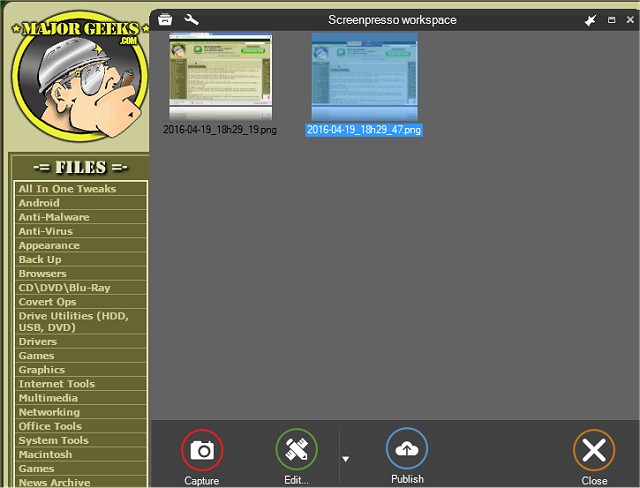
Screenpresso 2.4.1 has been released, enhancing its capabilities as a versatile screen capture tool that allows users to effortlessly take screenshots and record high-definition videos. This tool is particularly beneficial for organizing training materials, facilitating collaborative design projects, and documenting IT-related issues. With its user-friendly interface, Screenpresso is designed for a wide range of applications, limited only by the user's imagination.
The latest version includes a multitude of features that enhance image and video processing. Users can take advantage of a built-in image editor, generate user guides, and utilize various sharing options. Screenpresso can operate in the background, enabling quick access to capture features directly from the system tray.
Key features of Screenpresso include:
- The ability to capture the entire screen, specific portions, or designated windows using the same shortcut.
- A zoom lens for precise selection, allowing users to click and drag anywhere on the screen for pixel-perfect accuracy.
- Functionality for capturing scrolling windows through a stitching mechanism, making it easy to create comprehensive images.
- Options to capture the mouse cursor and the surrounding context, as well as to delay captures to include context menus.
- The capability to record in MP4 format for lightweight file creation, along with audio from the microphone and video from the webcam.
- Simple export options for images and frames, alongside the ability to resize videos and change formats post-capture.
- One-click capture using the [PrintScreen] key without the need to manage filenames.
- A built-in editor for post-capture modifications and a variety of publishing options, including direct uploads to cloud services like Google Drive, OneDrive, Dropbox, and social media platforms such as Facebook and Twitter.
Overall, Screenpresso 2.4.1 is a powerful tool that combines ease of use with advanced functionality, making it an excellent choice for professionals and casual users alike who need to capture and share visual content efficiently. As technology continues to evolve, future updates may bring even more features and integrations, further enhancing the user experience
The latest version includes a multitude of features that enhance image and video processing. Users can take advantage of a built-in image editor, generate user guides, and utilize various sharing options. Screenpresso can operate in the background, enabling quick access to capture features directly from the system tray.
Key features of Screenpresso include:
- The ability to capture the entire screen, specific portions, or designated windows using the same shortcut.
- A zoom lens for precise selection, allowing users to click and drag anywhere on the screen for pixel-perfect accuracy.
- Functionality for capturing scrolling windows through a stitching mechanism, making it easy to create comprehensive images.
- Options to capture the mouse cursor and the surrounding context, as well as to delay captures to include context menus.
- The capability to record in MP4 format for lightweight file creation, along with audio from the microphone and video from the webcam.
- Simple export options for images and frames, alongside the ability to resize videos and change formats post-capture.
- One-click capture using the [PrintScreen] key without the need to manage filenames.
- A built-in editor for post-capture modifications and a variety of publishing options, including direct uploads to cloud services like Google Drive, OneDrive, Dropbox, and social media platforms such as Facebook and Twitter.
Overall, Screenpresso 2.4.1 is a powerful tool that combines ease of use with advanced functionality, making it an excellent choice for professionals and casual users alike who need to capture and share visual content efficiently. As technology continues to evolve, future updates may bring even more features and integrations, further enhancing the user experience
Screenpresso 2.4.1 released
Screenpresso is a screen capture tool with the ability to allow you to smoothly take screenshots and record HD videos.