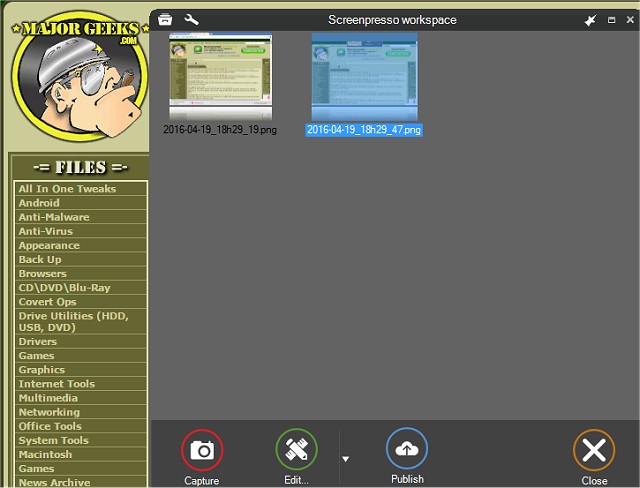
Screenpresso 2.2.13 has been released, enhancing its capabilities as a versatile screen capture tool designed to facilitate the seamless capture of screenshots and HD video recordings. This application proves invaluable for a variety of tasks, including organizing training materials, collaborative design projects, and reporting IT bugs. The user-friendly interface allows for numerous applications, limited only by the user's imagination.
The latest version of Screenpresso comes equipped with a comprehensive suite of features for image and video processing. Users can benefit from a built-in image editor, a user guide generator, and multiple sharing options that cater to diverse needs. The application can run in the background, allowing users to easily capture screenshots with a simple click from the system tray.
Key features of Screenpresso include:
- The ability to capture the entire screen, a specific area, or an individual window using the same shortcut/hotkey.
- A zoom lens for precise region selection, ensuring pixel-perfect accuracy.
- The capability to capture scrolling windows by stitching together multiple images.
- Options to include the mouse cursor and context menus in captures.
- Delayed capture functionality for capturing menus.
- Support for MP4 video format to create lightweight files.
- The ability to record audio from the microphone and video from the webcam.
- Easy export and resizing of frames and images.
- Quick capture activation using the [PrintScreen] key without needing to specify a filename.
- Built-in editing tools for modifications after capture.
- Instant publishing options including PDF, email, and various online platforms.
Screenpresso also features a cloud service that allows for immediate sharing through a public Tiny URL without the need for registration. Additionally, it supports integration with popular services such as Google Drive, YouTube, Microsoft OneDrive, Dropbox, Evernote, and social media platforms including Facebook, Twitter, and Imgur, making it a highly versatile tool for anyone needing efficient screen capture capabilities.
To further extend its functionality, future updates could include enhanced collaboration features, such as real-time editing for teams, integration with project management tools, and advanced AI-driven suggestions for capture settings based on user behavior. Overall, Screenpresso continues to evolve as a comprehensive solution for all screenshot and video capture needs
The latest version of Screenpresso comes equipped with a comprehensive suite of features for image and video processing. Users can benefit from a built-in image editor, a user guide generator, and multiple sharing options that cater to diverse needs. The application can run in the background, allowing users to easily capture screenshots with a simple click from the system tray.
Key features of Screenpresso include:
- The ability to capture the entire screen, a specific area, or an individual window using the same shortcut/hotkey.
- A zoom lens for precise region selection, ensuring pixel-perfect accuracy.
- The capability to capture scrolling windows by stitching together multiple images.
- Options to include the mouse cursor and context menus in captures.
- Delayed capture functionality for capturing menus.
- Support for MP4 video format to create lightweight files.
- The ability to record audio from the microphone and video from the webcam.
- Easy export and resizing of frames and images.
- Quick capture activation using the [PrintScreen] key without needing to specify a filename.
- Built-in editing tools for modifications after capture.
- Instant publishing options including PDF, email, and various online platforms.
Screenpresso also features a cloud service that allows for immediate sharing through a public Tiny URL without the need for registration. Additionally, it supports integration with popular services such as Google Drive, YouTube, Microsoft OneDrive, Dropbox, Evernote, and social media platforms including Facebook, Twitter, and Imgur, making it a highly versatile tool for anyone needing efficient screen capture capabilities.
To further extend its functionality, future updates could include enhanced collaboration features, such as real-time editing for teams, integration with project management tools, and advanced AI-driven suggestions for capture settings based on user behavior. Overall, Screenpresso continues to evolve as a comprehensive solution for all screenshot and video capture needs
Screenpresso 2.2.13 released
Screenpresso is a screen capture tool with the ability to allow you to smoothly take screenshots and record HD videos.