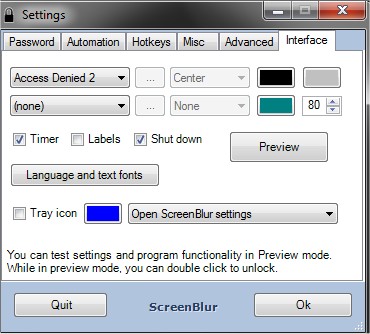
ScreenBlur 2.1.9 has been released, enhancing your ability to secure your desktop by locking and hiding it with a simple password. This tool effectively conceals visible windows, icons, gadgets, and the taskbar, providing a clean slate when you need to step away from your computer.
Key features of ScreenBlur include:
- The ability to lock the screen and hide all visible elements, ensuring privacy.
- An auto-lock function that activates after a designated period of inactivity.
- Customizable hotkeys for quick access to lock and unlock features.
- The option to mute sound, which is particularly useful in shared environments.
- A customizable lock screen that allows users to personalize their experience.
Moreover, ScreenBlur is useful for keeping children or pets from inadvertently tampering with your data, making it an ideal solution for those with curious little ones or furry companions.
In addition to these features, ScreenBlur serves as a reliable alternative to various Windows settings aimed at enhancing privacy. Users interested in similar functionalities might find value in disabling Windows 10 lock screen ads, managing Start Menu app suggestions, or troubleshooting issues with the Windows Spotlight lock screen.
Overall, ScreenBlur 2.1.9 provides a comprehensive privacy solution for desktop users, ensuring that your sensitive information remains protected while also offering convenient usability features
Key features of ScreenBlur include:
- The ability to lock the screen and hide all visible elements, ensuring privacy.
- An auto-lock function that activates after a designated period of inactivity.
- Customizable hotkeys for quick access to lock and unlock features.
- The option to mute sound, which is particularly useful in shared environments.
- A customizable lock screen that allows users to personalize their experience.
Moreover, ScreenBlur is useful for keeping children or pets from inadvertently tampering with your data, making it an ideal solution for those with curious little ones or furry companions.
In addition to these features, ScreenBlur serves as a reliable alternative to various Windows settings aimed at enhancing privacy. Users interested in similar functionalities might find value in disabling Windows 10 lock screen ads, managing Start Menu app suggestions, or troubleshooting issues with the Windows Spotlight lock screen.
Overall, ScreenBlur 2.1.9 provides a comprehensive privacy solution for desktop users, ensuring that your sensitive information remains protected while also offering convenient usability features
ScreenBlur 2.1.9 released
ScreenBlur allows you to lock and hide your desktop, easily unlocking it with a password.