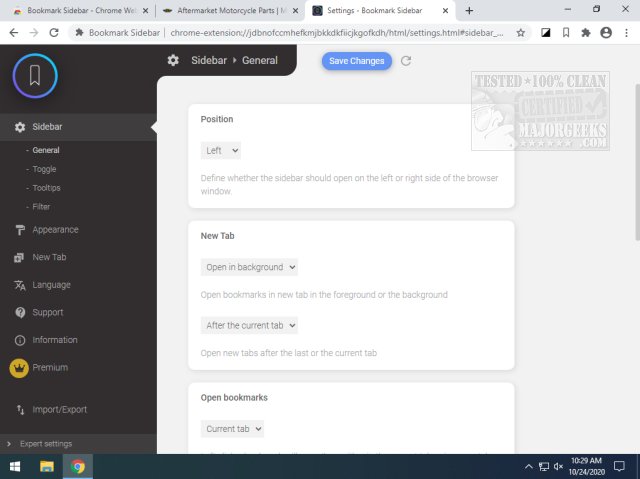
The Bookmark Sidebar for Chrome and Edge has been updated to version 2.5.7, enhancing the user experience by providing a convenient, toggleable sidebar that displays all your bookmarks from various pre-defined locations. Users can customize the sidebar's appearance and functionality, allowing for easy sorting, editing, deleting, and rearranging of bookmarks directly from the sidebar interface. Additionally, the tool includes features for checking the status of bookmarks, identifying updated or broken URLs, which adds a layer of utility for users who manage numerous links.
However, during testing, a minor issue was identified: when using the Super Dark Mode feature, the sidebar tends to completely overlay the active webpage, which can detract from user experience despite its overall effectiveness. It's also important to note that Bookmark Sidebar is compatible only with Chrome versions 80 and above.
In summary, Bookmark Sidebar is a powerful tool for users seeking an efficient way to manage their bookmarks with the added benefit of customization. Its quick accessibility and advanced features make it a valuable extension for regular web browsers, despite some minor drawbacks related to display modes.
Looking ahead, future updates could focus on improving compatibility with dark mode settings and ensuring functionality across a wider range of browser versions. Additionally, incorporating features such as bookmark sharing or integration with cloud services could enhance its appeal to users who frequently collaborate or switch devices
However, during testing, a minor issue was identified: when using the Super Dark Mode feature, the sidebar tends to completely overlay the active webpage, which can detract from user experience despite its overall effectiveness. It's also important to note that Bookmark Sidebar is compatible only with Chrome versions 80 and above.
In summary, Bookmark Sidebar is a powerful tool for users seeking an efficient way to manage their bookmarks with the added benefit of customization. Its quick accessibility and advanced features make it a valuable extension for regular web browsers, despite some minor drawbacks related to display modes.
Looking ahead, future updates could focus on improving compatibility with dark mode settings and ensuring functionality across a wider range of browser versions. Additionally, incorporating features such as bookmark sharing or integration with cloud services could enhance its appeal to users who frequently collaborate or switch devices
Bookmark Sidebar for Chrome and Edge 2.5.7 released
Bookmark Sidebar for Chrome and Edge provides a toggleable sidebar with all your bookmarks from several pre-defined screen locations and customization possibilities.
Bookmark Sidebar for Chrome and Edge 2.5.7 released @ MajorGeeks