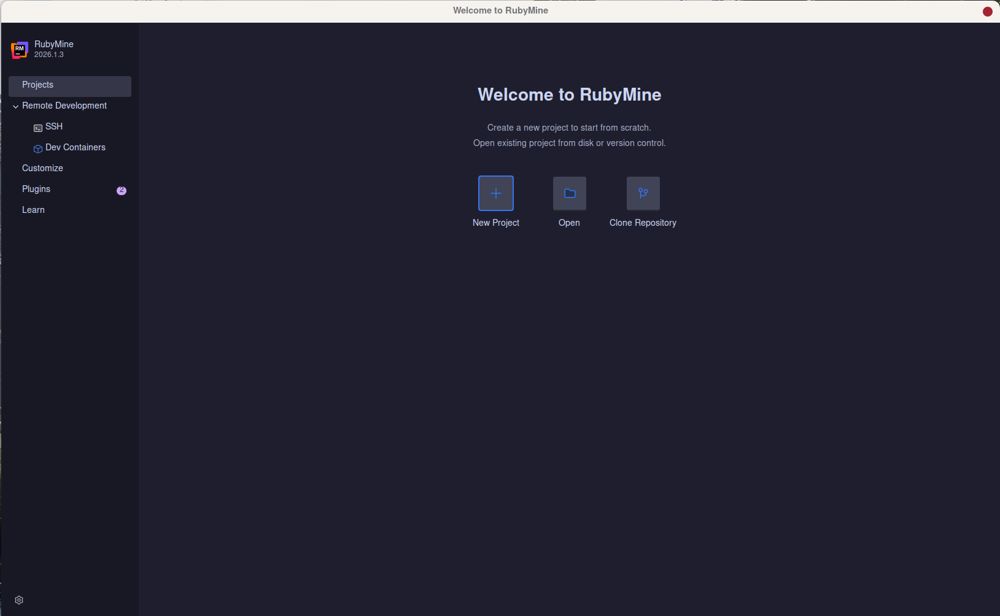
RubyMine 2026.2 has been released, enhancing JetBrains' robust IDE specifically designed for Ruby and Rails development. The new version boasts an extensive list of features, but users may need to navigate a complex setup process involving interpreter configuration, gem dependency management, and tool customization. This guide aims to streamline the setup experience, emphasizing key functionalities while allowing users to bypass unnecessary features.
While many developers initially prefer lighter, faster alternatives like VS Code, RubyMine offers compelling advantages, especially for those deeply engaged in Rails development. Its profound understanding of Rails conventions minimizes the risk of errors, such as automatically updating routes, views, and tests when a controller is renamed. This prevents common pitfalls that can arise in other editors, saving developers significant time and frustration.
To get RubyMine running efficiently, users must install it and subsequently configure their Ruby environment using version managers like rbenv, RVM, or asdf. Properly indexing the project is critical for optimal performance, enabling features like code completion and symbol search, which enhance productivity.
Highlights of RubyMine include:
1. Navigation and Symbol Search: Quickly locate files and code snippets using the Double Shift command, which outpaces manual searches in complex project structures.
2. Live Templates and Code Completion: Features like type-aware completion for ERB and HAML streamline code writing, allowing for rapid test skeleton generation.
3. Built-in Debugger and Rails Console: Developers can debug directly from the editor, inspecting variables and setting breakpoints without the need for terminal intervention, significantly speeding up the development process.
4. Git Integration and Local History: RubyMine excels at managing merge conflicts and offers a local history feature to recover lost files, which is invaluable when working without version control.
However, potential users should be aware of the drawbacks. RubyMine is resource-intensive, particularly when handling large codebases with significant JavaScript or TypeScript components. Configuration can also be daunting, requiring time investment to set it up according to specific project needs.
In conclusion, RubyMine is ideal for developers who are heavily invested in Rails and require a tool that ensures code integrity and efficiency. Despite its memory demands and the necessary configuration, its robust feature set makes it a valuable asset for serious Ruby developers. Casual users or those needing quick edits may find lighter editors like VS Code more suitable. For support, users can visit forums like MajorGeeks for community assistance.
As RubyMine continues to evolve, developers can expect ongoing improvements that enhance productivity and streamline the development process, making it an essential tool for serious Ruby and Rails projects
While many developers initially prefer lighter, faster alternatives like VS Code, RubyMine offers compelling advantages, especially for those deeply engaged in Rails development. Its profound understanding of Rails conventions minimizes the risk of errors, such as automatically updating routes, views, and tests when a controller is renamed. This prevents common pitfalls that can arise in other editors, saving developers significant time and frustration.
To get RubyMine running efficiently, users must install it and subsequently configure their Ruby environment using version managers like rbenv, RVM, or asdf. Properly indexing the project is critical for optimal performance, enabling features like code completion and symbol search, which enhance productivity.
Highlights of RubyMine include:
1. Navigation and Symbol Search: Quickly locate files and code snippets using the Double Shift command, which outpaces manual searches in complex project structures.
2. Live Templates and Code Completion: Features like type-aware completion for ERB and HAML streamline code writing, allowing for rapid test skeleton generation.
3. Built-in Debugger and Rails Console: Developers can debug directly from the editor, inspecting variables and setting breakpoints without the need for terminal intervention, significantly speeding up the development process.
4. Git Integration and Local History: RubyMine excels at managing merge conflicts and offers a local history feature to recover lost files, which is invaluable when working without version control.
However, potential users should be aware of the drawbacks. RubyMine is resource-intensive, particularly when handling large codebases with significant JavaScript or TypeScript components. Configuration can also be daunting, requiring time investment to set it up according to specific project needs.
In conclusion, RubyMine is ideal for developers who are heavily invested in Rails and require a tool that ensures code integrity and efficiency. Despite its memory demands and the necessary configuration, its robust feature set makes it a valuable asset for serious Ruby developers. Casual users or those needing quick edits may find lighter editors like VS Code more suitable. For support, users can visit forums like MajorGeeks for community assistance.
As RubyMine continues to evolve, developers can expect ongoing improvements that enhance productivity and streamline the development process, making it an essential tool for serious Ruby and Rails projects
RubyMine 2026.2 released
RubyMine is JetBrains' heavy-duty IDE for Ruby and Rails development, with deep Rails awareness, a built-in debugger, and Git and local history support.