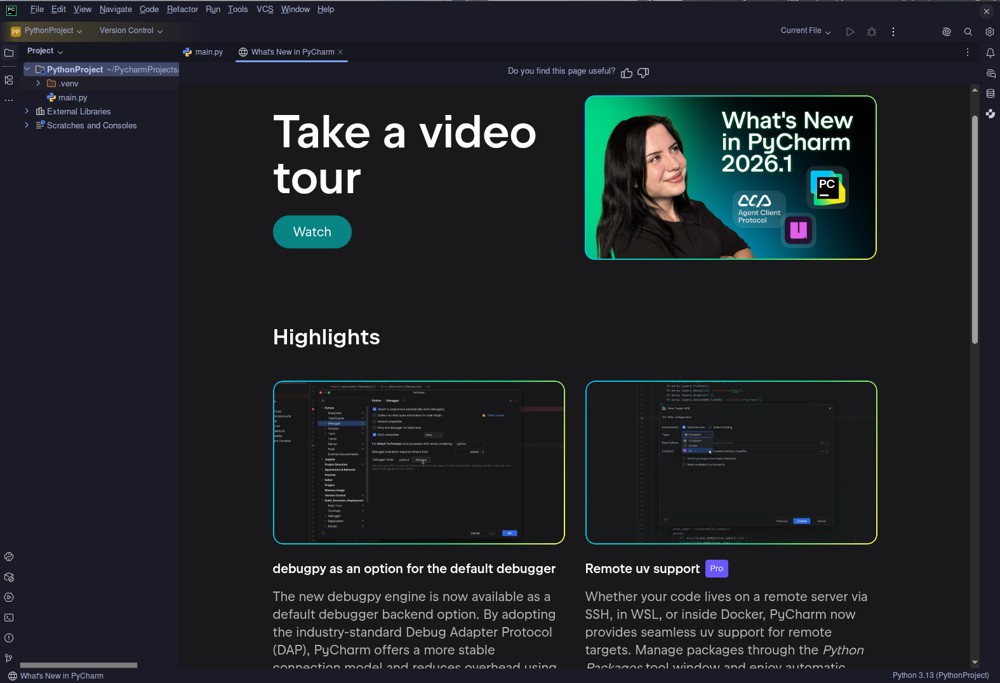
The latest release of PyCharm, version 2026.2, continues to solidify its position as the leading IDE for professional Python development. This update features enhanced support for the latest Python interpreter versions, improved integration with Docker Compose, and a revamped integrated terminal that mimics a traditional shell environment more closely.
Unified Licensing Model
In a significant move, JetBrains has merged the Community and Professional editions into a single product with a unified licensing model introduced in April 2025. This means users can access the complete core IDE for free, with advanced features for web frameworks, Jupyter notebooks, SQL databases, and Cython made available through a Pro subscription. While legacy installers are still available for those who prefer the previous model, they may not receive future security updates.
Installation and Usability
The installation process for PyCharm 2026.2 is user-friendly, as it includes its own OpenJDK, eliminating the need for users to install separate Java runtimes. The initial disk usage is approximately 1.5 GB, but this can grow as project caches and indexing databases accumulate. Linux users benefit from the availability of .tar.gz archives, which are preferable for ensuring proper terminal environment variable management.
Cost Structure and Features
Under the new unified model, PyCharm can be downloaded without a credit card or account creation. The free version offers essential features such as code completion, version control, and Docker management, which are sufficient for personal and hobby projects. For more extensive use, the Pro subscription is priced at approximately $109 for the first year, with subsequent years at reduced rates. This subscription unlocks advanced features like project templates for Django and Flask, enhanced JavaScript/TypeScript support, and a visual SQL workbench.
Powerful Code Analysis and Refactoring Tools
PyCharm's architecture, built on the IntelliJ Platform, provides significant advantages in code analysis and refactoring. It not only detects syntax errors but also monitors data flow across files and suggests type hints to enhance code documentation. The IDE excels in refactoring capabilities, allowing seamless changes across complex code structures. Additionally, its integrated debugging tools and unit testing support with coverage heatmaps are noteworthy features.
Drawbacks and Limitations
Despite its strengths, PyCharm has some drawbacks. The memory usage can be substantial, especially for projects with extensive files or Jupyter integration, often exceeding 3 GB of RAM. Start-up times lag behind lighter editors like VS Code, and the lack of a built-in GUI designer poses challenges for developers using PyQt or PySide.
Conclusion and Recommendation
PyCharm remains the preferred IDE for serious Python developers, particularly following the unification of its editions. This change makes it easier for developers to access powerful tools without financial barriers. While beginners might find the interface initially daunting and lightweight hobbyists might prefer simpler editors, those working on substantial projects—such as large web applications or data science workflows—will find PyCharm's capabilities invaluable. For serious Python development, this IDE not only facilitates better coding practices but also enhances overall productivity.
Future Directions
Looking ahead, JetBrains may continue to refine PyCharm's performance and usability, potentially addressing memory concerns and enhancing the user interface to cater to beginners. Additionally, as the Python ecosystem evolves, further integrations with emerging technologies and frameworks could be expected, keeping PyCharm at the forefront of Python development tools
Unified Licensing Model
In a significant move, JetBrains has merged the Community and Professional editions into a single product with a unified licensing model introduced in April 2025. This means users can access the complete core IDE for free, with advanced features for web frameworks, Jupyter notebooks, SQL databases, and Cython made available through a Pro subscription. While legacy installers are still available for those who prefer the previous model, they may not receive future security updates.
Installation and Usability
The installation process for PyCharm 2026.2 is user-friendly, as it includes its own OpenJDK, eliminating the need for users to install separate Java runtimes. The initial disk usage is approximately 1.5 GB, but this can grow as project caches and indexing databases accumulate. Linux users benefit from the availability of .tar.gz archives, which are preferable for ensuring proper terminal environment variable management.
Cost Structure and Features
Under the new unified model, PyCharm can be downloaded without a credit card or account creation. The free version offers essential features such as code completion, version control, and Docker management, which are sufficient for personal and hobby projects. For more extensive use, the Pro subscription is priced at approximately $109 for the first year, with subsequent years at reduced rates. This subscription unlocks advanced features like project templates for Django and Flask, enhanced JavaScript/TypeScript support, and a visual SQL workbench.
Powerful Code Analysis and Refactoring Tools
PyCharm's architecture, built on the IntelliJ Platform, provides significant advantages in code analysis and refactoring. It not only detects syntax errors but also monitors data flow across files and suggests type hints to enhance code documentation. The IDE excels in refactoring capabilities, allowing seamless changes across complex code structures. Additionally, its integrated debugging tools and unit testing support with coverage heatmaps are noteworthy features.
Drawbacks and Limitations
Despite its strengths, PyCharm has some drawbacks. The memory usage can be substantial, especially for projects with extensive files or Jupyter integration, often exceeding 3 GB of RAM. Start-up times lag behind lighter editors like VS Code, and the lack of a built-in GUI designer poses challenges for developers using PyQt or PySide.
Conclusion and Recommendation
PyCharm remains the preferred IDE for serious Python developers, particularly following the unification of its editions. This change makes it easier for developers to access powerful tools without financial barriers. While beginners might find the interface initially daunting and lightweight hobbyists might prefer simpler editors, those working on substantial projects—such as large web applications or data science workflows—will find PyCharm's capabilities invaluable. For serious Python development, this IDE not only facilitates better coding practices but also enhances overall productivity.
Future Directions
Looking ahead, JetBrains may continue to refine PyCharm's performance and usability, potentially addressing memory concerns and enhancing the user interface to cater to beginners. Additionally, as the Python ecosystem evolves, further integrations with emerging technologies and frameworks could be expected, keeping PyCharm at the forefront of Python development tools
PyCharm 2026.2 released
PyCharm is the gold standard for serious Python development, adding native support for recent interpreter versions, tightening Docker Compose integration, and refining the integrated terminal to actually feel like a proper shell instead of a half-hearted wrapper.