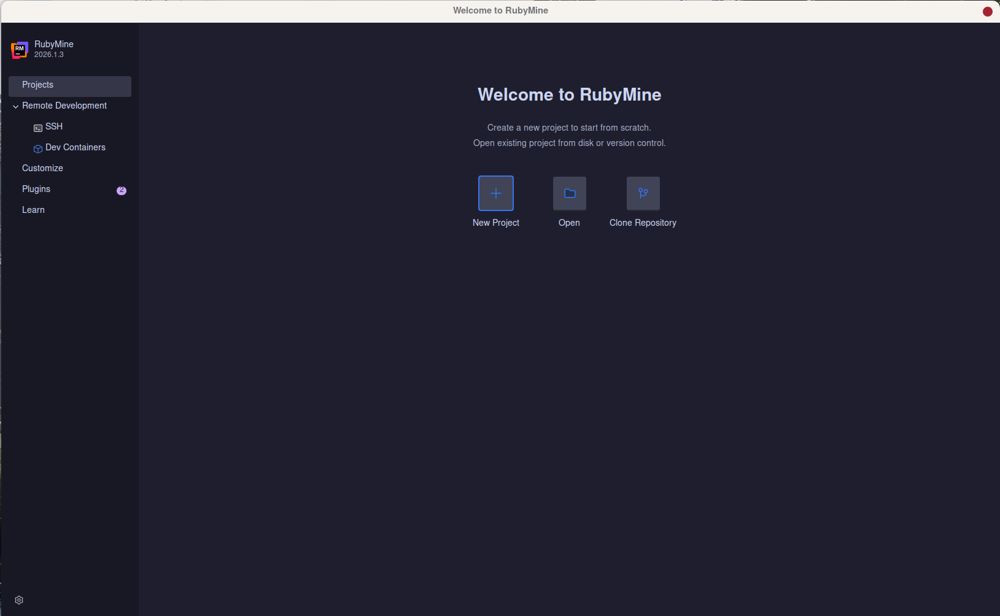
RubyMine 2026.1.3 has been released, continuing JetBrains' commitment to providing a robust Integrated Development Environment (IDE) specifically for Ruby and Rails development. Known for its comprehensive Rails support, RubyMine integrates a built-in debugger and offers seamless Git and local history functionalities. The latest version comes packed with numerous features, but setting it up can feel overwhelming.
To effectively use RubyMine, developers need to configure interpreters, manage gem dependencies, and determine which built-in features are beneficial. This guide aims to simplify the initial setup process by highlighting essential steps and features while advising on what can be ignored, allowing developers to focus on coding rather than troubleshooting their IDE.
- Navigation and Symbol Search: Quickly locate files or methods using the Double Shift shortcut, which is more efficient than manually searching through a project’s file structure.
- Live Templates and Code Completion: Utilize shortcuts to create test skeletons or code snippets effortlessly. The IDE excels in type-aware completion for ERB and HAML.
- Built-in Debugger and Rails Console: Directly interact with the Rails console from the editor, allowing for real-time debugging and code reloading without restarting the application.
- Git Integration and Local History: Manage version control efficiently and recover lost files with ease through local history features.
- Deep integration with Rails conventions simplifies development.
- Built-in debugging tools enhance workflow efficiency.
- Robust Git functionality and local history features provide reliable version control.
- Free for non-commercial projects, making it accessible for hobbyists.
Cons:
- High memory usage, particularly with large projects.
- Initial setup can be time-consuming and complex.
To effectively use RubyMine, developers need to configure interpreters, manage gem dependencies, and determine which built-in features are beneficial. This guide aims to simplify the initial setup process by highlighting essential steps and features while advising on what can be ignored, allowing developers to focus on coding rather than troubleshooting their IDE.
Why Choose RubyMine?
While many developers gravitate towards lighter, faster options like VS Code for their initial projects, RubyMine's strength lies in its deep understanding of Rails conventions. For instance, when renaming a controller, RubyMine automatically updates related routes, views, and tests, significantly reducing the potential for errors that could arise from manual updates. This depth of integration helps developers streamline their workflow, avoiding common pitfalls found in competing editors.Setting Up RubyMine
The installation of RubyMine is relatively simple, but the significant work occurs post-launch. Using Ruby version managers like rbenv, RVM, or asdf is crucial to ensure Ruby is properly configured within the IDE. Navigating to Project Structure in Settings allows users to add their Ruby SDK and gemsets, which is essential for optimal performance. Without proper indexing, the IDE may feel sluggish, and features like code completion will be ineffective.Key Features That Save Time
RubyMine is equipped with a myriad of features that can enhance productivity:- Navigation and Symbol Search: Quickly locate files or methods using the Double Shift shortcut, which is more efficient than manually searching through a project’s file structure.
- Live Templates and Code Completion: Utilize shortcuts to create test skeletons or code snippets effortlessly. The IDE excels in type-aware completion for ERB and HAML.
- Built-in Debugger and Rails Console: Directly interact with the Rails console from the editor, allowing for real-time debugging and code reloading without restarting the application.
- Git Integration and Local History: Manage version control efficiently and recover lost files with ease through local history features.
Performance Considerations
RubyMine can be resource-intensive, particularly for large projects that incorporate extensive JavaScript or TypeScript. Developers are advised to disable unnecessary frontend live templates and reduce file watchers to improve performance. Indexing may take time, but once completed, the IDE will offer enhanced responsiveness and functionality.Pros and Cons
Pros:- Deep integration with Rails conventions simplifies development.
- Built-in debugging tools enhance workflow efficiency.
- Robust Git functionality and local history features provide reliable version control.
- Free for non-commercial projects, making it accessible for hobbyists.
Cons:
- High memory usage, particularly with large projects.
- Initial setup can be time-consuming and complex.
Conclusion
RubyMine is not universally suitable for all developers. For those working on quick or smaller projects, lighter editors like VS Code may suffice. However, for developers deeply entrenched in Rails, managing multiple gem versions, and requiring a tool that ensures code integrity, RubyMine proves to be an invaluable asset. Its advanced features, despite the resource demands, ultimately support a more structured and error-free coding experience.Future Directions
As Ruby and Rails evolve, RubyMine will likely continue to adapt, incorporating new features and optimizations to enhance user experience. Users can anticipate further improvements in performance and integration, potentially reducing the initial configuration burden and streamlining the development process even moreRubyMine 2026.1.3 released
RubyMine is JetBrains’ heavy duty IDE for Ruby and Rails development with deep Rails awareness, built in debugger, and Git and local history.