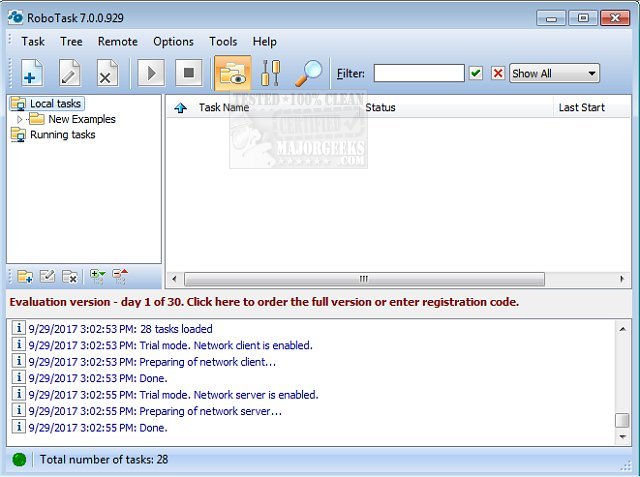
RoboTask Lite has recently released version 11.0.0.0 Pro and 9.8.0, enhancing its capabilities for automating various tasks on your computer. This versatile software allows users to streamline numerous functions, from launching applications and checking emails to managing file backups and performing uploads or downloads.
RoboTask stands out for its user-friendly interface that accommodates both simple and complex automation tasks. Users can create tasks using conditional IF/ELSE statements, loops, and custom variables, making it suitable for a wide range of automation needs.
Key features of RoboTask Lite include:
- Launching applications and opening documents effortlessly.
- Automating backup processes to ensure data safety.
- Monitoring folders for changes and alerting users accordingly.
- Shutting down Windows or powering off the computer based on user-defined triggers.
- Processing files and folders through various actions such as copy, move, rename, and delete.
- Sending network messages via WinPopup.
- Functioning as an alarm clock for reminders.
With these features, RoboTask Lite serves as an invaluable tool for users looking to enhance their productivity and automate routine tasks efficiently. The latest updates are expected to bring even more functionalities and improvements, catering to the evolving needs of users in an increasingly digital workspace.
In future iterations, RoboTask could potentially integrate AI-driven automation suggestions, improved user interface enhancements, or expanded compatibility with cloud services, further solidifying its place as a leader in automation software
RoboTask stands out for its user-friendly interface that accommodates both simple and complex automation tasks. Users can create tasks using conditional IF/ELSE statements, loops, and custom variables, making it suitable for a wide range of automation needs.
Key features of RoboTask Lite include:
- Launching applications and opening documents effortlessly.
- Automating backup processes to ensure data safety.
- Monitoring folders for changes and alerting users accordingly.
- Shutting down Windows or powering off the computer based on user-defined triggers.
- Processing files and folders through various actions such as copy, move, rename, and delete.
- Sending network messages via WinPopup.
- Functioning as an alarm clock for reminders.
With these features, RoboTask Lite serves as an invaluable tool for users looking to enhance their productivity and automate routine tasks efficiently. The latest updates are expected to bring even more functionalities and improvements, catering to the evolving needs of users in an increasingly digital workspace.
In future iterations, RoboTask could potentially integrate AI-driven automation suggestions, improved user interface enhancements, or expanded compatibility with cloud services, further solidifying its place as a leader in automation software
RoboTask Lite 11.0.0.0 Pro / 9.8.0 released
RoboTask enables you to automate any combination of tasks on your computer, ranging from simply launching applications to checking email, moving or backing up files to uploading/downloading, sending email, and much more.