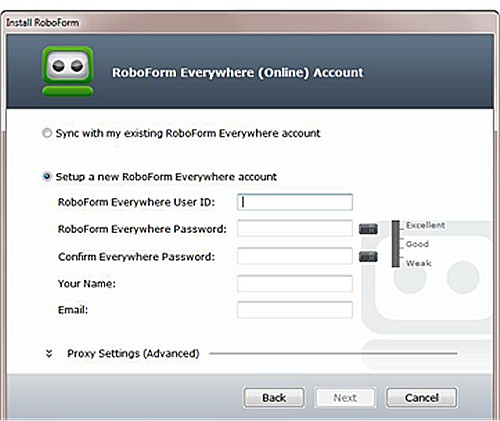
RoboForm Everywhere has been updated to version 9.9.4.6, designed for various platforms including Windows, Chrome, Firefox, Edge, and Android. This password manager leverages advanced Artificial Intelligence (AI) to streamline web form filling.
Key Features and Benefits
RoboForm stands out in the realm of password managers, utilizing a zero-knowledge architecture combined with AES-256 encryption to ensure user data remains secure. Its core features include:
- Password Vault: Safely stores all login credentials.
- Auto-Fill: Quickly enters passwords on websites, but only for recognized URLs to prevent phishing.
- Password Generator: Creates complex passwords that enhance security.
- Secure Sharing: Enables safe sharing of credentials without exposing sensitive information.
- Cross-Platform Availability: Accessible on Windows, macOS, iOS, Android, and as browser extensions.
RoboForm is ideal for users seeking reliable and robust security solutions, particularly those concerned about password management risks, such as password reuse and weak password creation. The convenience of remembering a single master password alleviates the frustration of forgotten logins and discourages unsafe storage practices.
Security Features
The zero-knowledge architecture ensures that even RoboForm cannot access your passwords. Your data is encrypted locally on your device before being sent to their servers, providing peace of mind against potential data breaches.
Pros and Cons
Pros:
- Exceptional security with zero-knowledge architecture.
- Intuitive user interface, catering even to beginners.
- Seamless cross-device synchronization.
- Over two decades of continuous improvement and reliability.
Cons:
- Some premium features require a subscription.
- Caution is advised regarding the master password recovery process, as resetting it can result in data loss.
Conclusion
RoboForm Password Manager is highly recommended for individuals prioritizing security and efficiency in managing their online credentials. Its proven track record of reliability combined with robust security measures makes it a worthwhile investment for anyone looking to simplify password management and enhance their online security.
Future Developments and Innovations
As the digital landscape continues to evolve, RoboForm may incorporate additional features such as biometric authentication, improved user interfaces, and expanded support for emerging platforms. Furthermore, the integration of machine learning could enhance its ability to detect and prevent phishing attempts more effectively, ensuring users remain secure in an increasingly complex online world.
Continued focus on user education regarding password security and best practices could also play a significant role in future enhancements, empowering users to take control of their online safety
Key Features and Benefits
RoboForm stands out in the realm of password managers, utilizing a zero-knowledge architecture combined with AES-256 encryption to ensure user data remains secure. Its core features include:
- Password Vault: Safely stores all login credentials.
- Auto-Fill: Quickly enters passwords on websites, but only for recognized URLs to prevent phishing.
- Password Generator: Creates complex passwords that enhance security.
- Secure Sharing: Enables safe sharing of credentials without exposing sensitive information.
- Cross-Platform Availability: Accessible on Windows, macOS, iOS, Android, and as browser extensions.
RoboForm is ideal for users seeking reliable and robust security solutions, particularly those concerned about password management risks, such as password reuse and weak password creation. The convenience of remembering a single master password alleviates the frustration of forgotten logins and discourages unsafe storage practices.
Security Features
The zero-knowledge architecture ensures that even RoboForm cannot access your passwords. Your data is encrypted locally on your device before being sent to their servers, providing peace of mind against potential data breaches.
Pros and Cons
Pros:
- Exceptional security with zero-knowledge architecture.
- Intuitive user interface, catering even to beginners.
- Seamless cross-device synchronization.
- Over two decades of continuous improvement and reliability.
Cons:
- Some premium features require a subscription.
- Caution is advised regarding the master password recovery process, as resetting it can result in data loss.
Conclusion
RoboForm Password Manager is highly recommended for individuals prioritizing security and efficiency in managing their online credentials. Its proven track record of reliability combined with robust security measures makes it a worthwhile investment for anyone looking to simplify password management and enhance their online security.
Future Developments and Innovations
As the digital landscape continues to evolve, RoboForm may incorporate additional features such as biometric authentication, improved user interfaces, and expanded support for emerging platforms. Furthermore, the integration of machine learning could enhance its ability to detect and prevent phishing attempts more effectively, ensuring users remain secure in an increasingly complex online world.
Continued focus on user education regarding password security and best practices could also play a significant role in future enhancements, empowering users to take control of their online safety
Roboform 9.9.4.6 released
Roboform Everywhere for Windows, Chrome, Firefox, Edge, and Android is a push-button web form filler with some serious Artificial Intelligence (AI) inside.