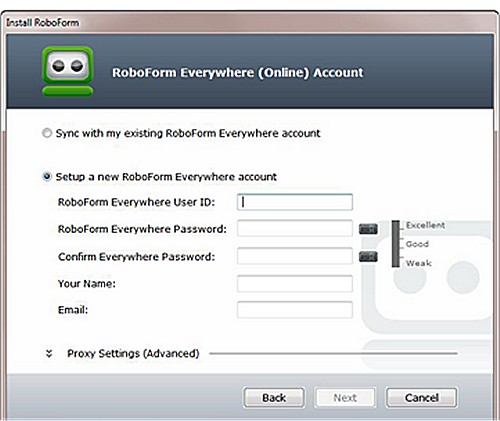
RoboForm has recently released version 9.9.2 of its password management software, known as RoboForm Everywhere, which is compatible with various platforms, including Windows, macOS, iOS, Android, and popular web browsers like Chrome, Firefox, and Edge. This powerful tool utilizes advanced Artificial Intelligence (AI) to streamline web form filling, making it a reliable choice for users seeking robust security and convenience.
Platforms: Windows, macOS, iOS, Android, browser extensions
Security Model: Zero-knowledge architecture with AES-256 encryption
Core Features: Password vault, auto-fill, password generator, secure sharing
Phishing Protection: Auto-fill works only on exact website URLs
Ideal For: Users looking for long-term reliability and strong security
Pricing: Free version available; premium subscription unlocks sync and advanced features
RoboForm serves as a comprehensive password manager that securely stores, generates, and autofills passwords across devices, all while ensuring data privacy through its zero-knowledge encryption model.
The software not only simplifies the login process but also enhances security by preventing autofill on fraudulent sites, effectively safeguarding users from phishing attacks. Its ability to access passwords across devices ensures that individuals can manage their credentials effortlessly.
- Password Generator: Creates strong, unique passwords for each account.
- Cross-Platform Sync: Access passwords on multiple devices and browsers.
- Secure Sharing: Allows safe password sharing without exposure.
- Sorting Options: Organizes passwords and notes efficiently.
- Two-Factor Authentication (2FA): Provides additional security beyond the master password.
- Exceptional security with zero-knowledge architecture
- User-friendly interface suitable for all levels
- Seamless cross-device synchronization with autofill
- Over two decades of continuous improvement and reliability
Cons:
- Premium features require a subscription, though they are deemed worthwhile
- Master password recovery is possible, but resetting it can lead to data loss—caution is advised.
As password management continues to evolve, the need for tools like RoboForm will only grow, highlighting the importance of keeping your digital life secure and organized
Overview of RoboForm
Category: Password ManagersPlatforms: Windows, macOS, iOS, Android, browser extensions
Security Model: Zero-knowledge architecture with AES-256 encryption
Core Features: Password vault, auto-fill, password generator, secure sharing
Phishing Protection: Auto-fill works only on exact website URLs
Ideal For: Users looking for long-term reliability and strong security
Pricing: Free version available; premium subscription unlocks sync and advanced features
RoboForm serves as a comprehensive password manager that securely stores, generates, and autofills passwords across devices, all while ensuring data privacy through its zero-knowledge encryption model.
The Importance of Using a Password Manager
Managing passwords without a dedicated tool poses significant risks, as many individuals resort to reusing passwords or creating easily guessable ones. This behavior increases vulnerability to cyberattacks, especially if a single website experiences a data breach. RoboForm alleviates these concerns by providing a secure digital vault for login details, allowing users to remember just one master password.The software not only simplifies the login process but also enhances security by preventing autofill on fraudulent sites, effectively safeguarding users from phishing attacks. Its ability to access passwords across devices ensures that individuals can manage their credentials effortlessly.
Security Features of RoboForm
RoboForm's zero-knowledge architecture distinguishes it from many other password managers. Users set a master password that is never shared with the company's servers, meaning that even RoboForm cannot access stored passwords. Data is encrypted locally on the user's device before being transmitted, utilizing military-grade AES-256 bit encryption, which offers a high level of security.Key Features
- One-Click Login: Instantly fills in passwords without typing.- Password Generator: Creates strong, unique passwords for each account.
- Cross-Platform Sync: Access passwords on multiple devices and browsers.
- Secure Sharing: Allows safe password sharing without exposure.
- Sorting Options: Organizes passwords and notes efficiently.
- Two-Factor Authentication (2FA): Provides additional security beyond the master password.
Pros and Cons
Pros:- Exceptional security with zero-knowledge architecture
- User-friendly interface suitable for all levels
- Seamless cross-device synchronization with autofill
- Over two decades of continuous improvement and reliability
Cons:
- Premium features require a subscription, though they are deemed worthwhile
- Master password recovery is possible, but resetting it can lead to data loss—caution is advised.
Conclusion
RoboForm has garnered trust over its two decades of existence, making it a reliable choice for managing sensitive information. Its combination of strong security features, user-friendliness, and effective performance solidifies its reputation as a leading password manager. If security, convenience, and peace of mind are priorities for you, RoboForm is highly recommended.As password management continues to evolve, the need for tools like RoboForm will only grow, highlighting the importance of keeping your digital life secure and organized
Roboform 9.9.2 released
Roboform Everywhere for Windows, Chrome, Firefox, Edge, and Android is a push-button web form filler with some serious Artificial Intelligence (AI) inside.